


- Company
- Products
- Catalogs
- News & Trends
- Exhibitions
Bluehill Universal Materials Testing Software
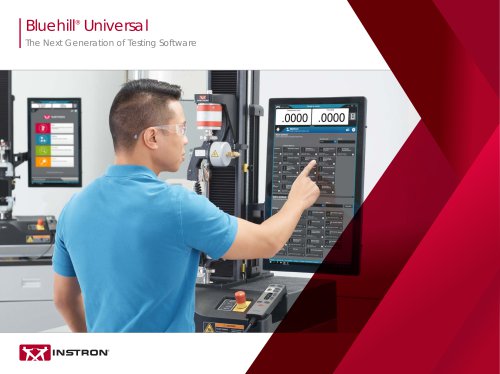
Bluehill Universal Materials Testing Software
Bluehill Universal is a next-generation testing software designed to enhance the efficiency, safety, and simplicity of testing processes. It leverages modern digital interfaces and computing power to streamline operations in testing environments.
Key Features
- Live Displays: Configurable displays for real-time feedback on test status, including force, displacement, and results.
- Graphs and Control Charts: Customizable graphs for detailed data analysis, including force vs. displacement and stress vs. strain.
- Results Table: Allows sorting by various parameters and provides group statistics.
- Specimen Selector: Facilitates quick management and review of tests.
Simpler Testing
- QuickTest: Enables rapid test execution with minimal parameter input.
- Pre-loaded Templates: Includes a library of methods for common standards like ASTM, ISO, and EN.
- Integrated Specimen Measurement: Direct connection with measurement tools for seamless data import.
- Pass/Fail Indicators: Visual feedback on test outcomes based on predefined criteria.
Smarter Testing
- TestCam Option: Video playback of tests for detailed review.
- Analysis Option: Allows re-analysis and modification of test data without re-testing.
- Expression Builder: Custom function creation for test methods.
- Export Options: Flexible data export formats for integration with lab systems.
Safer Testing
- Setup and Testing States: Visual indicators for system status to enhance safety.
- Integrated Safety Coaching: Compatible with various Instron systems for enhanced safety protocols.
Data Analysis and Reporting
- TrendTracker: Streamlines data analysis across multiple samples and systems.
- Report Generator: Customizable templates for professional reporting.
Security and Traceability
- Security Options: Configurable permissions with integration options like Active Directory and Windows.
- Traceability Module: Ensures compliance with audit requirements through electronic approvals and audit trails.
Instron Connect
- Technical Support: Integrated support tools for diagnostics, updates, and troubleshooting.
- Customer Portal: Access to updates, support requests, and service history.
System Compatibility
Bluehill Universal is compatible with a wide range of Instron systems, offering ergonomic design and space-saving features.
Conclusion
Bluehill Universal represents a comprehensive solution for modern testing needs, combining advanced features with user-friendly interfaces to optimize testing workflows.
Catalog excerpts
Bluehill® Universal The Next Generation of Testing Software
Open the catalog to page 1
The digital revolution of the 1980s and 1990s introduced us to personal computers, operating systems, and the internet. These monumental changes catalyzed an evolution in Universal Testing Machines to embrace digital electronics, moving operators away from a world of dials, pushbuttons, and controls to a world of right and left clicks.
Open the catalog to page 2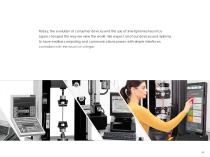
Today, the evolution of consumer devices and the use of smartphones has once again changed the way we view the world. We expect all of our devices and systems to have endless computing and communications power, with simple interfaces controlled with the touch of a finger.
Open the catalog to page 3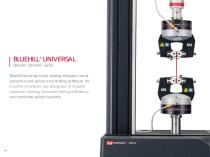
BLUEHILL® UNIVERSAL Simpler. Smarter. Safer. Bluehill Universal is the testing industry’s most powerful and advanced testing software. Its intuitive workflows are designed to simplify operator training, increase testing efficiency, and minimize safety hazards.
Open the catalog to page 4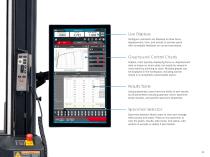
Live Displays Configure unlimited Live Displays to show force, displacement, time, and results to provide users with immediate feedback on current test status. Graphs and Control Charts Graphs, most typically displaying force vs. displacement data or stress vs. strain data, can easily be viewed in more detail by pinching to zoom. Multiple graphs can be displayed in the workspace, including control charts in a completely customizable layout. Results Table Using subsample, users have the ability to sort results by all parameters including operator name, specimen break location, and specific specimen...
Open the catalog to page 5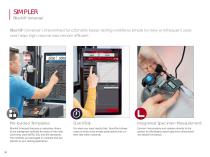
Bluehill® Universal’s streamlined functionality keeps testing workflows simple for new or infrequent users and helps high-volume labs remain efficient. Pre-loaded Templates Integrated Specimen Measurement Bluehill Universal features an extensive library of pre-configured methods for some of the most commonly used ASTM, ISO, and EN standards. The methods are packaged in modules that are specific to your testing application. For when you need results fast, QuickTest allows users to enter a few simple parameters and run their test within seconds. Connect micrometers and calipers directly to the...
Open the catalog to page 6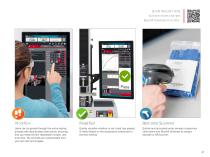
SCAN THE QR CODE to learn more and see Bluehill Universal in action. Barcode Scanner Users can be guided through the entire testing process with step-by-step instructions, ensuring that your tests remain repeatable, simple, and error-free. The prompts are customizable with your own text and images. Quickly visualize whether or not a test has passed or failed based on the acceptance criteria set in the test method. Quickly and accurately enter sample or specimen information into Bluehill Universal by using a barcode or QR scanner.
Open the catalog to page 7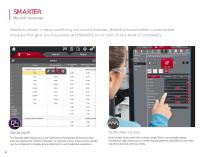
Simplicity doesn’t mean sacrificing advanced features. Bluehill Universal offers customizable modules that give you the power and flexibility to run tests at any level of complexity. TestProfiler Option The Results table allows you to sort specimens into groups by shared traits such as material ID, machine direction, or operator name. Once sorted, results can be configured to display group statistics for each selected calculation. Build simple cyclic tests that include ramps, holds, and triangle waves. Conditional logic allows you to create looping patterns that help you simulate real life scenarios...
Open the catalog to page 8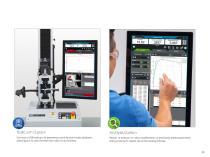
TestCam Option Analysis Option Connect a USB webcam to experience point-by-point video playback, allowing you to view the test even after it has finished. Replay, re-analyze, or make modifications to previously tested specimens without having to repeat the entire testing process.
Open the catalog to page 9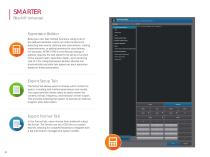
Expression Builder Build your own test method functions using a list of pre-defined variables. Users can write functions for detecting test events, defining new calculations, making measurements, or setting domains for calculations. For example, ASTM D790 for the flexural testing of plastics requires the test speed to be set as a function of the support span, specimen depth, and a straining rate of 0.01. Using Expression Builder, Bluehill can automatically calculate test speed per each specimen based on these parameters. Export Setup Tab The Setup tab allows users to choose which content to export,...
Open the catalog to page 10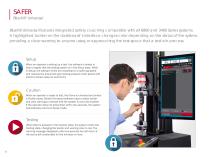
Bluehill Universal features integrated safety coaching compatible with all 6800 and 3400 Series systems. A highlighted border on the dashboard’s interface changes color depending on the status of the system, providing a clear warning to anyone using or approaching the test space that a test is in process. Setup When an operator is setting up a test, the software’s border is blue to signify that the testing system is in the Setup state. While in Setup, the software limits the crosshead to a safer jog speed and reduces the pneumatic grip closing pressure when paired with Instron’s Smart-close Air...
Open the catalog to page 12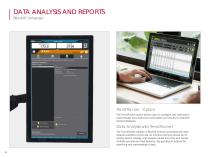
DATA ANALYSIS AND REPORTS Bluehill Universal ® TrendTracker ™ Option The TrendTracker option allows users to configure test methods to automatically send specimen parameters and results to a Bluehill Central database. Data Analysis with TrendTracker ™ The TrendTracker module in Bluehill Central accelerates the data analysis workflow of your lab. An intuitive interface allows you to quickly search, display, and analyze results over time and across multiple samples and test systems. Say goodbye to tedious file searching and copy-pasting of data.
Open the catalog to page 14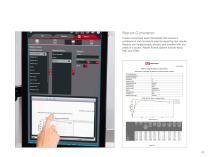
Report Generator Create customized report templates that ensure a professional and consistent style for reporting test results. Reports can be generated, printed, and emailed with the press of a button. Report format options include Word, PDF, and HTML. ASTM D638-14 Standard Test Method for Tensile Properties of Plastics
Open the catalog to page 15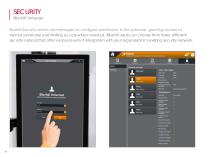
Bluehill Security allows lab managers to configure permissions in the software, granting access to trained personnel and limiting access where needed. Bluehill users can choose from three different security options that offer various levels of integration with your organization’s existing security network.
Open the catalog to page 16All Instron catalogs and technical brochures
 CEAST 9000 Series
20 Pages
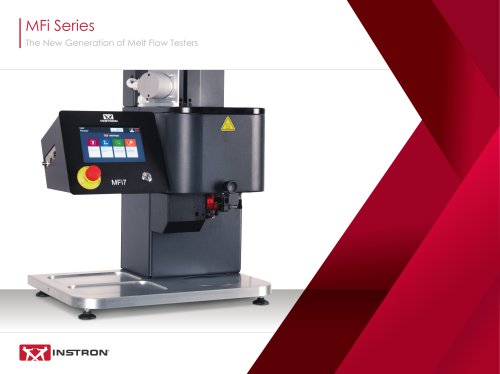 MFi Series Melt Flow Testers
16 Pages
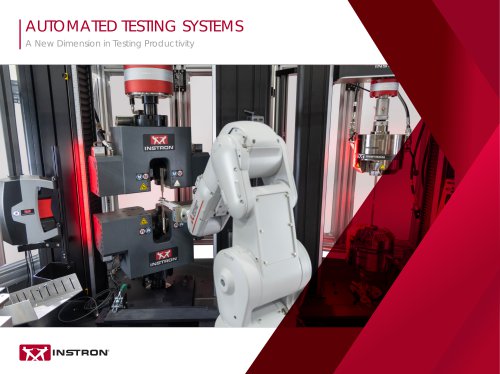 Automated Testing Systems
20 Pages
 Composites Testing Solutions
20 Pages
 DX MODELS
3 Pages
 2580 Series Load Cells
3 Pages
 HDX Models
2 Pages
 DAMPER TEST SYSTEMS BI-7080
2 Pages
 HIGH STRAIN RATE VHS SYSTEM
4 Pages
 Automated XY Testing System
3 Pages
 CEAST 9400 Series
20 Pages
 COMPRESSION PLATENS
2 Pages
 LOW CYCLE FATIGUE
11 Pages
 ElectroPuls™
10 Pages
 Pneumatic Side-Action Grips
4 Pages
 HDT AND VICAT TESTING SYSTEMS
16 Pages
 AlignPRO™ Alignment System
2 Pages
 CEAST Melt Flow Series
20 Pages
 CEAST SmartRheo Series
16 Pages



Archived catalogs
 CEAST HDT Vicat Series
9 Pages
- Valve
- Control valve
- Kiln
- Actuator
- Instron load cell
- Chamber kiln
- Test cabinet
- Linear actuator
- Automation software solution
- Management software solution
- Positioning table
- Electric valve
- Analysis software solution
- Test stand
- Process software
- Instron tension/compression load cell
- Temperature test chamber
- Real-time software
- Instron Windows software