
- Catalogs
- INSEVIS Vertriebs GmbH
- Decentral Periphery Interface DP303C

- Products
- Catalogs
- News & Trends
- Exhibitions
Decentral Periphery Interface DP303C
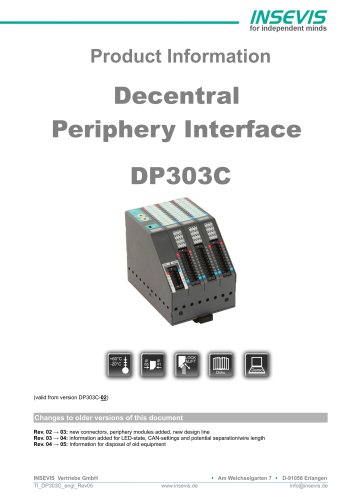
Decentral Periphery Interface DP303C
Catalog excerpts
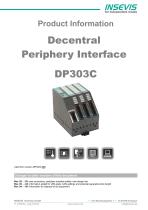
Product Information Decentral Periphery Interface DP303C (valid from version DP303C-02) Changes to older versions of this document Rev. 02 → 03: new connectors, periphery modules added, new design line Rev. 03 → 04: information added for LED-state, CAN-settings and potential separation/wire length Rev. 04 → 05: Information for disposal of old equipment INSEVIS Vertriebs GmbH TI_DP303C_engl_Rev05 • Am Weichselgarten 7 • D-91058 Erlangen info@ins
Open the catalog to page 1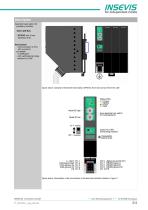
Description decentral head station for periphery modules 35mm DIN Rail - DP303C with 3 free periphery slots Head station - communication to PLC with a protocol compatible to CANopen® - with switchable teminate resistors for CAN figure above: Sample of decentral head station DP303C from read sid and from the side figure above: Description of all connections of all decentral interface stations of type C INSEVIS Vertriebs GmbH TI_DP303C_engl_Rev05
Open the catalog to page 2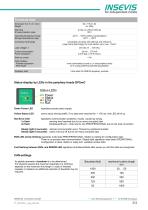
Technical data Status-display by LEDs in the periphery heads DP3xxC Status Power Error Status Run Green Power LED signalizes proper power supply. Yellow Status-LED warns about missing traffic. If no data were received for > 150 ms, this LED will lit up. Red Error-LED 1x flash: 2x flash: signalizes communication problems, mostly caused by wiring. warning level reached due to too many corrupted data NodeGuardEvent - node returns into PREOPERATIONAL due to lost host connection Steady light (2 seconds): internal communication error, Timeout by peripheral module Steady light (5 seconds): switch into...
Open the catalog to page 3
Qualified personnel All devices described in this manual may only be used, built up and operated together with this documentation. Installation, initiation and operation of these devices might only be done by instructed personnel with certified skills, who can prove their ability to install and initiate electrical and mechanical devices, systems and current circuits in a generally accepted and admitted standard. Manuals, sample programs Additional documentation by manuals is available as well sample applications at the download area of www.insevis.com in English language for free download. Copyright...
Open the catalog to page 4All INSEVIS Vertriebs GmbH catalogs and technical brochures
 S7-Panel HMI
147 Pages
 Touch Panel
4 Pages
 S7-Panel-PLC
4 Pages
- Process software
- Windows software
- Measurement software
- Fieldbus gateway
- Ethernet gateway
- HMI
- HMI with touch screen
- Panel-mount HMI
- IoT gateway
- Ethernet programmable logic controller
- Fieldbus PLC
- Networked PLC
- RS485 programmable logic controller
- RS232 programmable controller
- Modbus TCP gateway
- Display HMI
- MQTT gateway
- Modbus programmable logic controller
- Mapping software