- Catalogs
- Infranor Group
- Xtracontrol_DC2_ET2_EC21_EN_V1_3_1


Xtracontrol_DC2_ET2_EC21_EN_V1_3_1

Xtracontrol_DC2_ET2_EC21_EN_V1_3_1
This user manual is intended for qualified personnel and provides detailed guidance on the assembly, installation, start-up, and maintenance of the XtracontrolDC2, XtracontrolET2, and XtracontrolEC21 devices. It covers applications, safety, mechanical and electrical design, connections, start-up procedures, upkeep, maintenance, decommissioning, and disposal.
Emphasizes adherence to safety instructions to prevent accidents and ensure safe device operation.
Overview of models including XtracontrolDC2.04, XtracontrolDC2.07, XtracontrolET2.04, XtracontrolET2.07, and XtracontrolEC21, detailing scope of delivery, accessories, and key features.
Guidelines for preparing and executing installation, with specific instructions for different models, including installation cut-outs and mounting procedures.
Outlines power supply and data connection requirements, including block circuit diagrams and information on digital inputs/outputs, Ethernet, EtherCAT, USB, serial interfaces, CAN Bus, and analogue inputs.
Instructions for switching devices on/off, network start-up, and operation, covering status displays, start/stop procedures, real-time clock functionality, and troubleshooting.
Maintenance procedures, cleaning guidelines, and chemical resistance information for the touch screen and front diaphragm to ensure device longevity and proper functioning.
Steps for safely uninstalling devices and disposing of them in an environmentally responsible manner.
Detailed technical specifications for each device model, including identification plate information.
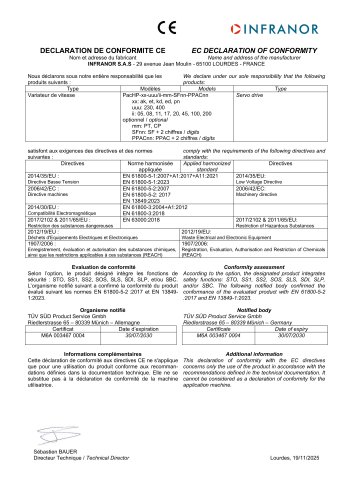
Lists applicable standards and certificates, including UL certification and declaration of conformity.
Contact information for customer services and company addresses for further assistance.
Includes a table of figures for reference.
Outlines symbols used in the handbook, such as list entries and instructions, and describes warning designs, including symbols for preventive measures.
Defines hazard categories in warning messages to ensure personal safety and prevent property damage, including DANGER, WARNING, CAUTION, and NOTICE.
Installation, start-up, and maintenance must be performed by qualified personnel, defined as trained staff authorized to handle electrical systems and familiar with safety concepts in automation engineering.
The user must ensure the device is used according to regulations, in good condition, and by qualified personnel. The user handbook must be accessible, and safety signs must remain legible. Compliance with national and international regulations is mandatory.
Devices are part of the Infranor modular automation system for industrial control applications, designed for specific environments and conditions.
Devices must be protected from mechanical stress, moisture, and extreme temperatures during transport and storage. Proper acclimatization is required before operation if exposed to cold or fluctuating temperatures.
Upon receipt, check packaging and contents for damage and completeness. Report discrepancies to the supplier immediately.
Outlines specifications for XtracontrolDC2, XtracontrolET2, and XtracontrolEC21, featuring ARM Cortex-A9 CPU, connectivity options, onboard I/O, real-time clock, and touch screen display.
Detailed instructions for mounting devices, ensuring adequate air circulation, and maintaining IP65 protection.
Devices powered by an external 24 V DC power supply, with specific voltage and current requirements.
Includes block circuit diagrams, digital inputs/outputs, Ethernet and EtherCAT interfaces, USB interface, and warnings about potential data loss and device damage.
Warnings regarding potential device damage from improper installation, power supply issues, and data connection handling.
Instructions for configuring network settings, connecting devices to a controller, and modifying network configurations.
Explains status display functions, LED indicators, and use of a function key for changing operating modes and resetting the device.
Guidelines for maintenance and cleaning, emphasizing the importance of not performing actions while the device is operational.
Advice for checking network connections, resolving IP address conflicts, and diagnosing faults using the web interface.
Describes uninstallation procedures and disposal instructions, highlighting the need for component separation and compliance with regional regulations.
Specifications for XtracontrolDC2 models, including display type, CPU, memory, dimensions, weight, operating conditions, and compliance with product standards.
Devices operate on a 24 V DC power supply, featuring protection against reverse polarity and various interfaces supporting multiple protocols.
XtracontrolET2 models feature WQVGA and WVGA displays, ARM CPU, and varying memory capacities.
Devices operate in temperatures from -40°C to +60°C, with relative humidity up to 95% non-condensing, and are designed to withstand vibrations and shocks.
Devices comply with EMC directive 2014/30/EC and various EN standards, with cULus authorization and certification to product standards.
Include a real-time clock with battery backup, microSD card slot, and support for digital and analogue I/O.
Repairs and maintenance should be conducted by the manufacturer or authorized service centers, with contact information provided.
Catalog excerpts
Copyright © Infranor GmbH Reproduction and duplication of this document and utilisation and communication of its content is prohibited unless with our express permission. All rights reserved. Infringements will result in compensation for damages. The content of this document has been verified for conformity with the hardware and software described therein. It is, however, impossible to rule out all variations. As a result, we cannot be held responsible if the content is not fully compliant. The information given in this document is updated regularly and any corrections will be reflected in future...
Open the catalog to page 2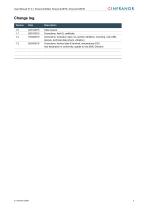
User Manual V1.3 | XtracontrolDC2, XtracontrolET2, XtracontrolEC21 OINFRANOR Version Date Description 1.1 28/01/2015 Corrections, final UL certificate 1.2 16/04/2015 Corrections: protection class, UL-symbol; Additions: mounting, note USB- devices, technical data (shock, vibration) 1.3 26/04/2016 Corrections: techical data E-terminal, temperatures DC2 new declaration of conformity; update to new EMC Directive
Open the catalog to page 3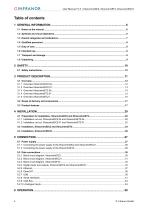
OINFRANOR User Manual V1.3 | XtracontrolDC2, XtracontrolET2, XtracontrolEC21
Open the catalog to page 4
User Manual V1.3 | XtracontrolDC2, XtracontrolET2, XtracontrolEC21 OINFRANOR
Open the catalog to page 5
OINFRANOR User Manual V1.3 | XtracontrolDC2, XtracontrolET2, XtracontrolEC21 This user handbook is intended for use by qualified personnel and contains information on the assembly, installation, start-up and maintenance of the device. This user manual is a component of the product and applies to the following devices: ^ XtracontrolDC2.04 ^ XtracontrolDC2.07 ^ XtracontrolET2.04 ^ XtracontrolET2.07 ^ XtracontrolEC21 It contains information on the following topics: ^ Applications ^ Safety ^ Mechanical design ^ Electrical design ^ Connections ^ Start-up ^ Upkeep and maintenance ^ Decommissioning...
Open the catalog to page 6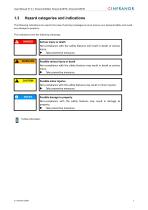
User Manual V1.3 | XtracontrolDC2, XtracontrolET2, XtracontrolEC21 OINFRANOR The following indications are used in the case of warning messages so as to ensure your personal safety and avoid any damage to property. The indications have the following meanings: Serious injury or death Non-compliance with the safety features will result in death or serious injury. ► Take preventive measures. Possible serious injury or death Non-compliance with the safety features may result in death or serious injury. ► Take preventive measures. Possible damage to property Non-compliance with the safety features...
Open the catalog to page 7
Qualified personnel The installation, start-up and maintenance of the device must be carried out by qualified personnel. For the purposes of this documentation and the safety instructions contained therein, “qualified personnel” means trained staff with the authorisation to assemble, install, start up, earth and identify devices, systems and electrical circuits in accordance with standards set in safety engineering and who are familiar with safety concepts in automation engineering. The user or processor (OEM) must ensure the following: The device must only be used according to regulations....
Open the catalog to page 8
User Manual V1.3 | XtracontrolDC2, XtracontrolET2, XtracontrolEC21 OINFRANOR The automation system must only be used: ^ in a technically perfect condition; ^ without any unauthorised modifications; ► Observe the rules of the employer's liability insurance association, the technical inspectorate, and the VDE (Association of German Electrical Engineers) or corresponding country regulations. The device is intended for installation within enclosed control cabinets of industrial machines and systems in indoor areas. ► When installing the device, check that the seal profiles are undamaged. ► For operation,...
Open the catalog to page 9
OINFRANOR User Manual V1.3 | XtracontrolDC2, XtracontrolET2, XtracontrolEC21 The use of PLC in safety-related systems requires specific measures. Wherever a PLC is to be used in a safety-related system, the user must be given comprehensive advice by the PLC manufacturer in addition to information on any available standards or regulations regarding safety installations. ► Before starting any work on devices, switch off all power feeds, including peripherals. ► Keep all ventilation holes unobstructed. Failure in certain components in an electronic control system may result in uncontrolled and/or...
Open the catalog to page 10
Product description The XtracontrolDC2 Dialog Controller is a control module with a display for the control and regulation of automation and industrial processes in low-voltage installations in real time. The XtracontrolEC21 Box Controller has the same functions as the XtracontrolDC2 Dialog Controller, but without the display. The programming tool CODESYS 3.5 (IEC 61131-3) from 3S-Smart Software Solutions is used for programming the device. The Ethernet terminals are specially configured for CODESYS visualisation and operation in machines and systems. The terminals show the CODESYS Web visualisation...
Open the catalog to page 11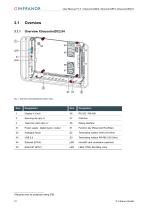
OINFRANOR User Manual V1.3 | XtracontrolDC2, XtracontrolET2, XtracontrolEC21 Item Designation X1 Power supply , digital inputs / output 51 Function key (Reset and Run/Stop) |jSD microSD card connection (optional) LED LEDs: PWR, Run/Stop, Error 1Required only for protection rating IP65
Open the catalog to page 12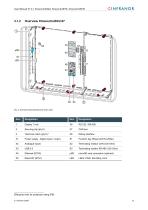
User Manual V1.3 | XtracontrolDC2, XtracontrolET2, XtracontrolEC21 OINFRANOR User Manual V1.3 | XtracontrolDC2, XtracontrolET2, XtracontrolEC21 OINFRANOR Item Designation Item Designation X1 Power supply , digital inputs / output X2 Analogue inputs 51 Function key (Reset and Run/Stop) |jSD microSD card connection (optional) LED LEDs: PWR, Run/Stop, Error 2Required only for protection rating IP65
Open the catalog to page 13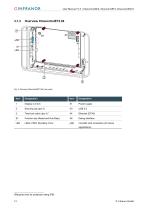
OINFRANOR User Manual V1.3 | XtracontrolDC2, XtracontrolET2, XtracontrolEC21 OINFRANOR User Manual V1.3 | XtracontrolDC2, XtracontrolET2, XtracontrolEC21 Item Designation Item Designation 1 Display 4.3 inch X1 Power supply S1 Function key (Reset and Run/Stop) X8 Debug interface LED LEDs: PWR, Run/Stop, Error jSD microSD card connection (for future 3Required only for protection rating IP65
Open the catalog to page 14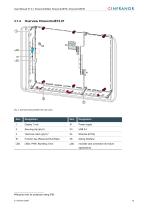
User Manual V1.3 | XtracontrolDC2, XtracontrolET2, XtracontrolEC21 OINFRANOR User Manual V1.3 | XtracontrolDC2, XtracontrolET2, XtracontrolEC21 OINFRANOR Item Designation Item Designation 1 Display 7 inch X1 Power supply S1 Function key (Reset and Run/Stop) X8 Debug interface LED LEDs: PWR, Run/Stop, Error jSD microSD card connection (for future 4Required only for protection rating IP65
Open the catalog to page 15All Infranor Group catalogs and technical brochures
 XtrapulsPac_EN
4 Pages
 SMTBSi-2Tz_en_2.1
43 Pages
 PacSimBox_d_1
1 Page
 Pac-SF01_flyer_en_18.02
4 Pages
 Pac_User_1.2.1.218
253 Pages
 Pac_Templates_en_1.9
27 Pages
 Pac_STO_Installation_en_2.2
13 Pages
 Pac_SF01_operating_en_1.6
63 Pages
 Pac_SF01_EN
4 Pages
 Pac_Installation_en_2.23
82 Pages
 Pac_flyer_en_17.12
4 Pages
 Option_CT_EMF
6 Pages
 MOVINOR_LH055_LH086_LH097_LH142
23 Pages
 ma_series
6 Pages
 GemSafeTorqueOff_en_1.1
12 Pages
 CD1pm_e_1.2(old)
18 Pages
 CD1pInst_e_7.2(old)
35 Pages
 CD1kInst_e_4.1(old)
40 Pages
 CD1k_CANopenProtocol_e_1.3(old)
86 Pages
 CD1a_e_7.1(old)
45 Pages
 Catalogue gamme SMT-BD1
11 Pages
 BM20A(F)v3_0
20 Pages
 BM20A(D)v3_0
20 Pages
 BF400(GB)v2_2
21 Pages
 BF400(D)v2_2
21 Pages
 BF230(GB)v2_0
23 Pages
 BF230(F)v2_0
23 Pages
 BD2m_e_2.2
69 Pages
 BD2m(GB)2.0
70 Pages
 BD2_e_3.2
53 Pages
 BD2(GB)3.1
53 Pages
 BD2(D)3.1
54 Pages
 Movinor_LH_e
4 Pages
 ma_series
6 Pages
 BD1t(GB)3.1
81 Pages
 BD1t(F)3.0
85 Pages
 BD1pInst(GB)3.0
25 Pages
 BD1pInst(F)3.0
23 Pages
 BD1pInst(D)3.0
24 Pages
 BD1pCD1pUse_e_2.4
57 Pages
 BD1m(GB)5.0
58 Pages
 BD1m(F)5.0
57 Pages
 BD1m(D)v3_3
64 Pages
 BD1k(GB)2.1
35 Pages
 BD1k(F)2.1
36 Pages
 BD1j(GB)v2_41
19 Pages
 BD1j(F)v2_4
21 Pages
 BD1i(GB)v2_21
23 Pages
 BD1i(F)v2_2
27 Pages
 BD1h(F)3.0
65 Pages
 BD1h(D)3.0
59 Pages
 BD1g(GB)v3_0
28 Pages
 BD1g(F)v3_0
28 Pages
 BD1a400(GB)v2_3
43 Pages
 BD1a400(F)v2_3
44 Pages
 BD1a400(D)v2_3
45 Pages
 BD1(GB)7.1_noPW
45 Pages
 BD1(GB)7.1
45 Pages
 BD1(F)7.1_noPW
47 Pages
 BD1(F)7.1
47 Pages
 BD1(D)7.1
45 Pages
 BD1 Katalog
11 Pages
 Easy_User_5.0.1.60.2
190 Pages
 01ma_smv_e_01953
40 Pages
 PacHP-SF_Flyer_en_23.06
4 Pages
 IRD_User_Manual_en_1.2.XX.54.rev_b
216 Pages
 PacHP_User_en_1.2.8.100.b
280 Pages
 PacHP_SF02_operating_en_1.6
103 Pages
 PacHP_SF01_operating_en_2.0
63 Pages
 PacHP_Installation_en_2.9
91 Pages
 PacHP_Series_Brochure
8 Pages
 PacHP_Flyer_us_20.10
4 Pages
 IRD_Installation_en_1.5
42 Pages
 Easy_STO_en_1.4
14 Pages
 Easy_DB_STO_en_1.2
14 Pages
 Easy_DB_Installation_en_1.4
36 Pages
 CD1pmUser_en_4.2
55 Pages
 CD1pmInst_en_8.15
40 Pages
 CD1k_CANopenProtocol_en_2.10.1.1
108 Pages
 CD1pm_ProfibusProtocol_en_1.5
50 Pages
 CD1kUser_en_2.3
26 Pages
 CD1a_en_8.17
62 Pages
 CD1kInst_en_5.16
46 Pages
 CD1_STO_en_1.8
16 Pages
 CD1_flyer_en_14.09
4 Pages
 Braking_Resistors_en_1.5
10 Pages
 XtracontrolDC2_EN
4 Pages
 Flyer_VisiTouchCNC_EN_V1.1-1
2 Pages
 XtraforsWashdown_EN-2024
2 Pages
 DataSheet_CybIO_CNC_V1.0
6 Pages
 XtraforsPrime_EN-2024
2 Pages
 XtraforsMSS_EN
4 Pages
 XtraforsMSA_EN_2024
2 Pages
 XtraforsEx_EN-2024
2 Pages
 XtraforsBR_EN-2024
2 Pages
 XtraforsBL_EN-2024
2 Pages
 XtraforsBC-ed01-vs3
4 Pages
 Manual_XtraforsPrime
46 Pages
 Drawing_1
1 Page
 Datasheet_MSS
5 Pages
 Datasheet_2
2 Pages
 Datasheet_1
4 Pages
 BLSBLT_series
2 Pages
 BL220221
2 Pages
 BL270
BL2702 Pages
 BL190
BL1902 Pages
 bl100_series
6 Pages
 bl40_series
6 Pages
 BL30
BL302 Pages
 2019-01_XtraforsFP-DSL_FR
4 Pages
 Movinor_T_EN
4 Pages
 Movinor_N_EN
4 Pages
 Movinor_Low_Voltage_EN
4 Pages
 Manual Movinor T 03-2026
46 Pages
 Manual Movinor N 03-2026
63 Pages
 XtrapulsEasy™ AC servo-drive
4 Pages
 XtrapulsCD1 AC servo-drives
4 Pages
 CybIO
CybIO6 Pages
 AC SERVOMOTORS
2 Pages
 Movinor® N AC Servomotors
4 Pages



Archived catalogs
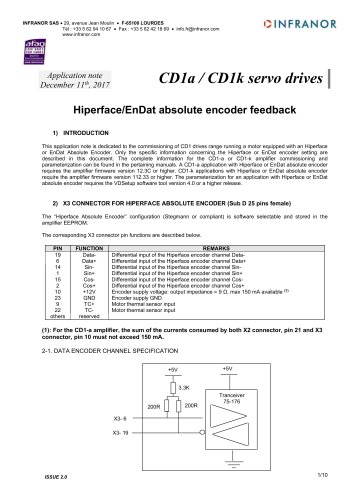 AN_CD1ak_AbsoluteEncoder_en_2.0
10 Pages
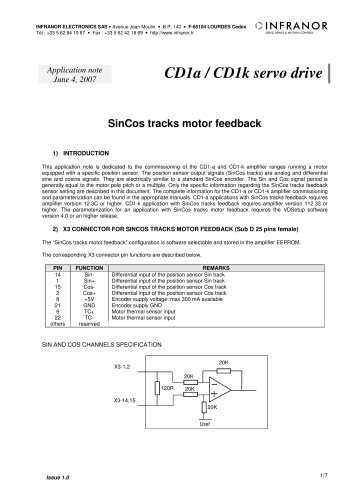 AN_CD1ak_SinCosTracks_e_1.0
7 Pages
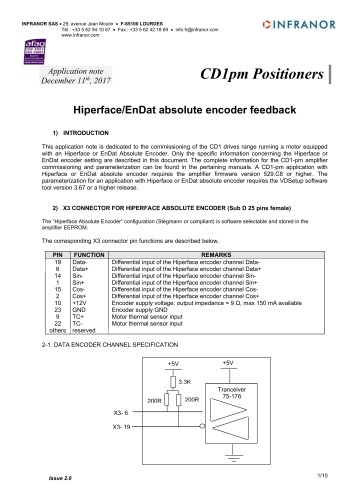 AN_CD1pm_AbsoluteEncoder_en_2.0
10 Pages
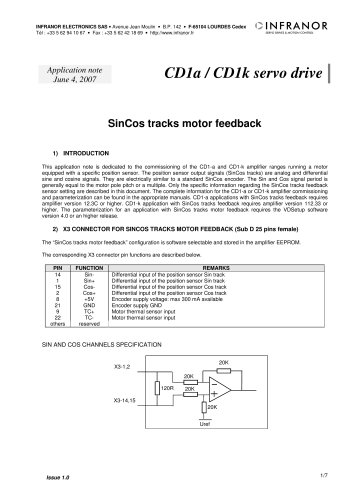 AN_CD1pm_SinCosTracks_e_1.0
7 Pages
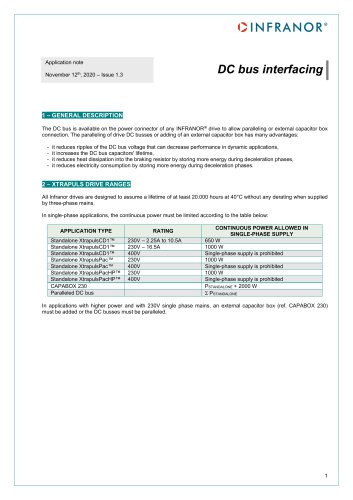 AN_DC_bus_interfacing_en_1.3
5 Pages
 CD1_EC_conformity_24.05
1 Page
 CD1_STO_conformity_19.02
2 Pages
 EtherCAT Interface_en_1.3
20 Pages
 Easy_EC_Conformity_24_10
1 Page
 GDPS_EC_conformity_24.07
1 Page
 IRD_EC_Conformity_25.03
1 Page
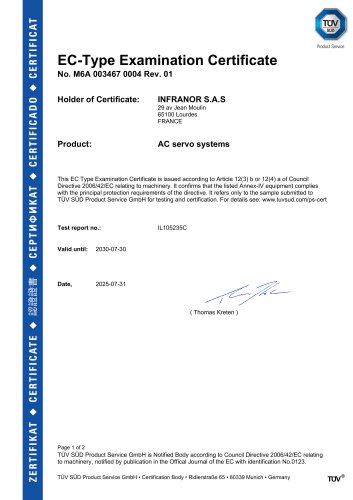 PacHP_TÜV_certificate_25.07
2 Pages
 BD1c(F)v2_01
19 Pages
 BD1c(GB)v2_01
19 Pages
 BD1d(F)v2_01
25 Pages
 BD1d(GB)v2_01
25 Pages
 BD1e(F)v2_01
22 Pages
 BD1f(F)v2_01
17 Pages
 BD1f(GB)v2_01
18 Pages
 Pac_EC_conformity_25.04
1 Page