- Catalogs
- Infranor Group
- AN_Sequences_Control_Using_Digital_Inputs_25.01


AN_Sequences_Control_Using_Digital_Inputs_25.01
AN_Sequences_Control_Using_Digital_Inputs_25.01
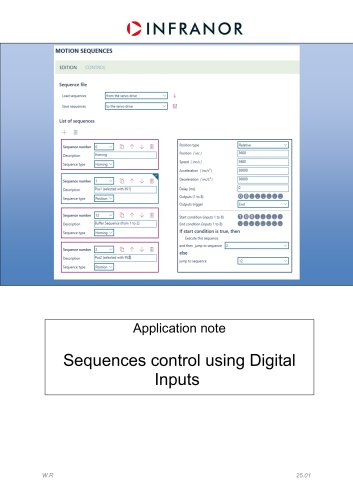
The document outlines the availability of product sequences for XtrapulsEasy, XtrapulsPac(HP), and XtrapulsIRD, each supporting up to 32 sequences.
Start Specific Sequences Using Digital Inputs
This section describes how to initiate motion sequences using digital inputs. Sequences are selected via digital inputs and started with a rising edge on another input. The document provides an example configuration of three sequences:
- Sequence 0: Homing (reset position to 0 without movement)
- Sequence 1: Relative Position (3600° in positive direction at 600 rpm)
- Sequence 2: Position Sequence (3600° in negative direction at 600 rpm)
Steps to Start Sequence
The process involves ensuring the drive is in 'Sequence Mode', setting digital inputs, enabling the drive, selecting a sequence, and starting it with a rising edge on SEQ_START. Sequences can be interrupted by another sequence if a rising edge is detected on SEQ_START.
Start Sequences Automatically (With Input Conditions)
In 'automatic' or 'grafcet' mode, sequences can be started automatically with input conditions. Sequence 0 is initiated first, and subsequent sequences can be called based on conditions. Four sequences are configured as examples, with conditions defined using SEQ_COND_X signals connected to digital inputs. The document emphasizes the need for an empty sequence buffer when jumping to another sequence on a 'False' condition.
Sequence Execution Graph
A graph is provided to illustrate the execution timing of running sequences.
Catalog excerpts
MOTION SEQUENCES EDITION CONTROL Sequence file List of sequences + ® Position type Position (inc) Speed (inc/s ) Acceleration (inc/s2) Deceleration (inc/s2) Outputs (1 to 8) Outputs trigger Start condition (inputs 1 to 8) 0004 Execute this sequence and then jump to sequence Application note
Open the catalog to page 1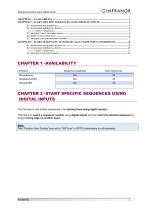
Sequences control using Digital Inputs QINFRANOR Product Sequences available Max Sequences The first way to use motion sequences is by starting them using digital input(s). The idea is to select a sequence number using digital inputs and then start the selected sequence by doing a rising edge on another input. Tthe "Position User Scaling” was set to “360°/turn” in OPTIO parameters for all examples.
Open the catalog to page 2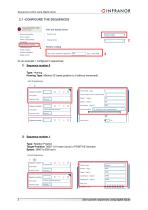
Sequences control using Digital Inputs As an example, I configured 3 sequences: 1) Sequence number 0 Type: Homing Homing Type: Method 35 (reset position to 0 without movement) 2) Sequence number 1 Type: Relative Position Target Position: 3600° (10 motor turns) in POSITIVE direction Speed: 3600°/s (600 rpm) Start specific sequences using digital inputs
Open the catalog to page 3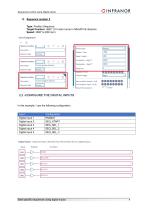
Sequences control using Digital Inputs OINFRANOR Type: Position Sequence Target Position: 3600° (10 motor turns) in NEGATIVE direction Speed: 3600°/s (600 rpm) Position type Position (deg ) Speed (deg/s) Acceleration (deg/s1) Deceleration ( deg/s:) Outputs trigger Start condition [inputs 1 to 3) End condition (inputs 1 to S) Execute this seauence In this example, I use the following configuration Start specific sequences using digital inputs 4
Open the catalog to page 4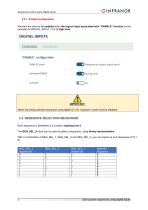
Sequences control using Digital Inputs OINFRANOR 2.2.1 -Enable Configuration We want the drive to be enabled when the logical input associated with “ENABLE” function (in the example its DIGITAL_INPUT_1) is at high level. STANDARD ADVANCED "ENABLE" configuration ENABLE Control Hardware ENABLE When launching selected sequence using digital IO, the "autostart” mode must be disabled. Each sequence is identified by a number, starting from 0. The SEQ_SEL_X input can be used to select a sequence, using binary representation. With a combination of SEQ_SEL_1, SEQ_SEL_2 and SEQ_SEL_3, you can select up...
Open the catalog to page 5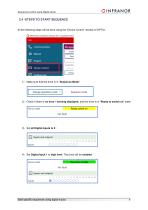
Sequences control using Digital Inputs CINFRANOR All the following steps will be done using the “Device Control” window of OPTIO. O OPTIO Drive Assistant by Infranor SAS - Copyright © Infra Current limi 2) Check if there is no error / warning displayed, and the drive is in “Ready to switch on” state: Start specific sequences using digital inputs 6
Open the catalog to page 6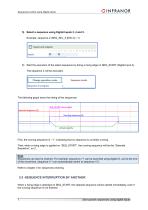
Sequences control using Digital Inputs OINFRANOR First, the running sequence is “-1”, indicating that no sequence is currently running. Then, when a rising edge is applied on “SEQ_START”, the running sequence will be the “Selected Sequence”, so 2. Sequences can also be chained. For example, sequence n°1 can be launched using digital IO, and at the end of the movement, sequence n°1 can automatically switch to sequence n°2. Refer to chapter 3 for sequences chaining. 2.5 -SEQUENCE INTERRUPTION BY ANOTHER When a rising edge is detected on SEQ_START, the selected sequence will be started immediately,...
Open the catalog to page 7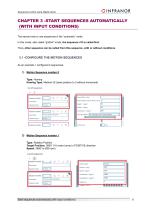
Sequences control using Digital Inputs OINFRANOR The second way to use sequences is the “automatic” mode. In this mode, also called “grafcet” mode, the sequence n°0 is called first. Then, other sequence can be called from this sequence, with or without conditions. As an example, I configured 4 sequences: 1) Motion Sequence number 0 Type: Homing Homing Type: Method 35 (reset position to 0 without movement) 2) Motion Sequence number 1 Type: Relative Position Target Position: 3600° (10 motor turns) in POSITIVE direction Speed: 3600°/s (600 rpm) Position type Position ( deg } Speed (deg/s) Acceleration...
Open the catalog to page 8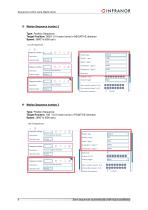
Sequences control using Digital Inputs 3) Motion Sequence number 2 Type: Position Sequence Target Position: 3600° (10 motor turns) in NEGATIVE direction Speed: 3600°/s (600 rpm) 4) Motion Sequence number 3 Type: Position Sequence Target Position: 180 ° (0.5 motor turns) in POSITIVE direction Speed: 3600°/s (600 rpm) Start sequences automatically (with input conditions
Open the catalog to page 9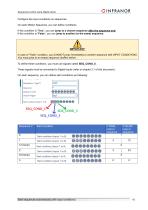
Sequences control using Digital Inputs OINFRANOR Configure the input conditions on sequences On each Motion Sequence, you can define conditions. If this condition is “True”, you can jump to a chosen sequence after the sequence end. If this condition is “False”, you can jump to another (or the same) sequence. In case of "False” condition, you CANNOT jump immediately to another sequence with INPUT CONDITIONS. You must jump to an empty sequence (buffer) before._ To define these conditions, you must use signals called SEQ_COND_X. These signals must be connected to Digital Inputs (refer to chapter...
Open the catalog to page 10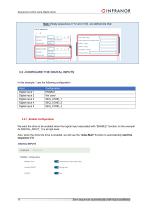
Sequences control using Digital Inputs OINFRANOR Note: Empty sequences (n°12 and n°23) are defined like that: We want the drive to be enabled when the logical input associated with “ENABLE” function (in the example its DIGITAL_INPUT_1) is at high level. Also, when the drive the drive is enabled, we will use the “Auto-Start” function to automatically start the sequence n°0. DIGITAL INPUTS STANDARD ADVANCED "ENABLE" configuration Hardware [by using a logical input) ENABLE Control Hardware ENABLE 11 Start sequences automatically (with input conditions)
Open the catalog to page 11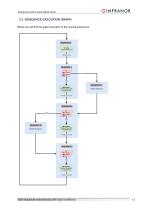
Sequences control using Digital Inputs 3.3 -SEQUENCE EXECUTION GRAPH Below you will find the graph execution of the running sequences. Start sequences automatically (with input conditions)
Open the catalog to page 12All Infranor Group catalogs and technical brochures
 XtrapulsPac_EN
4 Pages
 SMTBSi-2Tz_en_2.1
43 Pages
 PacSimBox_d_1
1 Page
 Pac-SF01_flyer_en_18.02
4 Pages
 Pac_User_1.2.1.218
253 Pages
 Pac_Templates_en_1.9
27 Pages
 Pac_STO_Installation_en_2.2
13 Pages
 Pac_SF01_operating_en_1.6
63 Pages
 Pac_SF01_EN
4 Pages
 Pac_Installation_en_2.23
82 Pages
 Pac_flyer_en_17.12
4 Pages
 Option_CT_EMF
6 Pages
 MOVINOR_LH055_LH086_LH097_LH142
23 Pages
 ma_series
6 Pages
 GemSafeTorqueOff_en_1.1
12 Pages
 CD1pm_e_1.2(old)
18 Pages
 CD1pInst_e_7.2(old)
35 Pages
 CD1kInst_e_4.1(old)
40 Pages
 CD1k_CANopenProtocol_e_1.3(old)
86 Pages
 CD1a_e_7.1(old)
45 Pages
 Catalogue gamme SMT-BD1
11 Pages
 BM20A(F)v3_0
20 Pages
 BM20A(D)v3_0
20 Pages
 BF400(GB)v2_2
21 Pages
 BF400(D)v2_2
21 Pages
 BF230(GB)v2_0
23 Pages
 BF230(F)v2_0
23 Pages
 BD2m_e_2.2
69 Pages
 BD2m(GB)2.0
70 Pages
 BD2_e_3.2
53 Pages
 BD2(GB)3.1
53 Pages
 BD2(D)3.1
54 Pages
 Movinor_LH_e
4 Pages
 ma_series
6 Pages
 BD1t(GB)3.1
81 Pages
 BD1t(F)3.0
85 Pages
 BD1pInst(GB)3.0
25 Pages
 BD1pInst(F)3.0
23 Pages
 BD1pInst(D)3.0
24 Pages
 BD1pCD1pUse_e_2.4
57 Pages
 BD1m(GB)5.0
58 Pages
 BD1m(F)5.0
57 Pages
 BD1m(D)v3_3
64 Pages
 BD1k(GB)2.1
35 Pages
 BD1k(F)2.1
36 Pages
 BD1j(GB)v2_41
19 Pages
 BD1j(F)v2_4
21 Pages
 BD1i(GB)v2_21
23 Pages
 BD1i(F)v2_2
27 Pages
 BD1h(F)3.0
65 Pages
 BD1h(D)3.0
59 Pages
 BD1g(GB)v3_0
28 Pages
 BD1g(F)v3_0
28 Pages
 BD1a400(GB)v2_3
43 Pages
 BD1a400(F)v2_3
44 Pages
 BD1a400(D)v2_3
45 Pages
 BD1(GB)7.1_noPW
45 Pages
 BD1(GB)7.1
45 Pages
 BD1(F)7.1_noPW
47 Pages
 BD1(F)7.1
47 Pages
 BD1(D)7.1
45 Pages
 BD1 Katalog
11 Pages
 Easy_User_5.0.1.60.2
190 Pages
 01ma_smv_e_01953
40 Pages
 PacHP-SF_Flyer_en_23.06
4 Pages
 IRD_User_Manual_en_1.2.XX.54.rev_b
216 Pages
 PacHP_User_en_1.2.8.100.b
280 Pages
 PacHP_SF02_operating_en_1.6
103 Pages
 PacHP_SF01_operating_en_2.0
63 Pages
 PacHP_Installation_en_2.9
91 Pages
 PacHP_Series_Brochure
8 Pages
 PacHP_Flyer_us_20.10
4 Pages
 IRD_Installation_en_1.5
42 Pages
 Easy_STO_en_1.4
14 Pages
 Easy_DB_STO_en_1.2
14 Pages
 Easy_DB_Installation_en_1.4
36 Pages
 CD1pmUser_en_4.2
55 Pages
 CD1pmInst_en_8.15
40 Pages
 CD1k_CANopenProtocol_en_2.10.1.1
108 Pages
 CD1pm_ProfibusProtocol_en_1.5
50 Pages
 CD1kUser_en_2.3
26 Pages
 CD1a_en_8.17
62 Pages
 CD1kInst_en_5.16
46 Pages
 CD1_STO_en_1.8
16 Pages
 CD1_flyer_en_14.09
4 Pages
 Braking_Resistors_en_1.5
10 Pages
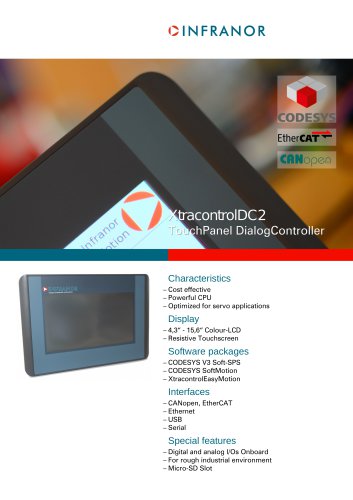 XtracontrolDC2_EN
4 Pages
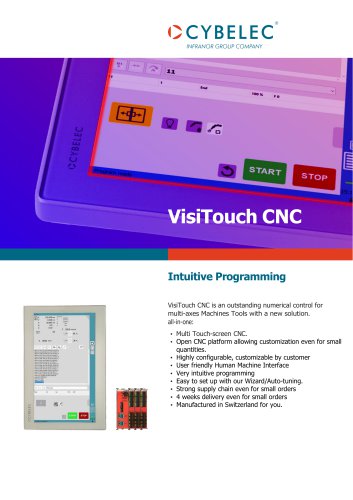 Flyer_VisiTouchCNC_EN_V1.1-1
2 Pages
 XtraforsWashdown_EN-2024
2 Pages
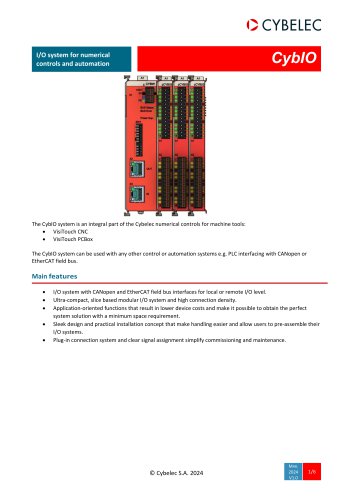 DataSheet_CybIO_CNC_V1.0
6 Pages
 XtraforsPrime_EN-2024
2 Pages
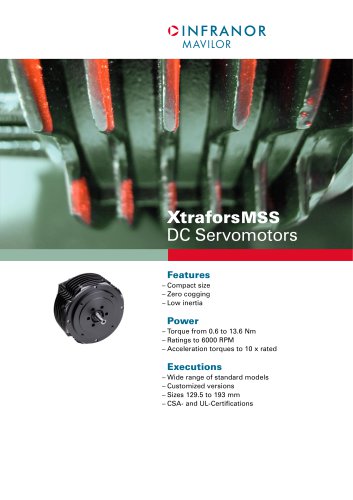 XtraforsMSS_EN
4 Pages
 XtraforsMSA_EN_2024
2 Pages
 XtraforsEx_EN-2024
2 Pages
 XtraforsBR_EN-2024
2 Pages
 XtraforsBL_EN-2024
2 Pages
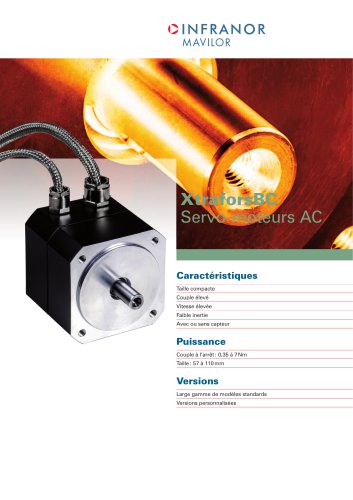 XtraforsBC-ed01-vs3
4 Pages
 Manual_XtraforsPrime
46 Pages
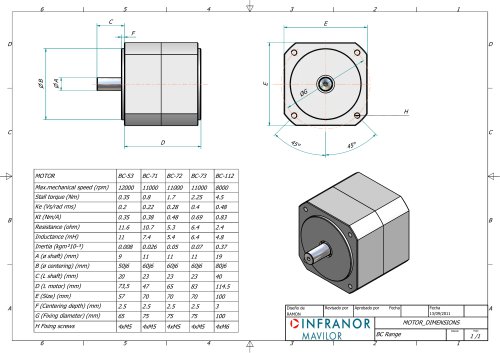 Drawing_1
1 Page
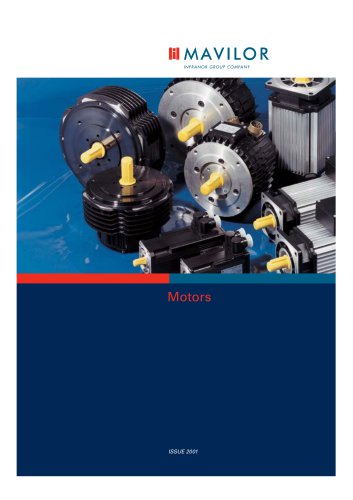 Datasheet_MSS
5 Pages
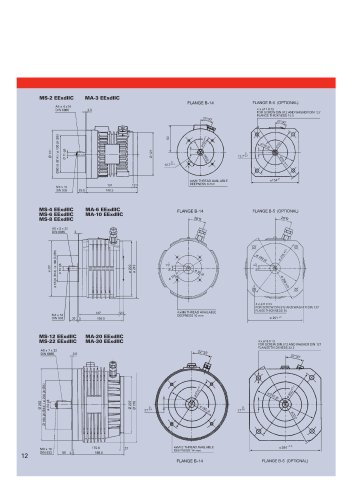 Datasheet_2
2 Pages
 Datasheet_1
4 Pages
 BLSBLT_series
2 Pages
 BL220221
2 Pages
 BL270
BL2702 Pages
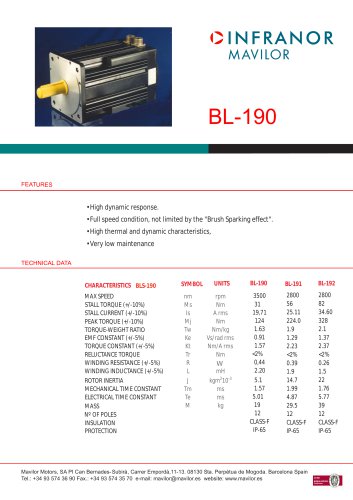 BL190
BL1902 Pages
 bl100_series
6 Pages
 bl40_series
6 Pages
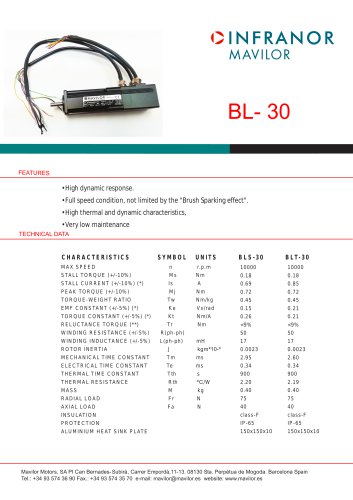 BL30
BL302 Pages
 2019-01_XtraforsFP-DSL_FR
4 Pages
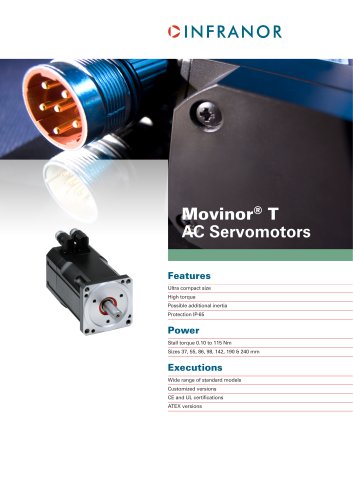 Movinor_T_EN
4 Pages
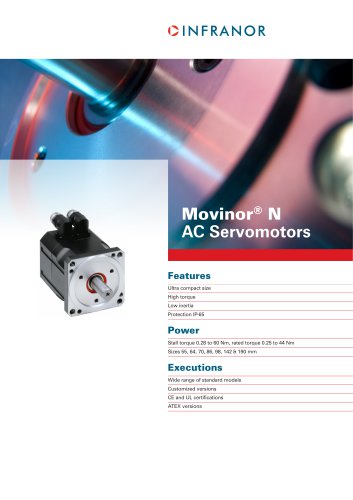 Movinor_N_EN
4 Pages
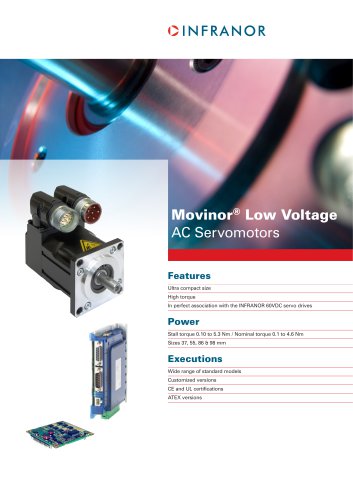 Movinor_Low_Voltage_EN
4 Pages
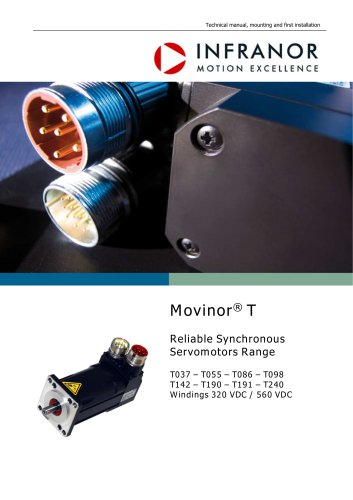 Manual Movinor T 03-2026
46 Pages
 Manual Movinor N 03-2026
63 Pages
 XtrapulsEasy™ AC servo-drive
4 Pages
 XtrapulsCD1 AC servo-drives
4 Pages
 CybIO
CybIO6 Pages
 AC SERVOMOTORS
2 Pages
 Movinor® N AC Servomotors
4 Pages
Archived catalogs
 AN_CD1ak_AbsoluteEncoder_en_2.0
10 Pages
 AN_CD1ak_SinCosTracks_e_1.0
7 Pages
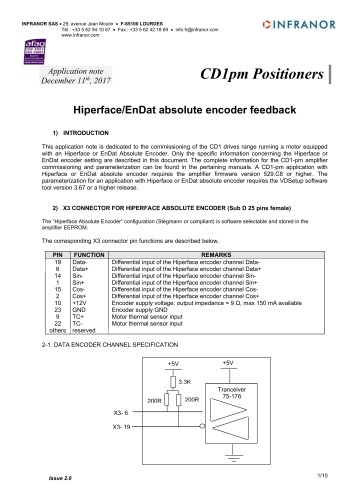 AN_CD1pm_AbsoluteEncoder_en_2.0
10 Pages
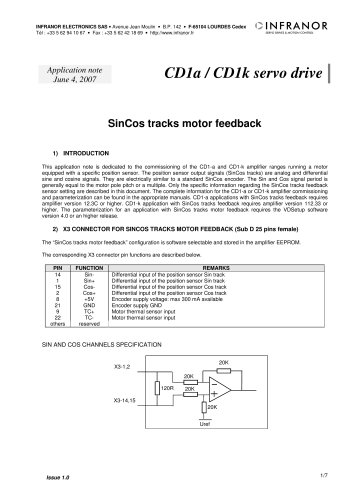 AN_CD1pm_SinCosTracks_e_1.0
7 Pages
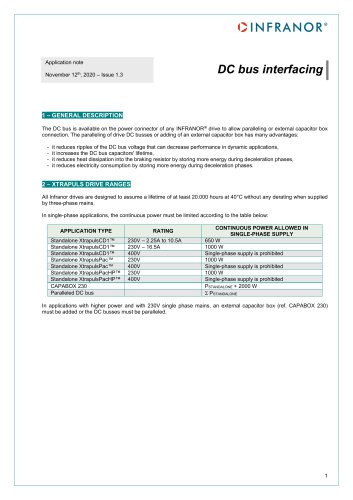 AN_DC_bus_interfacing_en_1.3
5 Pages
 CD1_EC_conformity_24.05
1 Page
 CD1_STO_conformity_19.02
2 Pages
 EtherCAT Interface_en_1.3
20 Pages
 Easy_EC_Conformity_24_10
1 Page
 GDPS_EC_conformity_24.07
1 Page
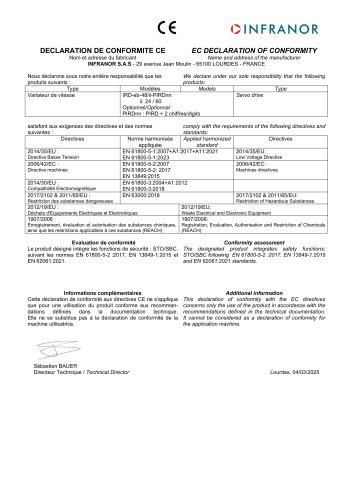 IRD_EC_Conformity_25.03
1 Page
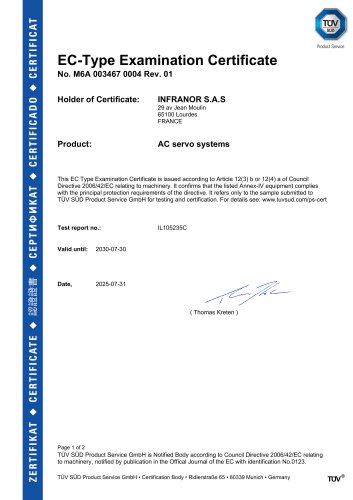 PacHP_TÜV_certificate_25.07
2 Pages
 BD1c(F)v2_01
19 Pages
 BD1c(GB)v2_01
19 Pages
 BD1d(F)v2_01
25 Pages
 BD1d(GB)v2_01
25 Pages
 BD1e(F)v2_01
22 Pages
 BD1f(F)v2_01
17 Pages
 BD1f(GB)v2_01
18 Pages
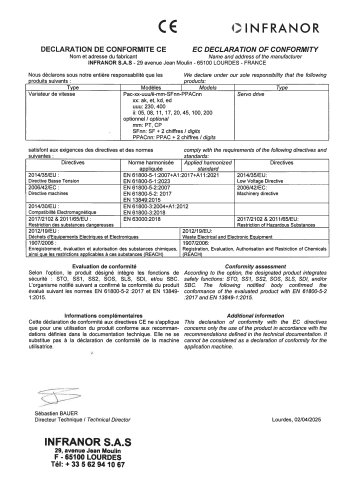 Pac_EC_conformity_25.04
1 Page