
- Catalogs
- Hottinger Brüel & Kjær A/S
- Data Analysis Software


Data Analysis Software
Data Analysis Software
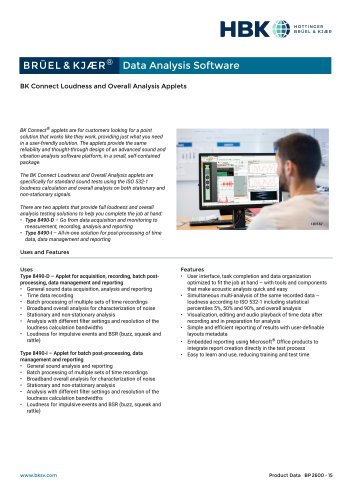
The BK Connect Loudness and Overall Analysis Applets are designed for sound testing using ISO 532-1 loudness calculations. They provide a user-friendly solution for both stationary and non-stationary signal analysis, offering reliability and advanced features in a compact package.
- Type 8490-D: Facilitates data acquisition, monitoring, measurement, recording, analysis, and reporting.
- Type 8490-I: Focuses on post-processing of time data, data management, and reporting.
- General sound data acquisition and analysis.
- Batch processing of multiple time recordings.
- Broadband overall analysis for noise characterization.
- Analysis with various filter settings and loudness calculation bandwidths.
- Support for impulsive events and BSR (buzz, squeak, and rattle).
- Optimized user interface for task completion and data organization.
- Simultaneous multi-analysis of recorded data.
- Visualization, editing, and audio playback of time data.
- Embedded reporting using Microsoft Office products.
- Automated operations for ease of use.
- Windows 10/11 Pro or Enterprise (x64).
- Microsoft Office 2019/2021.
- Intel Core i9, 3 GHz processor or better.
- 32 GB RAM and 1 TB SSD.
- Data management via Microsoft SQL Server database.
- Result Matrix Viewer for structured overview and comparison of results.
- Automated processing and reporting features.
- Compatible with LAN-XI data acquisition modules.
- Automatic detection and configuration of hardware.
The system uses a dynamic bar grid to display signal amplitude, sortable by Signal Name, Maximum Level, Minimum Level, and Level Range. Matrix display styles include a physical representation of the front end and a logical display with channels shown as colored rings.
This table contains information about the front-end hardware and connected transducers. It dynamically updates based on channel selection, allowing focus on specific subsets. Editing options include manual updates, importing from XML or Excel, and saving configurations for future use.
The Transducer Manager uses a Microsoft Access database to handle transducer specifications and calibration. Verification and calibration are automated, with status indicators showing progress and results. Calibration history is maintained for each device.
The system supports various signal types, including sine, random, and chirp signals. Monitoring tools include channel monitors, FFT monitors, CPB monitors, and level monitors, providing comprehensive data analysis capabilities.
The document outlines available software applets and maintenance agreements. It notes that applets cannot be upgraded to full applications. Licensing is node-locked, with expiration dates set at contract time.
Transducers can be added to the hardware matrix by dragging and dropping, with options to apply nominal sensitivities or specific device settings. Each transducer type can have multiple devices with unique calibration histories.
The document includes contact information for Brüel & Kjær and notes that content is subject to change. It emphasizes that trademarks and product names are owned by Hottinger Brüel & Kjær A/S or third parties.
Catalog excerpts
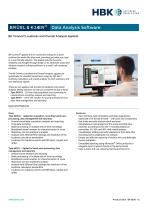
111 HOTTINCER WWM BRUEL & KJ/ER BRUEL&KJ^R® Data Analysis SoftwareBK Connect Loudness and Overall Analysis Applets BK Connect® applets are for customers looking for a point solution that works like they work, providing just what you need in a user-friendly solution. The applets provide the same reliability and thought-through design of an advanced sound and vibration analysis software platform, in a small, self-contained package. The BK Connect Loudness and Overall Analysis applets are specifically for standard sound tests using the ISO 532-1 loudness calculation and overall analysis on both stationary and non-stationary signals. There are two applets that provide full loudness and overall analysis testing solutions to help you complete the job at hand: • Type 8490-D - Go from data acquisition and monitoring to measurement, recording, analysis and reporting • Type 8490-I - All-in-one solution for post-processing of time data, data management and reporting Uses and Features Uses Type 8490-D - Applet for acquisition, recording, batch postprocessing, data management and reporting • General sound data acquisition, analysis and reporting • Time data recording • Batch processing of multiple sets of time recordings • Broadband overall analysis for characterization of noise • Stationary and non-stationary analysis • Analysis with different filter settings and resolution of the loudness calculation bandwidths • Loudness for impulsive events and BSR (buzz, squeak and rattle) Type 8490-I - Applet for batch post-processing, data management and reporting • General sound analysis and reporting • Batch processing of multiple sets of time recordings • Broadband overall analysis for characterization of noise • Stationary and non-stationary analysis • Analysis with different filter settings and resolution of the loudness calculation bandwidths • Loudness for impulsive events and BSR (buzz, squeak and rattle) Features • User interface, task completion and data organization optimized to fit the job at hand - with tools and components that make acoustic analysis quick and easy • Simultaneous multi-analysis of the same recorded data -loudness according to ISO 532-1 including statistical percentiles 5%, 50% and 90%, and overall analysis • Visualization, editing and audio playback of time data after recording and in preparation for analysis • Simple and efficient reporting of results with user-definable layouts metadata • Embedded reporting using Microsoft® Office products to integrate report creation directly in the test process • Easy to learn and use, reducing training and test time
Open the catalog to page 1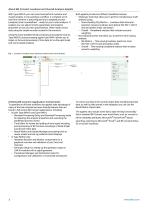
About BK Connect Loudness and Overall Analysis Applets With Type 8490-D, you can record and perform loudness and overall analysis in one seamless workflow. A complete set of real-time monitors is preconfigured and a targeted process (analysis) chain is predefined – ready for you to start analysis. If needed, you can adjust monitor parameters and analysis properties to suit your test specifications. When ready, record data using the simple recorder located in the monitors. Using the same predetermined processing and analysis tools as Type 8490-D, post-processing applet Type 8490-I allows you to...
Open the catalog to page 2
Using the Applet The practical and user-friendly interface provides automated batch processing of data, immediate display and storage of analysis results and automated reporting. Fig. 2 Processing in the Loudness and Overall Analysis Applet Automated Operations The applets’ many automated operations makes it easy for the novice user and is perfect for repetitive testing: • Auto-detection of hardware – The software will automatically detect connected LAN-XI data acquisition modules and TEDSenabled transducers • Data source management– Select a default data source for processing, the software will...
Open the catalog to page 3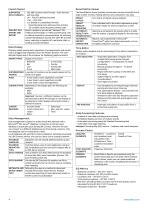
SUPPORTED DATA FORMATS Result Matrix Viewer The Result Matrix Viewer provides a structured overview of results from a large number of tests, making selection and comparison very easy: Data Management Data management is based on a data model that interacts with a Microsoft® SQL Server® database. Connection to the last used database is automatic upon starting BK Connect. However, the user can connect to a different database at any time during a session. Only one database can be connected at a time. Local database with each BK Connect installation; optionally accessible via a BK Connect service,...
Open the catalog to page 4
Reporting A separate reporting task enables templates to be created in Microsoft® PowerPoint® Hardware Setup Features Specifications - Type 8490-D-N-SYS Only HARDWARE SUPPORT Hardware Configuration The software automatically detects the front-end hardware and configures the system. If IEEE 1451.4 capable transducers (with standardized TEDS) are being used, these are detected and attached automatically to the correct input channels Hardware Browser The Hardware Browser combines the Hardware Matrix and HW Setup Table that work together to provide a highly efficient way to work with any size system...
Open the catalog to page 5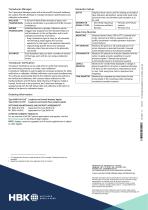
Generator Setup Transducer Manager The Transducer Manager works with a Microsoft® Access® database (as used by PULSE LabShop) to manage transducer specifications and calibration information Real-time Monitor Transducer Verification Transducer Verification can be used either to verify that transducers are functioning correctly, or to make a new calibration A transducer calibrator is used to apply the necessary excitation for either verification or calibration. Multiple calibrators can be used simultaneously. The software automatically detects the calibrator signal and performs the verification/calibration,...
Open the catalog to page 6All Hottinger Brüel & Kjær A/S catalogs and technical brochures
 Artificial Mastoid Type 4930
6 Pages
 Power Amplifier Type 2718
2 Pages
 DISCOM Mobile
6 Pages
 DISCOM NVH Analysis Systems
4 Pages
 TEDS Microphones
8 Pages
 LDS V8
4 Pages
 LDS Comet USB
4 Pages
 LDS Laser USB
16 Pages
 2690-A
16 Pages
 4374
43742 Pages
 4326-A-001
8 Pages
 4152
41524 Pages
 4191
41912 Pages
 2719
27192 Pages
 LDS V8900
4 Pages
 BKS 10
8 Pages
 1704-A-001
4 Pages
 4939
49392 Pages
 4138
41384 Pages
 4101-B and 4965-B
4 Pages
 Sonoscout NVH Recorder
8 Pages
 LDS Power Amplifiers
8 Pages
 Type 2720
2 Pages
 Type 2721
2 Pages
 TYPE 3668
4 Pages
 3656-A
4 Pages
 TYPE 2270-S
28 Pages
 LDS V994
2 Pages
 TYPE 8702
16 Pages
 BZ-7848-A
40 Pages
 TYPE 9718-A:bp0317
12 Pages
 TYPE 4720:bp1974
12 Pages
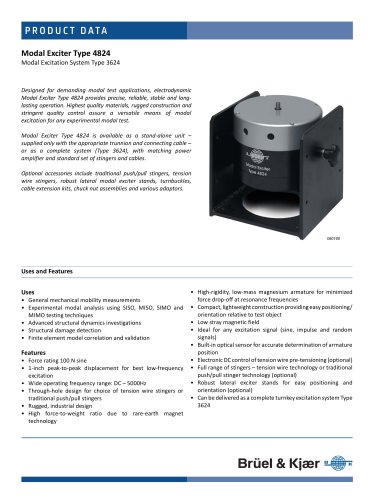 TYPE 4824:bp1936
4 Pages
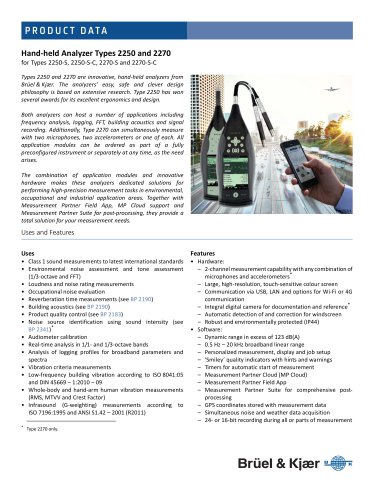 SOUND LEVEL METER:bp 2025
28 Pages
 Transducers and conditioning
188 Pages
 Noise Sentinel Overview
3 Pages
 Analyzer Catalogue
39 Pages
 Noise Logger Type 3659
1 Page
 Sound level meters
17 Pages




Archived catalogs
 B&K 2245 Sound Level Meter
8 Pages
 HBK 2255 Sound Level Meter
10 Pages
- Power supply unit
- DC power supply
- AC/DC power supply
- Brüel & Kjaer accelerometer
- Single-output power supply
- Digital indicator
- Analog I/O
- Portable analyzer
- Communication gateway
- Measurement software
- Turntable
- Piezoelectric accelerometer
- Tilt sensor
- Brüel & Kjaer signal amplifier
- Real-time analyzer
- Tabletop power supply
- Ethernet gateway
- Laboratory analyzer
- Electric rotary table