
- Catalogs
- HAIDA EQUIPMENT CO., LTD
- furniture comprehensive testing machine


- Company
- Products
- Catalogs
- News & Trends
- Exhibitions
furniture comprehensive testing machine

furniture comprehensive testing machine
- Inspect the fuse in the control box and replace if burnt out.
- Use a multimeter to verify the voltage of the external power supply; address any voltage irregularities.
- Ensure wiring terminals are secure and check for disconnections using a multimeter.
- Replace or re-plug the communication line.
- Check and replace the PLC if the communication interface is damaged.
- Check for loose or broken wires.
- Replace the transmitter and check the PLC interface for damage.
- Verify the air pressure is within the specified range and adjust if necessary.
- Check manual operation of cylinders and PLC output; inspect solenoid and proportional valves for defects.
- Replace defective valves as needed.
- Check motor power supply and control wiring for looseness or damage.
- Inspect control button box for poor contact or disconnections.
- Assess motor for damage.
Catalog excerpts

Common troubleshooting methods of furniture comprehensive testing machine 1. This equipment is mainly used to test the surfaces, foot posts and drawers of tables, single-layer beds, chairs and cabinets, and meets the test requirements of relevant national standards, European standards and American standards. In addition, the industry standards required by customers can also be designed to meet the needs. In the specific design of this equipment, different test modules will be configured according to different test samples. This equipment can meet the testing needs of a variety of furniture products. It is also a product with high annual sales and good domestic and export performance 2. There are many testing stations for this equipment, and there are relatively many electrical components, navigation control plugs, wiring, etc. installed on the machine. With the increase of service time, some failures may occur. Now, some common failures and troubleshooting methods are summarized as follows: 2.1 After the machine is powered on, turn the start button to the ON position and the machine is not powered on. Troubleshooting: ● Open the control box to confirm whether the fuse in the fuse holder is burnt out. If it is burnt out, replace it. ● Use a multimeter to measure whether the voltage of the incoming line of the external power supply in the machine is normal. If there is no voltage or the voltage is low or high, eliminate the cause. ● Check whether the wiring terminals are loose, and whether the connector drops or has poor contact. Confirm whether there is disconnection, and use the continuity gear of the multimeter to measure the disconnection of the suspect line. 2.2 Communication fault 2.2.1 The touch screen does not communicate with PLC. Troubleshooting: ● Replace the communication
Open the catalog to page 1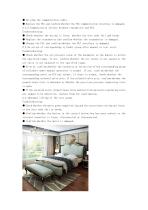
● Re plug the communication cable. ● Replace the PLC and confirm whether the PLC communication interface is damaged. 2.2.2 Communication failure between transmitter and PLC. Troubleshooting: ● Check whether the wiring is loose, whether the wire ends fall and break. ● Replace the transmitter and confirm whether the transmitter is damaged. ● Change the PLC and confirm whether the PLC interface is damaged. 2.3 No action of corresponding cylinder group after manual or test start. Troubleshooting: ● Check whether the air pressure value of the barometer on the duplex is within the specified range....
Open the catalog to page 2All HAIDA EQUIPMENT CO., LTD catalogs and technical brochures
 WEPACK ASEAN 2024
1 Page
 No cross colored winter
1 Page
 How's your express?
4 Pages
 Hardness Tester
2 Pages
 How to select chairs
1 Page
 Salt Spray Chamber
5 Pages
 Mid-Autumn Festival
2 Pages
 How to choose summer clothes
3 Pages
 Fabric Breathability Tester
2 Pages
 IP ratings
2 Pages
 Safety shoes
2 Pages
 Battery test UN38.3
1 Page
 Radiation & UV Test Chambers
2 Pages
 Non-stick Coating Tester
2 Pages
 Solar Xenon Aging Test
2 Pages
 Optical instrument
2 Pages
 Sock Test Machines
12 Pages
 furniture testing
2 Pages
 Salt spray test chamber
1 Page
 waterproof level
2 Pages
 carton tester
7 Pages
 Drop Tester
3 Pages
 WHAT IS ISTA
2 Pages
 Car Seat Slide Testing
6 Pages
 Salt Spray Chamber
4 Pages
 Environment test chamber
2 Pages
 Mechanical Transmission
2 Pages
 Packaging test HD-A501-800
2 Pages
 Zero Drop Tester
4 Pages
 stroller handle tester
2 Pages
 Battery Test
6 Pages
 Lighting Test
1 Page
 Office Chair testing machine
3 Pages
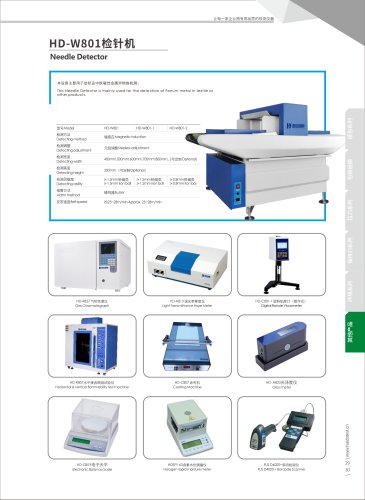 Needle Detector 2022
1 Page
 Image Measuring Machine
1 Page
 HD-E703
1 Page
 Tape Tester
1 Page
 History
1 Page
 Electro-dynamic shaker
1 Page
 Drop Test Machine
1 Page
 HD - A815
1 Page
 HD - A519
1 Page
 Ozone Aging Test Chamber
1 Page
 Dust Test Chamber IP5X6X
1 Page
 Dust Test Chamber
1 Page
 Vehicle Rain Test Rom
1 Page
 Color assessment cabinet
1 Page
 Vibration Tester Machine
1 Page
 Stroller Crash Test
1 Page
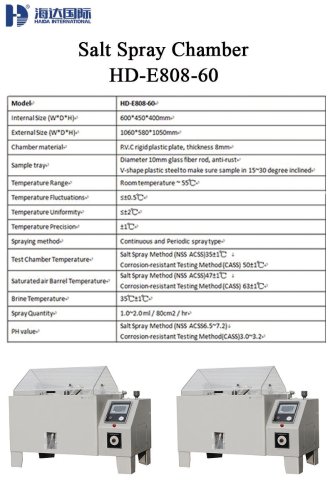 HD-E808-60
1 Page
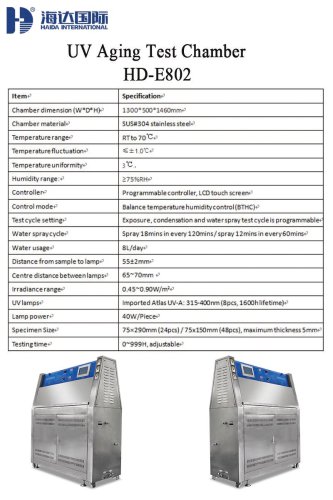 HD-E802
1 Page
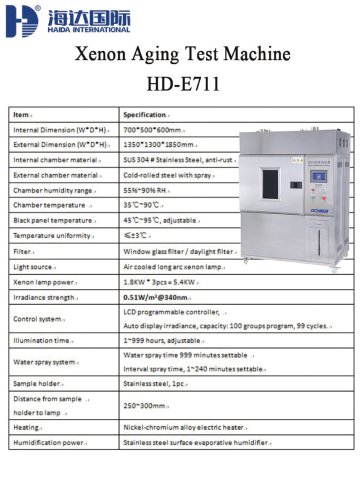 HD-E8711
1 Page
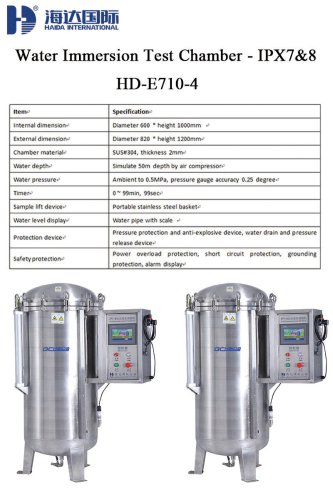 HD-E710-4
1 Page
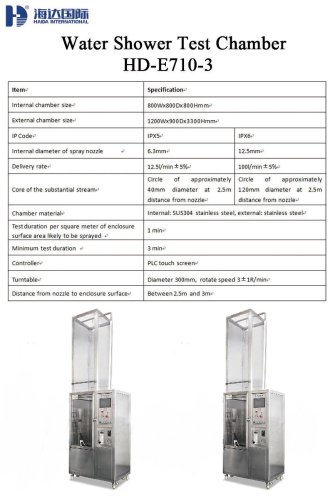 HD-E710-3
1 Page
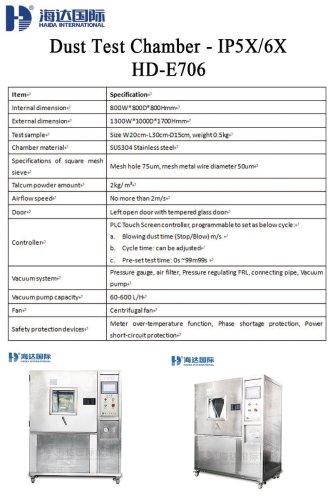 HD-E706
1 Page
 Fabric Tensile Tester
1 Page
 Leather Flexing Tester
1 Page
 Vibration Test Machine
1 Page
 Chair Strength Tester
1 Page
 HD-808-60
1 Page
 Walk-in Chamber
1 Page
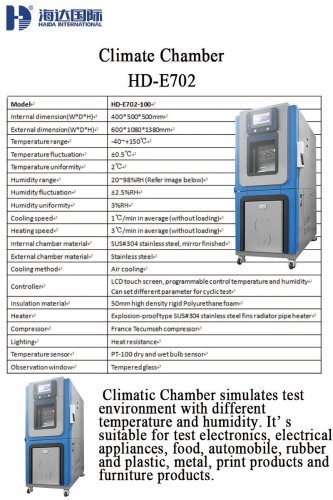 HD-E702_2020
1 Page
 UV Aging Test Chamber
1 Page
 HD-E801
1 Page
 Xenon Aging Test Machine
1 Page
 HD-B607-S
1 Page
 Peel Test Machine
1 Page
 HD -B609B-S
1 Page
 HD-E705 Walk-in Chamber
1 Page
 Handle Fatigue Tester
1 Page
 Eid al Adha
1 Page
 Visting Customers
1 Page
 Furniture Fair
1 Page
 DeliveBest Testing
1 Page
 HD-B616 Tensile Tester
1 Page
 HD-B617-S Tensile Tester
1 Page
 Compression test machine
1 Page
 Mattress Roll Tester
1 Page
 Tape testing machine
1 Page
 HD-E808-200
1 Page
 HAIDA EXHIBITION
1 Page
 What is haida's mission?
1 Page
 China.Shanghai.SNIEC
1 Page
 test equipement
1 Page
 ISTA Products
1 Page
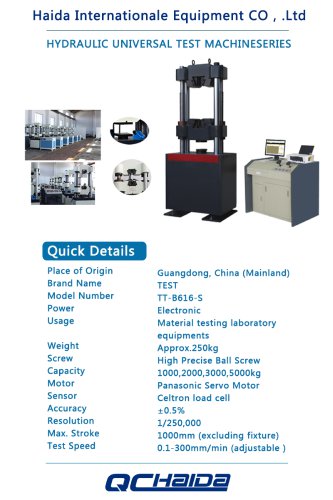 Tensile Test Machine
1 Page
 Caster Durability Tester
1 Page
 TENSILE TESTING MACHIME
1 Page
 TENSILE STRENGTH TESTER
1 Page
 VIBRATION TEST SYSTEM
1 Page
 Altitude Test Chamber
1 Page
 WATER DRIP TEST CHAMBER
1 Page
 BURSTING TEST MACHINE
1 Page
 Water conseryation
1 Page
 2019 ELECTRONICA CHINA
1 Page
 ISTA MEMBER
1 Page
 BOX CPMPRESSION TESTER
1 Page
 Sofa Test Equipment
1 Page
 CLIMATE TEST CHAMBER
1 Page
 merry christmas
1 Page
 Thanksgiving Day
1 Page
 Chair Arm Tester
1 Page
 Chair Drop impact tester
1 Page
 Bursting Strength Tester
1 Page
 Vision Measuring Machine
1 Page
 vacuum drying oven
1 Page
 Product Description
1 Page
 Furniture test machine
1 Page
 force test machine
1 Page
 Catalog
1 Page
 Tensile tester
1 Page
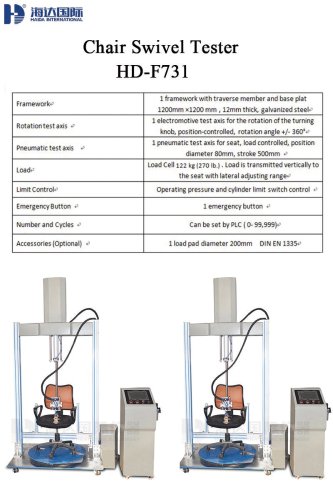
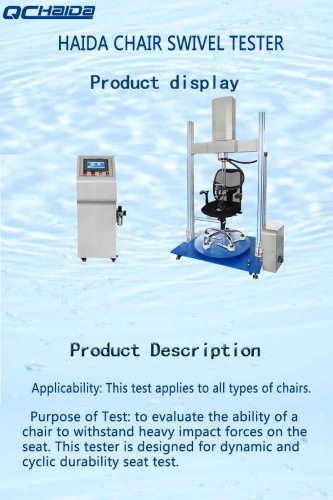
 Chair Swivel Test Rig
5 Pages
 Attitude Test Chamber
3 Pages
 Cyclic Salt Spray Chamber
6 Pages
 Contact angle measurement
3 Pages
 ROHS test machine
4 Pages
 MIT folding endurance tester
2 Pages
 HD-B615
1 Page
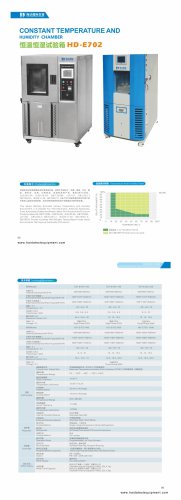 HD-E702_2018
1 Page
 HD-703
1 Page
 Tensile tester's User Manual
49 Pages
 RUBBING FASTNESS TESTER FOR
3 Pages
 ELMENDORF TEARING TESTER
4 Pages
 COLOUR FASTNESS TO WASHING
3 Pages
 IRONING SUBLIMATION COLOR
2 Pages
 AUTOMATIC HYDRAULIC DIAPHRAM
5 Pages
 SPRAY RATE TESTER
3 Pages
 BICYCLE TEST MACHINE
11 Pages
 AIR PERMEABILITY TESTER
5 Pages
 NEEDLE DETECTOR
2 Pages
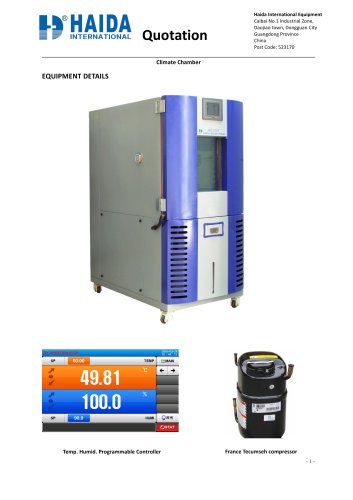 HD-E702-150-7
4 Pages
 pull tensile testing machine
7 Pages
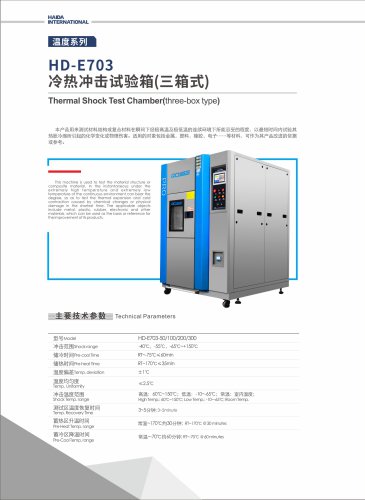
 Thermal Shock Chamber
4 Pages
 HD-J802 Sharp Edge Tester
11 Pages
 ring test machine
9 Pages
 Tensile Testing Machine
12 Pages
 Incline Impact tester
1 Page
 paper testing machine
1 Page
 paper test machine
1 Page
 tensile testing machine
1 Page
 Gas chromatograph
1 Page
 coating machine
1 Page
 heat seal tester
1 Page
 Image measuring machine
1 Page
 chair base static tester
1 Page
 chair stability tester
1 Page
 zigzag spring tester
1 Page
 chair durability tester
1 Page
 tensile tester
13 Pages
 drying oven
1 Page
 paper testing information
12 Pages
 BIFMA Furnitures testing machine
20 Pages
 UV Aging Test Chamber
1 Page
 sand dust proof chamber
1 Page
 Cookware testing proposal
5 Pages































Archived catalogs
 HD-E704_2020
1 Page
 Optical instrument HD SERIES
2 Pages
 Zero Drop Test Machine
1 Page
 Foam Fatigue Tester
1 Page
 Foam rebound tester
2 Pages
 Foam rebound tester 2022
1 Page
 salt spray test HD-E808
9 Pages
 HD-E706 Dust Chamber_2018
3 Pages
 HD -B617S
1 Page
 HD -B617
1 Page
 HD-B615A- S
1 Page
 HB-B609D
1 Page
 HD-B617-S
1 Page
 HB-B616
1 Page
 HB-B615A-S
1 Page
 HD -B617
1 Page
 HB-B607-S
1 Page
 HB-B609B-S
1 Page
 HB-B609A-S
1 Page
 HD -B604 -S
1 Page
 HB-B609
1 Page
 HD-B616-S
1 Page
 HB-B602
1 Page
 HB-B604B-S
1 Page
 HB-B617-S
1 Page
 HD-B601
1 Page
 HD -B617
1 Page
 HD-B615A-S
1 Page
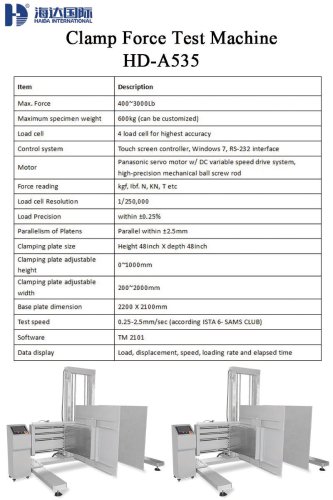
 Clamp Force Test Machine
9 Pages
 biochemical incubator
1 Page













- Kiln
- Chamber kiln
- Measuring device
- Electric furnace
- Heat treatment kiln
- Haida test chamber
- Haida test bench
- Measuring machine
- Microscope
- Fully automatic filling machine
- Haida material testing machine
- Haida automatic testing machine
- Haida temperature test chamber
- Indentation hardness tester
- Liquids filling line
- Haida climate chamber
- Wrapping machine
- Haida quality control test chamber
- Haida computer-controlled testing machine