
- Catalogs
- Green Cubes Technology
- QuickStart Guide

QuickStart Guide

QuickStart Guide
Welcome to the QuickStart Guide for Green Cubes SAFEFlex lithium-ion batteries. These batteries are designed to be safe, reliable, and cost-effective, offering exceptional cycle life. This guide provides essential information on storing, installing, and operating your battery.
Safety and Precautions
- Only trained professionals should handle and install the battery using proper equipment.
- Ensure the battery is turned off and disconnected before servicing.
- Only trained professionals should open the battery.
- Insulate cell tops and tools to prevent short circuits during servicing.
Installation
The battery must be installed by a trained professional using a forklift and lifting straps. Ensure the equipment can handle the battery's weight as indicated on the data plate.
Main Power Connection
After installation, connect the main power to the truck using either a Euro or SB style connector. Some setups require a separate data connection for accurate battery discharge reporting.
On/Off Switch
The on/off switch is located on the battery's exterior. Turn off the battery when not in use to prevent overdischarge.
Battery Discharge Indicator (BDI)
If no data connection exists, a BDI is necessary. It displays the state of charge, pack voltage, and current draw. It alerts the operator with a red light and beep for conditions like overvoltage, undervoltage, and low charge.
Charging Instructions
Use only approved chargers. Batteries without internal chargers are charged via the main power connector or a separate charge port. Smaller batteries with internal chargers use a standard outlet.
Opportunity Charging
Plug the battery in whenever not in use to extend its runtime and lifespan.
Operating and Storage Temperatures
- Discharge: -4°F to 131°F
- Charge: 32°F to 113°F
For storage, turn off the battery and follow extended storage instructions if storing for over a month.
Troubleshooting
Follow specific instructions for error codes displayed on the BDI. If issues persist, contact Green Cubes Technology Service.
About Green Cubes Technology
Green Cubes Technology has over 30 years of experience in battery technology innovation, offering solutions for challenging energy needs. For more information, visit their website or contact them directly.
Catalog excerpts
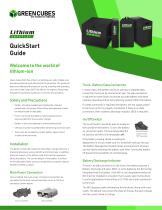
QuickStart Guide Welcome to the world of lithium-ion Green Cubes SAFEFlex lithium-on batteries are safe, reliable, and provide exceptional cycle life and cost of ownership. This guide will help you understand the basics of storing, installing and operating your new Green Cubes SAFEFlex lithium-ion battery. Please read through this guide and contact us if you have any questions. Safety and Precautions • Battery should be handled and installed by a trained professional with proper lifting straps and equipment rated for weight listed on data plate. • Prior to servicing, the battery must be keyed off and disconnected from truck and/or charger. • Battery is only to be opened by trained professional. • Cell tops must be insulated before performing all service work. • Tools must be insulated to protect battery against short circuits during servicing. Installation The battery should be installed in the battery compartment by a trained professional using a forklift and lifting straps. In addition, there are cutouts in the battery case that must be used when lifting the battery. The service weight of the battery is printed on the data plate. Make sure your equipment is properly rated to handle the battery weight. Main Power Connection Once installed, the main power connection should then be connected to the truck and will be either a Euro or SB style connector (shown below). Truck- Battery Data Connection In some cases, the battery and truck will have a separate data connection that must be connected as well. The data connection is required on some trucks to provide accurate battery discharge indicator reporting and/or Early Warning System (EWS) information. If a data connection is required, the battery will not supply power to the truck until it is properly connected. If there is no data connection, then a battery discharge indicator (BDI) is required. On/Off Switch The on/off switch should be easy to locate on the outside of the battery. To turn the battery on, press the switch. The line designates the on position and the circle designates off. On/Off Switch (shown in the “Off” position) If the battery is being stored or waiting for deployment in a truck, make sure it is turned off until put into use. The Battery Management System draws a small amount of power and will slowly discharge the battery over time. Turning the battery off prevents the possibility of overdischarge. Battery Discharge Indicator If there is no data connection to the truck, the battery requires a Battery Discharge Indicator (BDI). In some batteries the BDI will be integrated into the battery. If the BDI is not integrated an external BDI must be installed in a location that is easily seen by the driver. In some applications there will be a GCT BDI and a data connection to the truck. The BDI displays useful information for the driver, along with error codes. The default view shows the state of charge, the pack voltage, and the current draw or charge. Euro Connector
Open the catalog to page 1
Opportunity Charging The battery is designed for opportunity charging, and plugging it in whenever not in use (breaks, lunch, and after hours) will lengthen the runtime and lifetime of the battery. It is strongly recommend the battery be plugged in for charging whenever it is not in use. Operating Temperatures Standard operational temperatures for the battery are: Discharge: -4°F - 131°F Green Cubes BDI The BDI will flash the red light and beep if it needs attention. The following conditions will trigger the alarm: Charge: 32°F - 113°F The battery may have additional options such as internal...
Open the catalog to page 2All Green Cubes Technology catalogs and technical brochures
 SAFEFlex Charger DataSheet
4 Pages
 THE POWER TO PERFORM
6 Pages


- Battery charger
- Lithium battery
- High-performance battery
- Electric vehicle battery
- Maintenance-free battery
- UL battery
- Rectangular battery
- Industrial battery
- Battery for medical applications
- Battery system
- Li-ion battery charger
- Battery for automotive applications
- 48 V battery
- 24 V battery
- Three-phase battery charger
- Wall-mount battery charger
- Lithium battery system
- Forklift truck battery
- Multi-chemistry battery charger
- 36 V battery