


- Company
- Products
- Catalogs
- News & Trends
- Exhibitions
How to use the Gates eCrimp APP

How to use the Gates eCrimp APP
- Step 1: Select your language from nine available options including English, French, and German.
- Step 2: Choose your crimper from a list of current and legacy models.
- Step 3: Select your hose by scrolling or using the search function.
- Step 4: Choose the internal diameter of the hose as per the catalogue or hose markings.
- Step 5: Select the appropriate hose coupling; only valid combinations are shown.
- Step 6: Receive crimp data and switch between imperial and metric measurements if necessary.
- Step 7 (Optional): Email, copy, or save the crimp data to favorites.
- Step 1: Visit ecrimp.gates.eu.
- Step 2: Define search criteria by selecting attributes such as crimper, hose, and internal diameter. Optionally, select the stem and/or die set.
- Step 3: Click “Add Results to List” to view crimp data.
- Step 4: Use the “Print Results” button to print or save the data as a PDF for easy reference.
Catalog excerpts

THE GATES eCRIMP APP - STEP BY STEP STEP 1 SELECT YOUR LANGUAGE The app is available in 9 languages (English, French, German, Russian, Chinese, Polish, Japanese, Spanish and Portuguese). STEP 2 SELECT YOUR CRIMPER Both currently sold MCX crimpers and legacy crimpers are listed. STEP 3 SELECT YOUR HOSE Scroll down and select your hose or use the search option by typing in the hose, e.g. MXT. STEP 5 SELECT THE HOSE COUPLING Select the right mating part. Only valid hose/coupling combinations will be listed. STEP 6 CRIMP DATA RECEIVED Get ready to crimp! If needed, you can still switch the data from imperial to metric measurements or the other way around. STEP 7 OPTIONAL E-mail, copy or add the crimp data to your favourites by pressing the icons. STEP 4 SELECT THE INTERNAL DIAMETER OF THE HOSE Select the internal diameter of the hose as listed in the catalogue or marked on the hose, e.g. 8MXT.
Open the catalog to page 1
THE GATES eCRIMP WEBSITE - STEP BY STEP STEP 1 GO TO ECRIMP.GATES.EU 1 STEP 2 SIMPLY DEFINE THE DESIRED SEARCH CRITERIA BY SELECTING THE REQUIRED ATTRIBUTES. Select your crimper Select you hose Select the internal diameter of the hose Optional: select the stem and/or die set 3 STEP 3 CLICK THE “ADD RESULTS TO LIST” BUTTON TO VIEW THE REQUESTED CRIMP DATA. STEP 4 BY CLICKING THE “PRINT RESULTS” BUTTON, YOU CAN PRINT THE TABLE OR POST IT FOR EASY REFERENCE ON A CRIMPER. THE SELECTED CRIMP DATA WILL BE CONVERTED TO A PRINTABLE PDF FORMAT.
Open the catalog to page 2All Gates catalogs and technical brochures
 Industrial hose catalogue
92 Pages
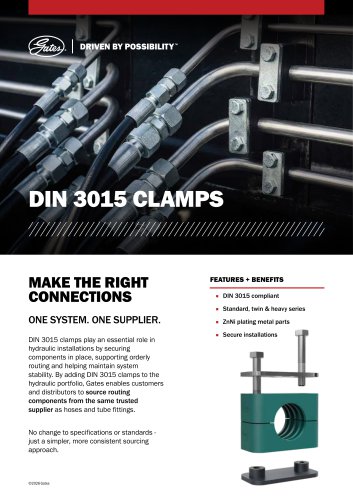 TUBE CLAMPS
2 Pages
 TUBE CLAMPS
39 Pages
 MEGACRIMP™ COUPLINGS
5 Pages
 GATES QUICK-LOK™
24 Pages
 DESIGN FLEX PRO™
1 Page
 DESIGN POWER
2 Pages
 DATA CENTER PUMPS
2 Pages
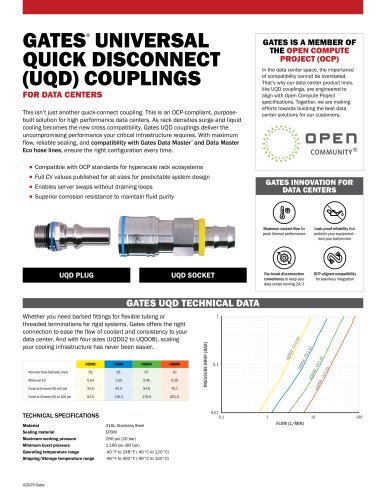
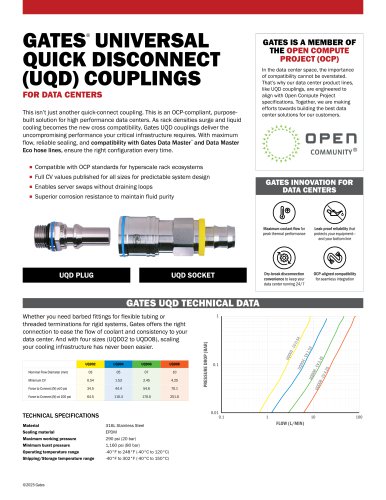
 GATES DATA CENTER COUPLINGS
4 Pages
 ProV Hose Sell sheet
2 Pages
 ProSeries IA3K Sell sheet
2 Pages
 MegaSys Sell sheet
2 Pages
 eCrimp APP Flyer
1 Page
 DSO Cutting ring Sell Sheet
3 Pages
 Hydraulic Tube Fittings Brochure
16 Pages
 Machinery Brochure
20 Pages
 Crimper checklist
2 Pages
 MXG 5K Sell sheet
2 Pages
 MXG 4K Sell sheet
2 Pages
 MXT Sell sheet
2 Pages
 M2T Sell sheet
2 Pages
 Tri Power Sell sheet
2 Pages
 GPP Belts Brochure
8 Pages
 AT 1 Laser alignment
2 Pages
 Texrope Catalogue
24 Pages
 Super HC Brochure
22 Pages
 Super HC Sell sheet
2 Pages
 Quad Power 4 Sell sheet
2 Pages
 Quad Power 4 Promo sheet
1 Page
 PowerGrip GT4 Sell Sheet
2 Pages
 Mini Poly Chain Sell sheet
2 Pages
 Design Power
2 Pages
 Chain to belt Promo Sheet
2 Pages
 Chain to belt Sell Sheet
2 Pages
 Boost Sell Sheet
2 Pages
 Boost Catalogue
88 Pages
 Preventive Maintenance Manual
92 Pages
 Predator sell sheet
2 Pages
 Sonic tension meter 550C
2 Pages
 PRO Series CR1 & CR2
2 Pages
 PRO series
2 Pages
 Coolrunner Belts
2 Pages
 Micro-V Water Pumps
2 Pages
 Electric Water Pumps
2 Pages
 Chain-to-Belt Solutions
2 Pages
 Hydraulic Tube Fittings Catalogue
216 Pages








- Pump
- Industrial pump
- Pump with electric motor
- Stationary pump
- Seawater pump
- Centrifugal pump
- GATES piping
- GATES fitting
- Chemical pump
- GATES hydraulic fitting
- Screw-in fitting
- Metal fitting
- GATES plastic hose
- Compact pump
- Quick coupling
- GATES structure hose
- Stainless fitting
- Impeller pump
- GATES flexible hose
- GATES transmission belt