
- Catalogs
- FUJI ELECTRIC France
- HMI Technoshot TS1000 series

HMI Technoshot TS1000 series

HMI Technoshot TS1000 series
- 8-Way Communication: Capable of connecting up to eight different types of PLCs or devices from various manufacturers simultaneously through Ethernet and serial connections.
- Expanded Connectivity: Supports ladder program transfer and USB connections for diverse devices, including barcode readers and printers.
- Multilanguage Support: Offers on-screen toggling between 16 languages, accommodating various alphabets and scripts.
- Security Features: Provides 16 levels of security to restrict functions based on user roles, enhancing security.
- Trend Sampling: Records data over time to display trend graphs, with options for enlarged display for detailed waveform analysis.
- Operation Log: Chronologically records on-screen inputs to aid in error diagnostics and security reviews.
- Display: Available in 7.0” and 10.2” widescreen options with high-resolution TFT color displays.
- Connectivity: Features USB, Ethernet, and serial ports supporting various communication protocols and baud rates.
- Environmental Conditions: Operates within a temperature range of -10 to 60°C and supports up to 85% relative humidity without condensation.
- Certifications: Complies with CE, KC, UL, and cUL standards.
- VNC Server: Enables remote monitoring and operation of TS1000 Smart screens via Ethernet, supporting connectivity in both office and factory settings.
- FTP Server: Allows reading and writing to USB memory using FTP client tools.
- Remote Maintenance: Facilitates cost-effective remote monitoring and operation using TELLUS application software.
- Icon Design: Provides a sophisticated lineup of icons for creating user-friendly screens.
- Interlock Settings: Simplifies condition settings through ladder diagram displays.
- Configuration Support: Offers tool hints and visual aids to assist in device configuration.
Catalog excerpts

Innovating Energy Technology P3 Fuji Electric Programmable Operator Interface Consolidating Essential Functionality
Open the catalog to page 1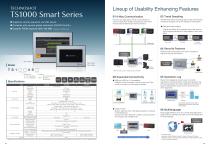
■ Supports remote operation via VNC server ■ Complies with several global standards (CE/KC/UL/cUL) ■ Expands FROM capacity 220%*(26 MB) *Compared to TS1000 series Lineup of Usability Enhancing Features 01 8-Way Communication Connect up to eight types of PLC or other devices of various models from multiple manufactures at the same time via both an Ethernet and serial connection. *1 187,500 bps is only for Siemens MPI/PPI communications. *2 Use at a wet-bulb temperature of 39°C or less because higher temperatures may cause failure. *3 This is an optional accessory. TS1000 Smart series chronologically...
Open the catalog to page 2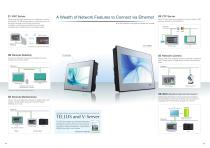
01 VNC Server Easily setup the VNC viewer tool on a computer to monitor and operate TS1000 Smart screens on the factory floor via the same computer over Ethernet connection. In addition, monitoring and operations can be easily conducted from a tablet device over wireless router. A Wealth of Network Features to Connect via Ethernet 04 FTP Server Use FTP client tools on a computer to read and write to USB memory mounted on TS1000 Smart. *None of the features on this page are included with TS1070S. TS1000 Smart Tablet computer Monitoring *A setting for only monitoring is also available. Connect...
Open the catalog to page 3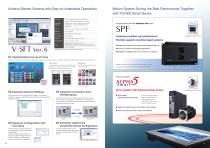
Achieve Sleeker Screens with Easy-to-Understand Operations Motion System Driving the Best Performance Together with TS1000 Smart Series Computer *Administrator privileges are required for installation. 01 Sophisticated Line-up of Icons V-SFT Ver. 6 offers a combination of real sign and plain icons that allow users to easily create more sophisticated screens than ever before. 02 Expands Interlock Settings Set the interlock via the ladder diagram display. The condition settings are easy to understand and convenient even when setting multiple conditions. 03 Supports Configuration with Tool Hints...
Open the catalog to page 4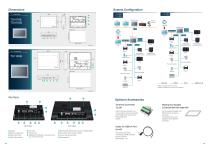
System Configuration Network camera Panel cutout Printer Temperature controller/Inverter Temperature controller/Inverter Printer Temperature controller/Inverter Temperature controller/Inverter Bar code reader Bar code reader Panel cutout Keyboard Mouse *COM2 and COM3 are the same port. COM2 and COM3 can be used at the same time. Optional Accessories TS1070Si 1 Display ● 2 Battery compartment ● 3 USB mini-B (U-B) ● 4 USB cable retention ● 5 DIP switch ● 6 USB-A (U-A) ● 7 100BASE-TX/10BASE-T connector (LAN) ● Use the terminal converter if the communication device is connected with TS1000 Smart...
Open the catalog to page 5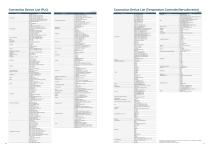
Connection Device List (Temperature Controller/Servo/Inverter) Manufacturer *The names of the companies and products included in this document are the trademarks or registered trademarks of their respective companies. *TS1070S does not support an Ethernet connection.
Open the catalog to page 6
• For safe operation, read the instruction manual or user manual that comes with the product carefully or consult the distributor from which you purchased the product, before using the product. • Products introduced in this catalog have not been designed or manufactured for such applications in a system or equipment that will affect human bodies or lives. • Customers, who want to use the products introduced in this catalog for special systems or devices such as for atomic-energy control, aerospace use, medical use, passenger vehicle, and traffic control, are requested to consult the Hakko Overseas...
Open the catalog to page 7All FUJI ELECTRIC France catalogs and technical brochures
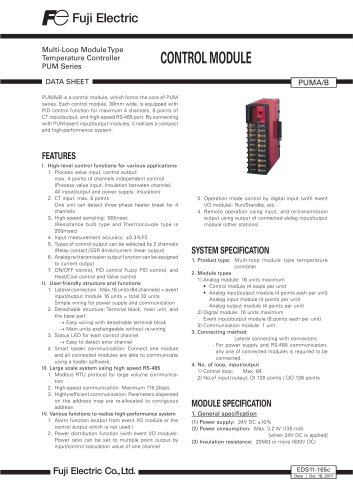
 Temperature controller PXE
2 Pages
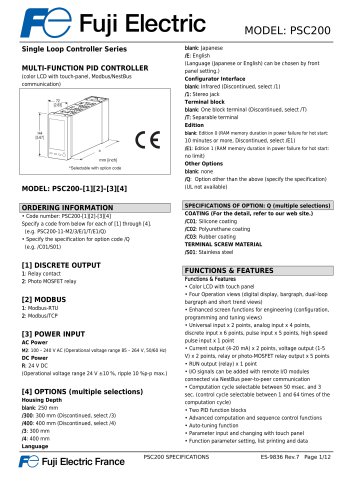
 Temperature controllers
24 Pages
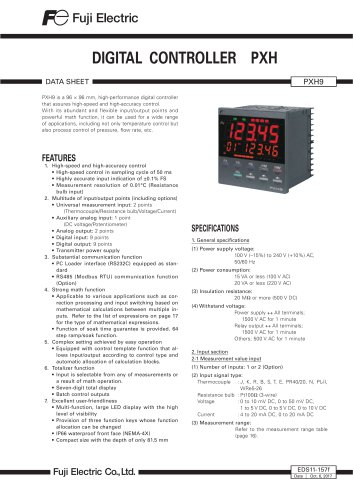
 HMI Technoshot TS2000 serie
2 Pages
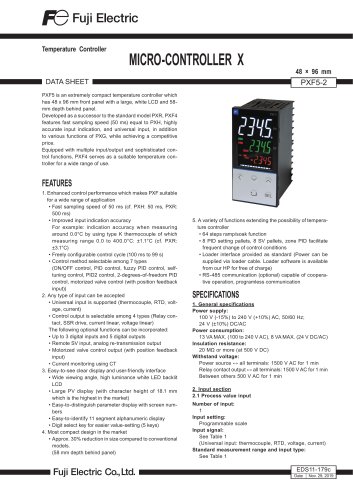
 HMI Monitouch X1 series
14 Pages
 Power controller - APR series
56 Pages
 Gas analysers
21 Pages
 CROSS STACK LASER GAS ANALYZER
12 Pages
 ZKM Oxygen Gas Analyzers
8 Pages
 ZPAF Biogas analyser
4 Pages












- Fuji Electric flow meter
- Temperature probe
- Fuji Electric volume flow meter
- Fuji Electric liquid flow meter
- Fuji Electric gas analyzer
- Fuji Electric concentration analyzer
- Automation software solution
- Industrial display panel
- Fuji Electric monitoring analyzer
- Resistance temperature sensor
- Fuji Electric pressure transmitter
- Analysis software solution
- Process software
- Real-time software
- Fuji Electric analog pressure transmitter
- Control software
- Fuji Electric waterproof flow meter
- Fuji Electric gas flow meter