
- Catalogs
- Fixtureworks
- Torque Limiting Knobs & Handles

- Company
- Products
- Catalogs
- News & Trends
- Exhibitions
Torque Limiting Knobs & Handles

Torque Limiting Knobs & Handles
Overview
This document provides detailed technical specifications, ordering information, and usage guidelines for torque limiting knobs and handles, clamping handles, and compatible cam handles. It is intended for engineers and procurement specialists involved in fixture and tooling design.
1. Product Categories
- Torque Limiting Knobs (KTC Series): Available in various thread sizes (M5, M6, M10, M16, M25) and torque ratings. Color options include black (BK) and orange (OG).
- Adjustable Torque Handles (ATCL Series): Handles with adjustable torque settings, available in sizes M6, M8, and M10. Detailed dimensions and torque performance data are provided.
- Compact Cam Handles (SCCLQ Series): Spiral cam design with a 4° cam angle, available in stainless steel with various sizes and torque ratings.
- Cam Handles (ACLQ Series): Spiral cam handles with a 4° cam angle, available in multiple sizes and torque capacities, including non-plated (NP) options.
- Cam Handles (QLCL Series): Additional cam handle options with spiral cam design and specified torque ratings.
2. Technical Specifications
- Thread Sizes and Pitch: Ranges from M3 (0.5 pitch) to M10 (1.5 pitch) depending on product series.
- Torque Ratings: Specified in Nm, varying by product and size. For example, torque limiting knobs range from 2.0 Nm to 42 Nm.
- Dimensions: Detailed measurements including length, diameter, and handle size are provided for each product variant.
- Materials: Stainless steel is specified for some cam handles, ensuring durability and corrosion resistance.
- Cam Angle: Spiral cam handles have a consistent cam angle of 4°, optimizing clamping force and ergonomics.
3. Usage Instructions
- How to Use: General guidance on installation and operation is referenced, emphasizing correct torque setting and handle adjustment.
- How to Set Torque: Adjustable torque handles include instructions for setting the desired torque to prevent over-tightening.
- Torque Performance: Performance data is provided to ensure users select the appropriate product for their application requirements.
4. Ordering and CAD Resources
- All products include pricing, ordering codes, and CAD download availability at fixtureworks.com.
- Color options and part numbers are clearly listed for easy identification and procurement.
5. Contact Information
For further inquiries, pricing, or technical support, contact Fixtureworks at:
33792 Doreka Dr. Fraser, MI 48026
Phone: 586-294-1188
Email: [email protected]
Summary of Critical Information
- Ensure selection of correct thread size and torque rating for application safety and performance.
- Use adjustable torque handles to prevent damage from over-tightening.
- Refer to CAD files for integration into fixture designs.
- Spiral cam handles provide ergonomic and efficient clamping with a 4° cam angle.
- Material choice (e.g., stainless steel) affects durability and suitability for environments.
Catalog excerpts

Torque Limiting Knobs & Handles
Open the catalog to page 1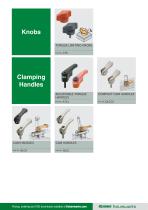
Pricing, ordering and CAD downloads available at fixtureworks.com
Open the catalog to page 2
Pricing, ordering and CAD downloads available at fixtureworks.com
Open the catalog to page 3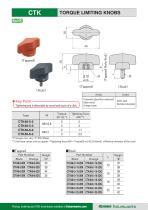
TORQUE LIMITING KNOBS RmUC ★Key Point-^ [ Tightening end is detectable by sound and touch of a click. **)Use these values only as a guide, lightening force (kN) = Torque(N-m)/{0.2xd(mm)} d:Nominal diameter of the stud> Pricing, ordering and CAD downloads available at fixtureworks.com ^imno fixture in arks
Open the catalog to page 4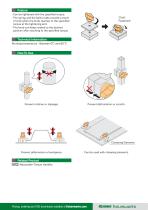
■Can be tightened with the specified torque. ■The spring and the balls inside provide a touch of click when the knob reaches to the specified torque at the tightening end. ■The knob can keep rotated to the desired position after reaching to the specified torque. Working temperature : Between OT) and 80 °C Prevent deformation of workpiece. lATCL I Adjustable-Torque Handles Pricing, ordering and CAD downloads available at fixtureworks.com
Open the catalog to page 5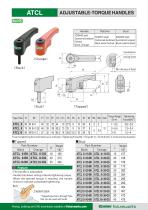
ADJUSTABLE-TORQUE HANDLES RrmjJC w 11J Torque-adjusting Screw *) Use this tightening force information as an indication. (Tightening Force(kN)=Torque(Nim) /(0.2Xd(mm)} d: nominal screw diameter) fixture works Pricing, ordering and CAD downloads available at fixtureworks.com
Open the catalog to page 6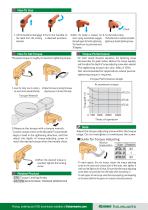
1 .Lift the handle to disengage 2.Turn the handle to 3.When the handle is released, the 4.Turn the handle to clamp, the teeth from the locking a desired position. return spring automatically engages The handle clicks to indicate completed element. the teeth again for further tightening, tightening at desired tightening torque. The handle can be positioned every 30 degrees. The preset torque is roughly its maximum tightening torque. ■For initial several thousand operations, the tightening torque decreases.(See the graph below.) Measure the torque regularly, and fine adjust the depth of torque-adjusting...
Open the catalog to page 7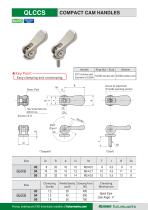
COMPACT CAM HANDLES ★Key Point- [ Easy clamping and unclamping. Pricing, ordering and CAD downloads available at fixtureworks.com fixture works
Open the catalog to page 8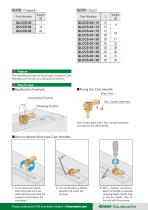
Feature The handle position of Stud-type Compact Cam Handles can be set to a desired direction. Use a brass pad and a hex. socket setscrew included to fix the handle. Pricing, ordering and CAD downloads available at fixtureworks.com
Open the catalog to page 9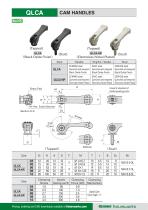
(Tapped) QLCA (Black Oxide Finish) (Tapped) QLCA-NP (Electroless Nickel PI Style Pricing, ordering and CAD downloads available at fixtureworks.com
Open the catalog to page 10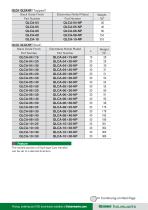
QLCAl IQLCA-NPI (Stud) The handle position of Stud-type Cam Handles can be set to a desired direction. Continuing on Next Page Pricing, ordering and CAD downloads available at fixtureworks.com fixture works
Open the catalog to page 11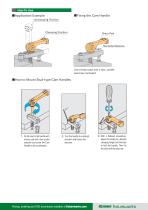
Use a brass pad and a hex. socket setscrew included. ■ How to Mount Stud-type Cam Handles 2. Turn the handle to a desired direction and loosen the setscrew. Pricing, ordering and CAD downloads available at fixtureworks.com
Open the catalog to page 12
Pricing, ordering and CAD downloads available at fixtureworks.com
Open the catalog to page 13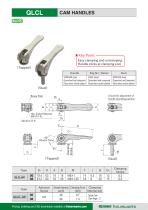
★Key Point- Easy clamping and unclamping. Handle clicks at clamping end. (Stud) (Tapped) (Stud) Type Pricing, ordering and CAD downloads available at fixtureworks.com fixture works
Open the catalog to page 14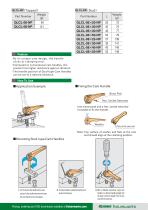
Feature QLCL-NP (Stud) ■By its unique cam design, the handle clicks at clamping end. ■Compared to conventional cam handles, this product has higher resistance against vibration. ■The handle position of Stud-type Cam Handles can be set to a desired direction. Note: Top surface of washer and flats at the cam end should align at the clamping position. pad and a hex socket setscrew and screw loosen the setscrew, Pricing, ordering and CAD downloads available at fixtureworks.com
Open the catalog to page 15
Pricing, ordering and CAD downloads available at fixtureworks.com
Open the catalog to page 16All Fixtureworks catalogs and technical brochures
 Quick Release Bail Lock Pins.
46 Pages
 Rollers and Bumpers.
50 Pages
 Pneumatic Clamps
45 Pages
 Bearing Guide Rollers
35 Pages
 Machinable Collet Clamps
45 Pages
 Mechanical Linear Units
49 Pages
 5-Axis Clamping System
14 Pages
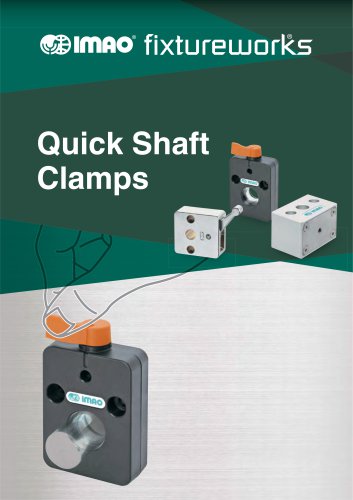 Quick Shaft Clamps
15 Pages
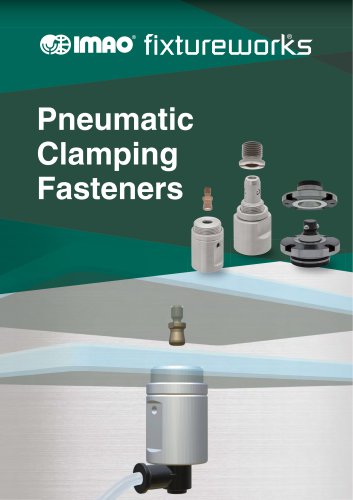 Pneumatic Clamping Fasteners
14 Pages
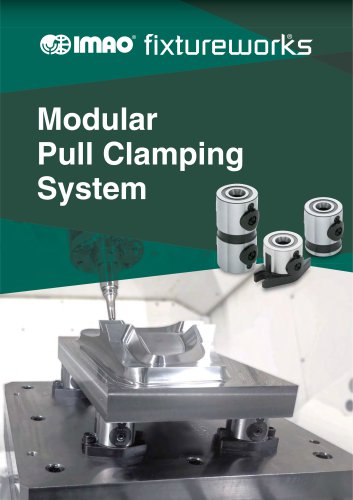 Modular Pull Clamping System
35 Pages
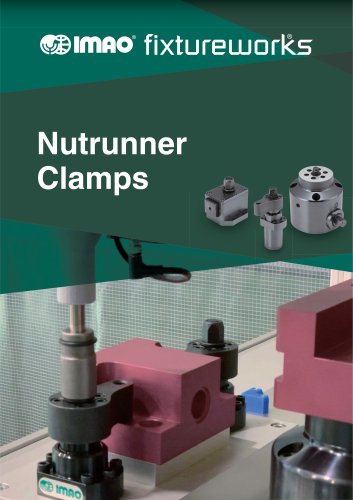 Nutrunner Clamps
24 Pages
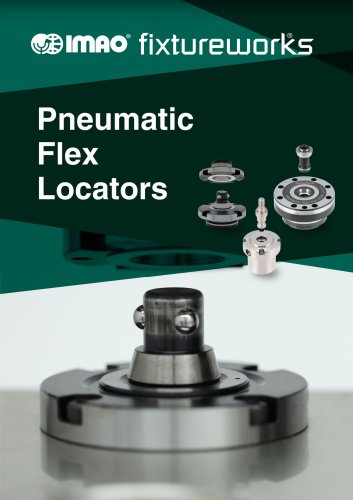 Pneumatic Flex Locators
23 Pages
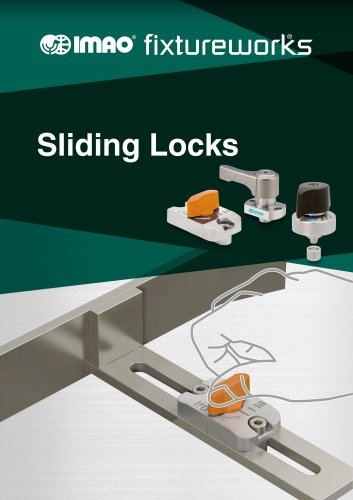 Sliding Locks
41 Pages
 Work Supports
24 Pages
 Flex Locators
41 Pages
 Spring Clamps
24 Pages
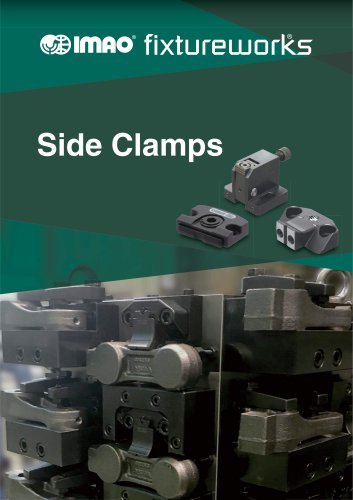 Side Clamps
27 Pages
 One Touch Fasteners
138 Pages
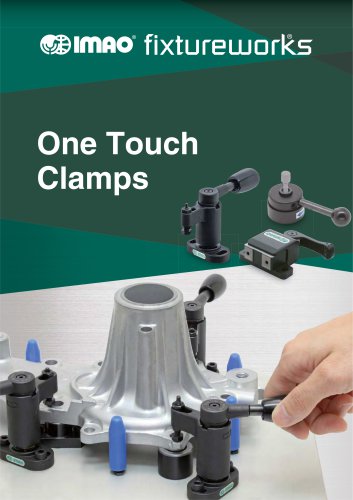 One Touch Clamps
68 Pages
Archived catalogs
 QCTH / QCTHL / QCTHH
4 Pages
 QCSL
4 Pages
 QSC
2 Pages
 QCPC
4 Pages
 QCTH-N / QCTH-B
2 Pages
 Fixtureworks catalog
572 Pages
 KNOBS
27 Pages
 SPRING & BALL PLUNGERS
16 Pages
 TRIMAX VISES
40 Pages
 BUMPERS
14 Pages
 CMM_Inspection
10 Pages
 ROLLERS
30 Pages
 INDEXING PLUNGERS
13 Pages
 ADJUSTABLE HANDLES & LEVERS
37 Pages
 QUICK RELEASE BALL LOCK PINS
62 Pages
 CLAMPS
72 Pages
 Pull Handles
9 Pages
 MACHINE ACCESSORIES
8 Pages
 HAND WHEELS & CRANK HANDLES
25 Pages


