
- Catalogs
- EUCHNER GmbH + Co. KG
- Selection of operating mode with the Electronic-Key-System


Selection of operating mode with the Electronic-Key-System
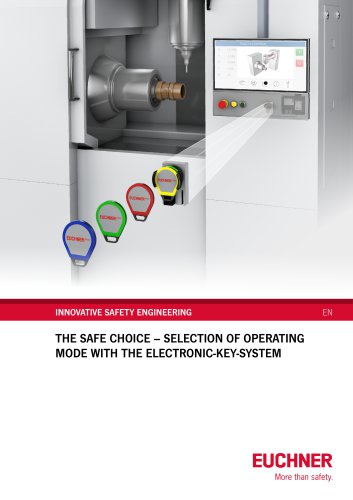
Selection of operating mode with the Electronic-Key-System
The document highlights the critical role of selecting safe operating modes using an Electronic-Key-System (EKS) to adhere to safety regulations in machine construction. It underscores the importance of secure mode selection to prevent tampering and ensure operator safety.
Legal and Standard Requirements
Compliance with laws and standards necessitates restricting access to operating mode selectors to authorized personnel. The system must achieve a Performance Level (PL) as per EN ISO 13849-1, with appropriate safety guards for all machine operations.
Operating Modes
Various operating modes such as Manual, Automatic, Setup, and Service are detailed, each with specific safety functions to protect operators.
Performance Level Evaluation
The safety engineering of operating mode selectors is evaluated according to EN ISO 13849-1. The system must meet the required PL to ensure safe transitions between modes.
Electronic-Key-System (EKS)
The EKS includes a read station and Electronic-Keys with writable memory. Variants like EKS with data interface, EKS Light, and EKS2 offer different functionalities for access control and mode selection.
Benefits of EKS
EKS enhances security through personalization, effective key management, and access management, preventing unauthorized access and ensuring traceability.
System Selection
The document compares EKS with data interface, EKS Light, and EKS2, emphasizing their suitability for various applications and compliance with high safety standards.
Implementation
Guidelines for implementing mode selection with pushbuttons and touch panels are provided, detailing necessary components and safety considerations.
Checklist
A checklist is included to ensure compliance with safety requirements and verify that all precautions are in place.
Further Information
Additional resources and product information are available on the manufacturer's website, offering guidance on system integration and usage.
Catalog excerpts
INNOVATIVE SAFETY ENGINEERING THE SAFE CHOICE - SELECTION OF OPERATING MODE WITH THE ELECTRONIC-KEY-SYSTEM More than safety.
Open the catalog to page 1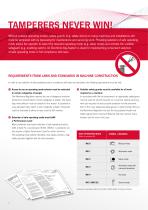
Without suitable operating modes, safety guards (e.g. safety doors) on many machines and installations still must be tampered with by bypassing for maintenance and servicing work. Providing selection of safe operating mode allows the operator to select the required operating mode (e.g. setup mode) and activate the suitable safeguard (e.g. enabling switch). An Electronic-Key-System is ideal for implementing convenient selection of safe operating mode in full compliance with laws. In order to use selection of safe operating mode in compliance with laws and standards, the following requirements...
Open the catalog to page 2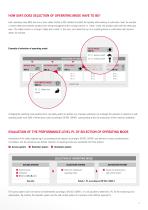
HOW SAFE DOES SELECTION OF OPERATING MODE HAVE TO BE? Each operating mode (MO) has one or more safety functions (SF) intended to protect the operator while working. In automatic mode, for example, a closed safety door prevents operators from being endangered by the running machine. In “setup” mode, the operator works with the safety door open. The safety function is no longer “safety door closed” in this case, but instead the use of an enabling device in combination with reduced speed, for example. Example of selection of operating mode SETUP MODE (MO 2) SF 2.1: Reduced speed SELECTION OF OPERATING...
Open the catalog to page 3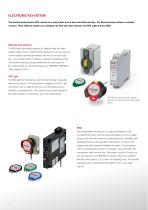
ELECTRONIC-KEY-SYSTEM The Electronic-Key-System EKS consists of a read station and at least one Electronic-Key. The Electronic-Key contains a writable memory. Three different systems are available: the EKS with data interface, the EKS Light and the EKS2. EKS with data interface The EKS with data interface features an Electronic-Key with freely programmable memory. With this EKS, applications such as access to control systems/operating parameters and entry of an expiry date, etc., can be implemented in addition to selection of operating mode. The Electronic-Key data are transmitted from the read...
Open the catalog to page 4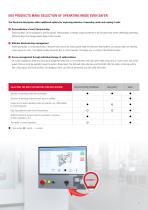
Electronic-Keys can be assigned to specific people. Responsibility is thereby visibly transferred to the Electronic-Key holder, effectively preventing Electronic-Keys from being passed along or left inserted. Unlike passwords or conventional keys, Electronic-Keys cannot be easily copied. With the Electronic-Key-Systems, you always retain an overview of your group of users. If an Electronic-Key should be lost, it can be blocked. This keeps you in control of the Electronic-Keys. On many installations, there are particularly dangerous tasks that can be performed only with open safety doors and,...
Open the catalog to page 5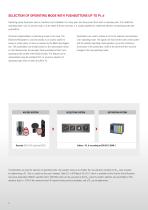
Operating panels have been used on machines and installations for many years and have proven their worth in everyday work. If an additional operating mode, such as service mode, is to be added to these machines, it is usually expedient to implement selection of operating mode with pushbuttons. Technical implementation is particularly simple in this case. The Electronic-Key-System is used exclusively as an access system to ensure a certain group of users as required by the Machinery Regulation. The pushbuttons are enabled based on the authorization stored on the Electronic-Key. For example, these...
Open the catalog to page 6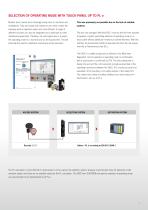
Modern touch panels are increasingly being used on machines and installations. They are simple and intuitive to use, which makes the everyday work of operators easier and more efficient. A range of different functions can also be integrated and customized to meet individual requirements. Therefore, the next logical step is to select the operating mode of a machine only via the touchscreen. This will eliminate the need for additional mechanical control elements. This was previously not possible due to the lack of suitable systems. This has now changed. With the EKS2, it was for the first time...
Open the catalog to page 7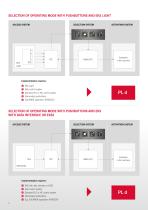
ACCESS SYSTEM SELECTION SYSTEM ACTIVATION SYSTEM Implementation requires: G EKS Light G Safe control system G Standard PLC or NC control system G Illuminated pushbuttons G EUCHNER application AP000225 PL d SELECTION OF OPERATING MODE WITH PUSHBUTTONS AND EKS WITH DATA INTERFACE OR EKS2 ACCESS SYSTEM ACTIVATION SYSTEM Implementation requires: G EKS with data interface or EKS2 G Safe control system G Standard PLC or NC control system G Illuminated pushbuttons G E.g. EUCHNER application AP000234
Open the catalog to page 8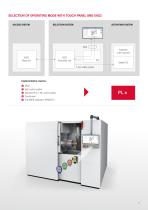
SELECTION SYSTEM ACTIVATION SYSTEM EKS2 Read unit Evaluation unit G Safe control system G Standard PLC or NC control system G Touchscreen
Open the catalog to page 9
FURTHER INFORMATION For detailed information about the various systems and the accessories, please refer to the product catalogs or visit our homepage at www.euchner.com Product information Detailed product information about our systems and the suitable software for convenient Electronic-Key admnistration can be found at: https://www.euchner.de/en-us/products/transponder-coded-key-systems/ Applications The complete applications can be found in the download area at: https://www.euchner.de/en-us/service/downloads/applications/ Catalogs and flyers Catalogs and flyers for the systems can be found...
Open the catalog to page 11
A CLOSE WORKING RELATIONSHIP – LITERALLY! EUCHNER – WHERE YOU ARE EUCHNER GmbH + Co. KG Kohlhammerstraße 16 70771 Leinfelden-Echterdingen I Germany Tel. +49 711 7597-0 I [email protected] www.euchner.com 127593 . 09-08/25 . Subject to technical modifications; no responsibility is accepted for the accuracy of this information. © EUCHNER GmbH + Co. KG
Open the catalog to page 12All EUCHNER GmbH + Co. KG catalogs and technical brochures
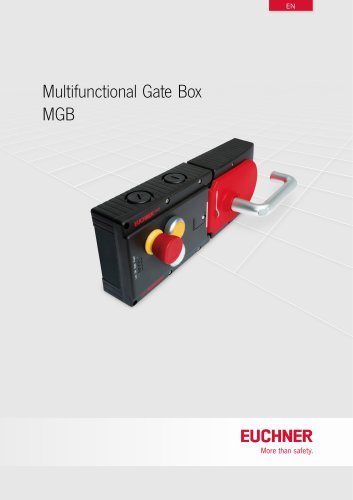 Multifunctional Gate Box MGB
137 Pages
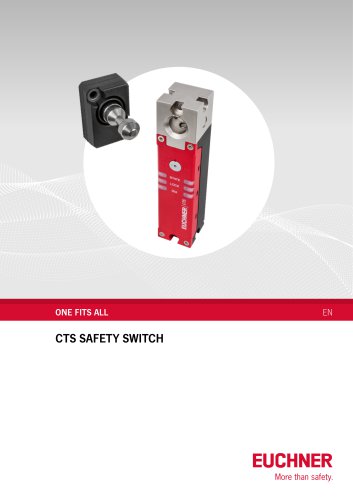 Safety switch CTS
8 Pages
 EUCHNER Safety Services
24 Pages
 Logistics
5 Pages
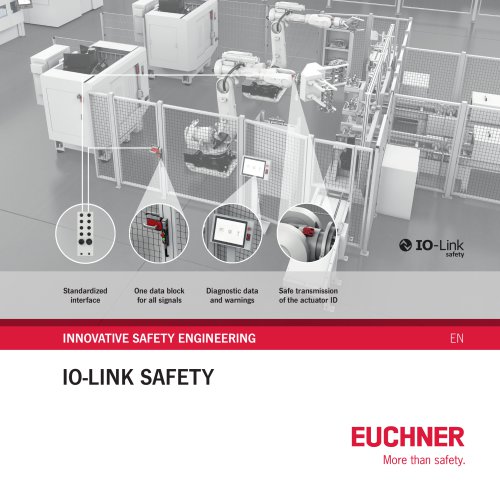 IO-Link Safety
4 Pages
 News
News6 Pages
 Safety Relays ESM
32 Pages
 Electronic-Key-System EKS2
6 Pages
 Safe key system CKS2
10 Pages
 Enabling Switches ZS
92 Pages
 About EUCHNER
34 Pages
 Safety Switches with Plastic Housing
172 Pages
 Safety Switches with Metal Housing
220 Pages
 Multiple Limit Switches
36 Pages
 Position Switches
56 Pages
 Safety Switches NQ/TQ
6 Pages
 Joystick Switches
28 Pages
 Electronic-Key-System
24 Pages


- Management software solution
- EUCHNER single-pole switch
- Windows software
- EUCHNER mechanical lock
- EUCHNER technology switch
- Interface software
- Multipole switch
- Visualization software solution
- Programming software
- EUCHNER door lock
- EUCHNER steel lock
- EUCHNER electromechanical switch
- EUCHNER safety switch
- Rotary electric switch
- EUCHNER limit switch
- EUCHNER zinc lock
- EUCHNER IP67 switch
- EUCHNER light curtain
- EUCHNER safety lock
- Touch switch