
- Catalogs
- Esko-Graphics
- _DotSpy_us


_DotSpy_us

_DotSpy_us
FlexRip offers QA tools for digital plate files, ensuring quality checks before plate making and printing. These tools provide confidence in the printing process by verifying digital files.
- Quality assurance for digital plates and film.
- Screening checks: dots, ruling, angle, density.
- Dimension, marks, and trapping verification.
- Support for multiple separations in color and file versions.
- High-performance viewing at full platesetter resolution.
- Compatibility with Mac (DotSpy) and Windows (BitmapViewer).
Users can open ripped output files (TIFF and Len formats) directly, viewing actual data with full accuracy. The tools are fast, allowing quick navigation and zooming to check screens, marks, and other items. Built-in screen analysis tools measure angle, ruling, and dot percentage for one or more separations, ensuring correct screening and curves before plate making.
- BackStageViewer: Integrated with workflow systems for viewing and comparing prepress and RIPped files.
- WebCenter: An online viewer for reviewing prepress and ripped files over the internet.
By viewing actual ripped data, users can confidently check details such as register marks, dimensions, and traps. The tools allow viewing of single or multiple separations in color to verify knockouts and overprints. Multiple versions of the same job can be opened in parallel to ensure changes or language variations are correct. Seamless mode is available for viewing seamless sleeves with an infinite join.
Catalog excerpts

digital plate files DotSpy and x^s BitMap Viewer The most expensive plate is the one you have to remake These easy to use software tools let you quality check the digital files before making plates, and have total confidence before going to print. Quality assurance for digital plates and film Check screening: dots, ruling, angle, density. Check dimensions, marks and trapping Work with multiple separations In color, multiple file versions High performance viewing at full platesetter resolution Available for Mac (DotSpy) and Windows (BltmapVlewer) Open the ripped output files (TIFF and Len formats) directly. These viewing tools show you the actual data, In full accuracy Despite working with high resolution data, the viewers are very fast. You can quickly navigate to any area of the plate, and zoom n to any level to check screens, marks or any other Items The built In screen analysis tools automatically measure angle 'ullng and dot percentage for one or more separations. This way you can verify that the correct screening and curves have been applied to the job before making a plate
Open the catalog to page 1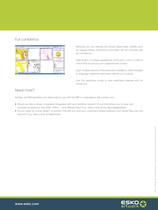
Full confidence Because you are viewing the actual ripped data, details such as register marks, dimensions and traps can be checked with full confidence View single or multiple separations of the job In color In order to check that knockouts and overprints are correct Open multiple versions of the same job In parallel to check changes or language variations have been carried out correctly. Need more? Use the seamless mode to view seamless sleeves with an Infinite join DotSpy and BltmapViewer are Ideal tools to use with the RIP in a standalone QA context, but • Would you like a viewer completely...
Open the catalog to page 2All Esko-Graphics catalogs and technical brochures
 ArtiosCAD module descriptions
12 Pages
 Automation Engine
8 Pages
 CDI Family
6 Pages
 CDI Crystal overview
6 Pages
 HD Letterpress
3 Pages
 ArtPro+
4 Pages
 CDI Spark Family
6 Pages
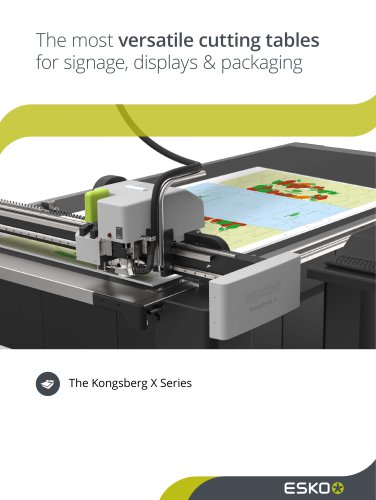 The Kongsberg X Series
16 Pages
 WebCenter
8 Pages
 SUITE 14
12 Pages
 I-CUT SUITE
8 Pages
 HD FLEXO - FULL HD FLEXO
4 Pages
 equinox
2 Pages
 Digital Flexo CDI
16 Pages
 ColorEngine
2 Pages
 _Kongsberg_iXE10_us
8 Pages
 _ArtiosCAD_us
4 Pages
 Kongsberg flatbed plotting table
6 Pages

Archived catalogs
 Studio
10 Pages
 _GraphicEditor_us
12 Pages
- Management software solution
- Computer-aided design software
- Cloud-based software
- Design software solution
- 3D software solution
- Creation software
- 2D software
- Web-based software solution
- Editing software
- Printing software
- Color software
- Software for the packaging industry
- CtP
- Packaging software
- Structural design software
- UV CtP
- Automatic CtP
- High-speed CtP