
- Catalogs
- Enertronica Santerno S.p.A.
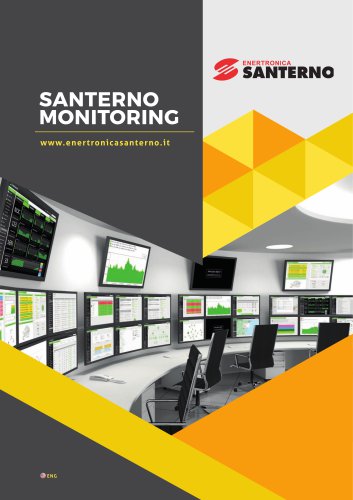
- SANTERNO MONITORING


SANTERNO MONITORING
1 / 6 PagesView full catalog
SANTERNO MONITORING
Product catalog summary
Overview
The document appears to be a technical interface or configuration screen related to energy management or power control systems, specifically involving components such as Bridge, Bridge Mini, SCADA, Santerno.io, Control Room, and PPC (Power Plant Controller).
Main Sections and Components
- Control Type and Parameters: The interface allows setting control parameters such as P % (active power percentage) and Q % (reactive power percentage). The PPC can be enabled or disabled, and there is a P/O (Power/Output) setting with values shown (100 and 0 respectively).
- Control Configuration and Connections: This section likely manages the configuration of control connections between inverters and the PPC. It shows a list of inverters numbered #1 through #9, indicating the ability to select or configure multiple inverters.
- Status Indicators: The interface shows statuses such as ACTIVE and ENABLED, indicating the operational state of the PPC and control settings.
- Action Buttons: An 'Apply' button is present to confirm or apply configuration changes.
Key Functionalities and Recommendations
- The system enables centralized control of power parameters across multiple inverters, facilitating coordinated power output management.
- Enabling PPC allows for automated control of power setpoints, improving efficiency and grid compliance.
- Users should verify inverter selection and parameter settings before applying changes to avoid misconfiguration.
Summary
This document outlines a control interface for managing power plant controllers and inverters within an energy system. It provides configurable parameters for active and reactive power, status monitoring, and connection management, supporting efficient and coordinated energy control operations.
See more
Catalog excerpts

Control Room Bridge Mini
Open the catalog to page 2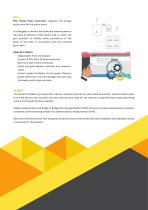
Logout ENERTRONICA GROUP ACTIVE ENABLED Control Configuration Enable
Open the catalog to page 5All Enertronica Santerno S.p.A. catalogs and technical brochures
 SUNWAY TG
6 Pages
 INDUSTRIAL AUTOMATION
125 Pages
Related Searches
- Electromotor
- Rectangular housing
- Alternating current motor
- Multipole motor
- Asynchronous motor
- Wall-mount box
- Windows software
- 4-pole motor
- Monitoring software solution
- 2-pole motor
- IP55 motor
- High-efficiency electromotor
- Measurement software
- Interface software
- Protection housing
- Programming software solution
- 6-pole motor
- Power distribution box
- IP65 housing
- Machine software
*Prices are pre-tax. They exclude delivery charges and customs duties and do not include additional charges for installation or activation options. Prices are indicative only and may vary by country, with changes to the cost of raw materials and exchange rates.
About DirectIndustry
DirectIndustry is a marketplace that offers B2B players a complete experience, from product sourcing to purchase. DirectIndustry is an entity of VirtualExpo Group.
Are you a buyer?
Are you a supplier?