
- Catalogs
- Dr. Heinrich Schneider Messtechnik GmbH
- M3 - Measurement software


- Company
- Products
- Catalogs
- News & Trends
- Exhibitions
M3 - Measurement software

M3 - Measurement software
- User Interface: The software features a clear, structured interface with no hidden sub-menus, allowing for easy navigation and operation.
- Edge Algorithm: An innovative edge algorithm ensures quick and reproducible measurement point identification.
- Measurement Capabilities: The software supports simple dimensioning and recording of measured features in both graphic and tabular forms, with integrated tolerance checks according to DIN/ISO standards.
- Data Accessibility: Measurement data is accessible on a high-resolution multi-touch screen, supporting various data export formats including TXT, TSV, CSV, DXF, XLSX, CLOUD.DXF, and CLOUD.CSV.
- Additional Modules: Includes modules for tactile probing, thread measurement, cable insulation, and profiling for contour comparison.
- Optical Comparison: Allows for "good/poor" comparisons with customizable tolerance ranges.
- Stitching and Profiling: Combines individual images for a complete workpiece display and adjusts workpiece contours within specified tolerance ranges.
- Measurement Log: Provides a graphic and tabular representation of results, customizable headers, and supports data export and printing.
- Automatic Program Creation: The measurement program is automatically created during the first measurement, ensuring consistent results in repeated measurements.
Catalog excerpts

Measurement software Measurement software for tactile and optical measurements Precise, manual measurement of geometric elements with intuitive multi-touch application • Clearly structured user interface • No hidden sub-menus • Innovative edge algorithm
Open the catalog to page 1
M3 measurement software with image processing Intuitive multi-touch measurement software for cameraaided measurement devices in the entry-level class Simply touch and measure With the M3 measurement software, Dr. Heinrich Schneider Messtechnik is setting new standards in handling and precision for the precise measurement of geometric elements using camera-based measurement devices in the entry-level class. Inspired by smartphone and tablet applications, an intuitive multi-touch application has been developed that is easy and quick to learn how to use. The software impresses with a clear user...
Open the catalog to page 2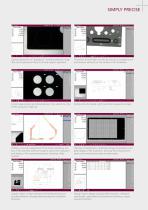
SIMPLY PRECISE Optical comparison of "good/poor" including tolerance range that can be generated freely to actively support operation. The sector incident light can also be used to accurately record and measure elements on the surface of the workpiece. Simple measurement and dimensioning of the element on the screen using your finger tip. Tactile probe for details which cannot be measured optically. Profiling: automatic adjustment of the entire workpiece contour in the specified tolerance range as well as the evaluation and display of the measurement points including a filter function. Stitching:...
Open the catalog to page 3
In addition to the tabular display of the results, the measurement log also includes a graphic representation with a dimensioned overview of the workpiece. The header of the log can be adjusted on a customer-specific basis. The measurement log can either be printed or made available as a data export. Data is exported in CSV, TSV, TXT, DXF, CLOUD.CSV or CLOUD.DXF format. The target value can be imported from a DXF file. A warning and intervention threshold can also be set. The measurement program is created automatically during the first measurement. The sequence of the measurement program is...
Open the catalog to page 4All Dr. Heinrich Schneider Messtechnik GmbH catalogs and technical brochures
 WMM - Shaft Measuring Machine
20 Pages
 DP - Digital projector
2 Pages
 TMM - 3D measurement machine
4 Pages


Archived catalogs
 Profile and measuring projector
16 Pages
 M2 - Measurement Software
4 Pages
 WM1 - Workshop Microscope
8 Pages
 U-SOFT SOLID ultra
16 Pages

- Analysis software solution
- Measuring machine
- Microscope
- Optical microscope
- 3D software solution
- Interface software
- Automatic measurement system
- Inspection microscope
- Optical measurement system
- 2D software
- High-precision measurement system
- Digital camera microscope
- Measuring system for industrial applications
- Measuring microscope
- Parts measurement system
- Calculation software
- Distance measurement system
- Non-contact measurement system
- Coordinate measuring machine