
- Catalogs
- A&D COMPANY, LIMITED
- Heat-Drying Moisture Analyzers MS-74A(T)/MX-53A(T) MF-53A /ML-53A


Heat-Drying Moisture Analyzers MS-74A(T)/MX-53A(T) MF-53A /ML-53A
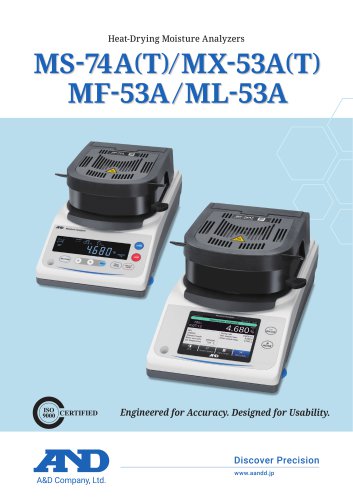
Heat-Drying Moisture Analyzers MS-74A(T)/MX-53A(T) MF-53A /ML-53A
A&D's new series of heat-drying moisture analyzers, including models MS-74A(T), MX-53A(T), MF-53A, and ML-53A, are designed for accuracy and usability. They feature smart temperature optimization, insightful feedback, and flexible program settings to ensure reliable moisture measurement across various applications.
The series includes six models, ranging from high-end touchscreen models (MS-74AT and MX-53AT) with a 5-inch color display and support for eleven languages, to cost-effective reverse backlit LCD models (MS-74A, MX-53A, MF-53A, and ML-53A) focusing on core functionality.
- Heat-Drying Technology: Provides a simple, safe approach to moisture analysis without chemical reagents.
- Preheating Function: Stabilizes thermal conditions by warming the sample pan area before measurement.
- Halogen Lamp Heater: A 400 W lamp heats the sample pan area to 200 °C in under two minutes.
- Super Hybrid Sensor (SHS): Ensures accurate and reproducible measurements with minimal sample quantities.
- Real-Time Display: Shows changes in moisture content and drying rate during measurement.
- Automatic Tare/Measurement Start: Streamlines operation by triggering tare and measurement start automatically.
The analyzers offer three measurement modes (Standard, Timer, Custom) and four heating patterns (Standard, Ramp, Step, Quick) to accommodate a wide range of samples and applications.
- Comparator Function: Evaluates moisture content with clear thresholds (HI, OK, LO).
- Offset Adjustment: Allows correction of displayed moisture content for consistent results.
- Programmed Measurement: Saves up to 300 sets of customized measurement conditions.
- Smart Guidance Tools: Includes tools like optimum temperature search and sample mass calculation for optimal measurement conditions.
Advanced user access control prevents unauthorized changes, and daily checks and adjustments maintain accuracy. The analyzers include a self-check function to detect issues in electrical circuits and temperature control.
A&D's moisture analyzers are engineered for precision and designed for ease of use, offering a comprehensive solution for moisture measurement across various industries.
The analyzer indicates operation with a lamp and completes processes in about one minute. It includes adjustment functions for weighing and heating accuracy, with the weight sensor adjustable using a 20 g or 50 g reference weight, and the heater adjustable with a temperature adjustment kit (AX-MXA-43). Results can be output in a GxP-compliant format.
The device stores up to 3,000 measurement results, with older data overwritten once the limit is reached. A graph of the last 10 measurements can be viewed for trend analysis. It records adjustment history, operation history, and log-in/log-out history, storing up to 1,000 records, with data exportable via USB.
A built-in help function provides quick access to instructions and FAQs. The device supports multiple communication interfaces, including RS-232C, USB, Bluetooth, and Ethernet, allowing data transfer and device connectivity.
The analyzer supports GLP/GMP/GCP/ISO compliance with detailed output data. It can function as a balance and includes thermal analysis mode for observing thermal changes. Auto power-off and password lock features enhance security and energy efficiency.
The analyzer supports a measurable sample weight range of 0.1 to 71 g, with various readability and reproducibility specifications. It includes a 5-inch touchscreen display and supports multiple languages. The device operates with a 400 W halogen lamp and offers several heating patterns and measurement modes.
Standard accessories include disposable pans, sample pans, and a USB cable. The device is compatible with WinCT-Moisture software for enhanced data management and analysis.
Catalog excerpts
Heat-Drying Moisture Analyzers Engineered for Accuracy. Designed for Usability.
Open the catalog to page 1
Accelerate Your Workflow with Intelligent Moisture Measurement A&D’s new series of moisture analyzers offer a powerful yet user-friendly solution for moisture measurement. With features such as smart temperature optimization, insightful feedback, and flexible program settings, they support reliable results across a wide range of applications and user experience levels. From Essential to Advanced – Select What Fits Six moisture analyzers—from high-end touchscreen to cost-effective reverse backlit LCD models—meet the demands of diverse applications and budgets. Touchscreen models: MS-74AT and MX-53AT...
Open the catalog to page 2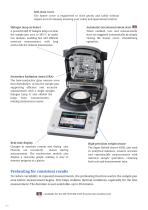
Soft-close cover The heater cover is engineered to close gently and safely without impact even if released, ensuring your safety and operational comfort. •••••••••••••••••••••••• Automatic tare/measurement start When enabled, tare and measurement start are triggered automatically by simply closing the heater cover, streamlining operation. ••• •• Halogen lamp as heater A powerful 400 W halogen lamp can heat the sample pan area to 200 °C in under two minutes, enabling fast and efficient moisture measurement, with long service life for reduced maintenance. Real-time display Changes in moisture content...
Open the catalog to page 3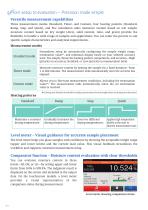
✔From setup to evaluation – Precision made simple Versatile measurement capabilities Three measurement modes (Standard, Timer, and Custom), four heating patterns (Standard, Ramp, Step, and Quick), and five calculation units (moisture content based on wet weight, moisture content based on dry weight (Atro), solid content, ratio, and gram) provide the flexibility to handle a wide range of samples and applications. You can tailor the process to suit specific sample characteristics and analytical requirements. Measurement modes Standard mode Streamlines setup by automatically configuring the sample weight...
Open the catalog to page 4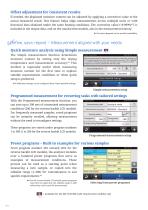
Offset adjustment for consistent results If needed, the displayed moisture content can be adjusted by applying a correction value to the actual measured result. This feature helps align measurements across multiple units or with historical data obtained under the same heating conditions. The correction value (±9.999%*2) is included in the output data, and on the touchscreen models, also in the measurement history. *2 Precision depends on the model’s readability. ✔Define, save, repeat – Measurement aligned with your needs Quick moisture analysis using Simple measurement The Simple measurement function...
Open the catalog to page 5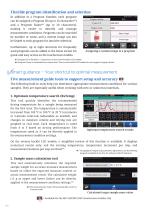
Assigning a custom image to a program In addition to a Program Number, each program can be assigned a Program ID (up to 16 characters*5) and a Program Name*6 (up to 20 characters), making it easier to identify and manage measurement conditions. Programs can be searched by number or name, and a custom image can also be linked to each program for intuitive selection. Furthermore, up to eight shortcuts for frequently used programs can be added to the home screen for quick and easy access on the touchscreen models. si<5 Program ID is limited to 7 characters on the reverse backlit LCD models. sK6...
Open the catalog to page 6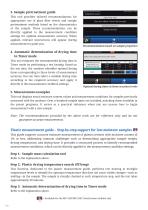
3. Sample pretreatment guide This tool provides tailored recommendations for appropriate use of glass fiber sheets and sample pretreatment methods based on the characteristics of the sample. These recommendations can be directly applied to the measurement condition settings for optimal measurement accuracy. When applied, relevant instructions will appear during measurement to guide you. Recommendations based on sample properties 4. Automatic determination of drying time in Timer mode This tool estimates the recommended drying time in Timer mode by performing a test heating. Based on the test data,...
Open the catalog to page 7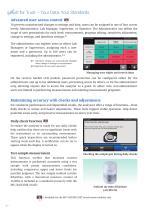
Managing user rights and restrictions To prevent unauthorized changes to settings and data, users can be assigned to one of four access levels: Administrator, Lab Manager, Supervisor, or Operator. The Administrator can define the scope of user permissions for each level: measurement, program editing, sensitivity adjustment, change to settings, and date/time settings.*9 The administrator can register users as either Lab Managers or Supervisors, assigning each a user name and a password. Up to 100 users can be registered, including the administrator.*10 sis9 Date/time settings are automatically...
Open the catalog to page 8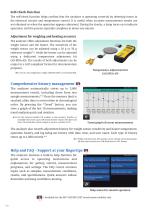
The self-check function helps confirm that the analyzer is operating correctly by detecting issues in the electrical circuits and temperature control. It is useful when accurate measurement results are not obtained or when the operation appears abnormal. During the checks, a lamp turns on to indicate operation, and the process typically completes in about one minute. The analyzer offers adjustment functions for both the weight sensor and the heater. The sensitivity of the weight sensor can be adjusted using a 20 g or 50 g reference weight*11, while the heater can be adjusted using a dedicated...
Open the catalog to page 9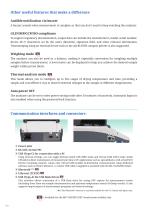
Other useful features that make a difference Audible notification via buzzer A buzzer sounds when measurement is complete so that you don’t need to keep watching the analyzer. GLP/GMP/GCP/ISO compliance To support regulatory documentation, output data can include the manufacturer, model, serial number, device ID (7 characters set by the user), date/time, signature field, and other relevant information. Timestamping using an external device such as the AD-8129TH compact printer is also supported. Weighing mode The analyzer can also be used as a balance, making it especially convenient for weighing...
Open the catalog to page 10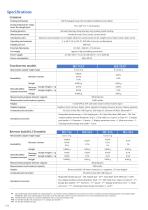
*i After preheating, the included test sample (approx. 5 g of sodium tartrate dihydrate) was measured at 160 °C using the standard heating pattern and standard mode (MEDIUM). After each measurement, the heater cover was left open and the unit was allowed to cool at room temperature for 15 minutes. *ii The Bluetooth® function is currently enabled for the US, Canada and Japan only. *iii For the MF-53A/ML-53A: Sample pan * 10, Sample pan handle * 1 *iv For the MS-74A/MX-53A only.
Open the catalog to page 11All A&D COMPANY, LIMITED catalogs and technical brochures
 RTH・RTI Series
10 Pages
 EK Series
4 Pages
 AD-8118D
2 Pages
 AD-4411 Series
4 Pages
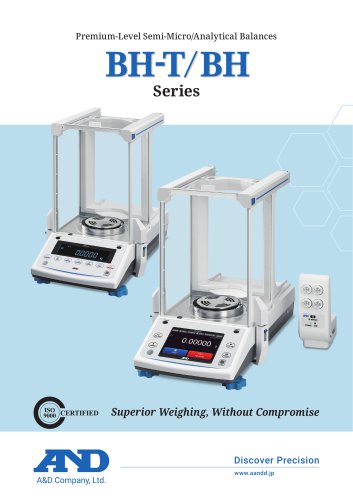 BH-T/BH Series
12 Pages
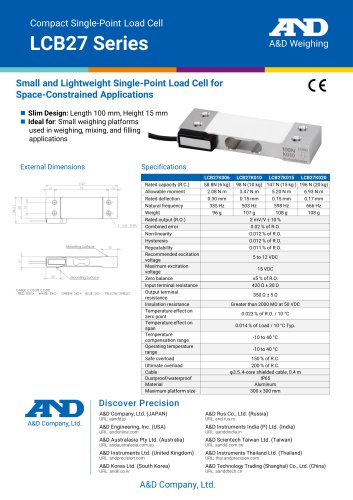 LCB27 Series
1 Page
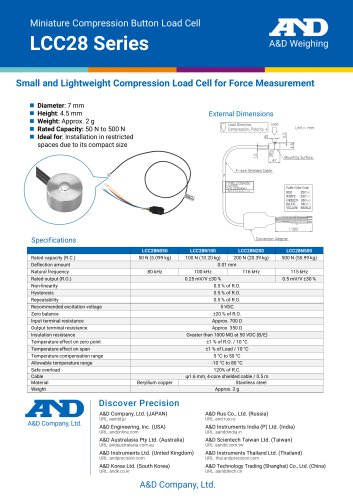 LCC28 Series
1 Page
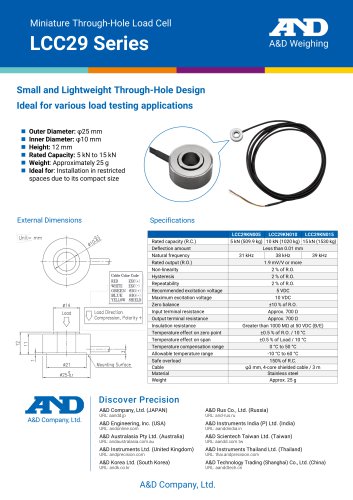 LCC29 Series
1 Page
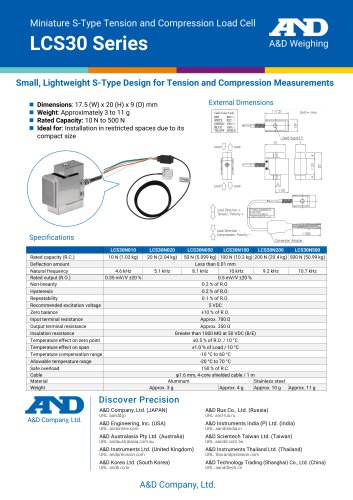 LCS30 Series
1 Page
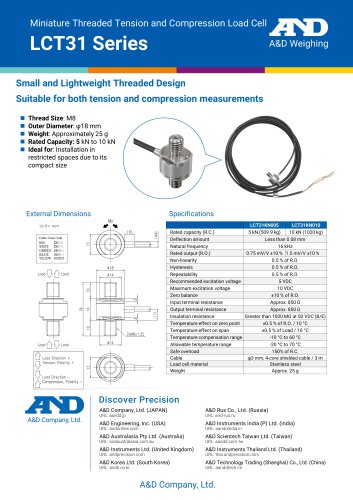 LCT31 Series
1 Page
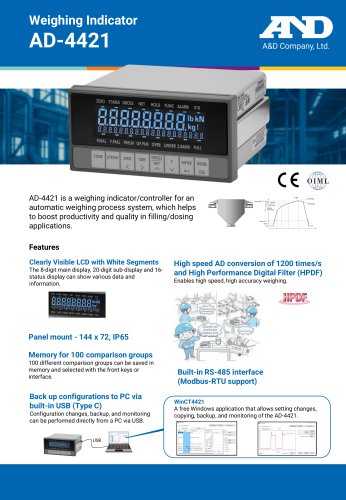 AD-4421
2 Pages
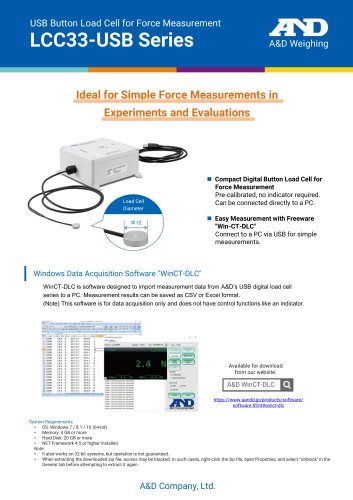 LCC33-USB
2 Pages
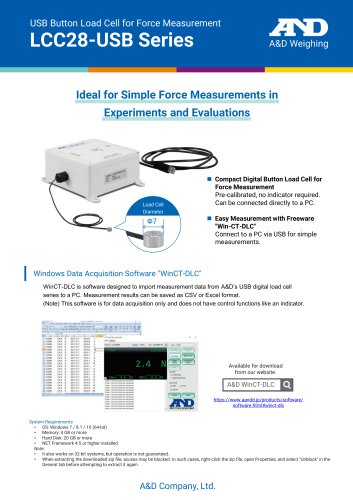 LCC28-USB
2 Pages
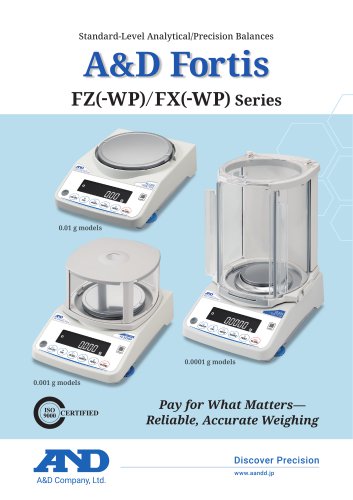 FZ(-WP)/FX(-WP) Series
8 Pages
 LC1205-USB
2 Pages
 CMX-USB
1 Page
 LCC20
LCC201 Page
 LC4001/LC4001A
1 Page
 AD-4329A
4 Pages
 AD4329A-DLC & LCCD20
4 Pages
 AD-4401A
4 Pages
 AD-4402
6 Pages
 AD-4408C
2 Pages
 AD-4410
6 Pages
 AD-4403FP
4 Pages
 AD-4430 series
6 Pages
 AD4413-CW
2 Pages
 AD4412-CW
6 Pages
 GC Series of Counting Scales
8 Pages
 AD-4531B
2 Pages
 AD-4530
2 Pages
 LCM13 Series
2 Pages
 Moisture Analyzer/M series
6 Pages
 Data Acquisition System Omniace
16 Pages
 Pipette Management Solutions
8 Pages
 Laboratory Solutions by A&D
12 Pages
 AD-1612 Comparator Buzzer
2 Pages
 AD-1641 Air Flow Logger
4 Pages
 Leak Tester/AD-1690
2 Pages
 Weighing Data Logger/AD-1688
2 Pages
 Washdown Scales/SC&SE Series
4 Pages
 Users handbook for M series
30 Pages
 Digital Indicator/AD-4532B
4 Pages


Archived catalogs
 Press Release/FZ-i series
3 Pages


- A&D testing machine
- A&D load cell
- Measuring device
- Data logger
- A&D tension/compression load cell
- A&D steel load cell
- Material test machine
- Automated testing machine
- A&D strain gauge load cell
- Temperature datalogger
- A&D digital scale
- Computer-controlled test machine
- Digital indicator
- A&D stainless steel load cell
- Portable tester
- A&D weighing load cell
- Compression testing machine
- Panel panel meter
- USB datalogger
- A&D beam type load cell