
- Catalogs
- Cubic Sensor and Instrument Co.,Ltd
- Test Instruction of CM1106-C(0-5000PPM)

- Company
- Products
- Catalogs
- News & Trends
- Exhibitions
Test Instruction of CM1106-C(0-5000PPM)

Test Instruction of CM1106-C(0-5000PPM)
- Demo Testing Kit
- Connecting Cable
- Power Adapter
- PIN Board
- RS232 Serial Port to USB Line
- Sensor-CM1106 (0-5000ppm version)
- CO2 Sensor Test Software
- Connect the DEMO board with the PIN board and install the CM1106-C sensor.
- Connect the RS232 serial port to the USB line and plug it into the PC USB port.
- Connect the power adapter to the power source.
- Open the CO2 sensor test software.
- Set the correct COM port for communication.
- Configure the data save cycle according to requirements.
- Monitor the output values displayed by the software.
Catalog excerpts

Test Instruction 1. Prepare necessary accessaries 1) Demo Testing Kit ●正文第一级内容(24号) 2) Connecting Cable ● 正文第二级内容(20号) 3) Power Adapter 4) PIN Board ●正文第三级内容(20号) 5) RS232 Serial Port to USB Line 6)
Open the catalog to page 2
Test Instruction 2. Connection 1) Connect DEMO board with PIN board, install CM1106-C(05000ppm version) ●正文第一级内容(24号) line to PC USB port 2) Connect RS232 serial port to USB ● 正文第二级内容(20号)to the power 3) Connect power adapter line
Open the catalog to page 3
Test Instruction 3. Open CO2 sensor test software Open this data SL^onfig :'4. Dust fejogc logo jji. microsoft.office.interop.excel.dll ^ Microsoft.Vbe.lnterop.dll [gjNPOLdll office.dll , , office ,■ The Co2 sensor testing software The Co2 sensor testing software, [i ■ The Co2 sensor testing software, vs host The Co2 sensor testing software/vshost.exe,manifest ^ WinFormPage.dll
Open the catalog to page 4
□The Co2 sensor testing software VI.1.5 Operate Serial number: Choose the correct Serial number Hi^YThe Co2 sensor testing software Data save path Data save cycle: 5 sec Real-time data The parameter name Product No. Software version Co2
Open the catalog to page 5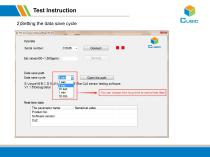
Test Instruction 2)Setting the data save cycle
Open the catalog to page 6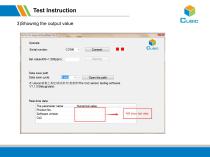
Test Instruction 3)Showing the output value
Open the catalog to page 7
Cubic Sensor and Instrument Co., Ltd. Tell: +86-027-8162 8827 Fax: +86-027-87401159 Email: [email protected] Web: www.gassensor.com.cn Address: Fenghuang Yuan No.3 Road, Fenghuang Industrial Park, Eastlake Hi-tech Development Zone, Wuhan 430205, China
Open the catalog to page 8All Cubic Sensor and Instrument Co.,Ltd catalogs and technical brochures
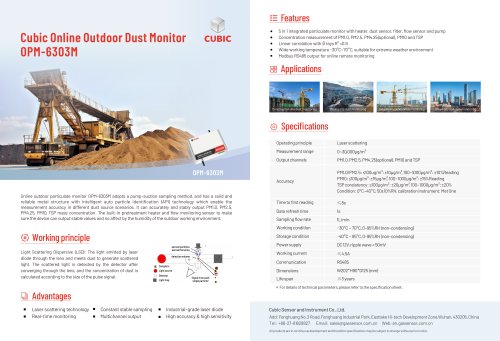
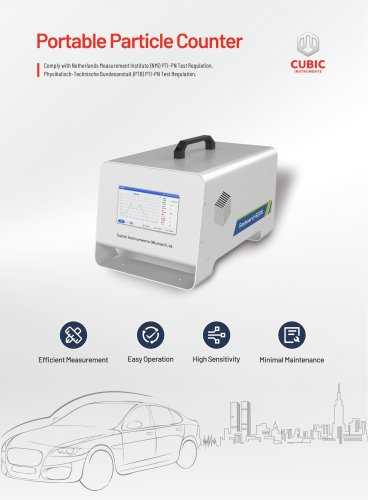
 Portable Particle Counter
2 Pages
 Cubic TDLAS CH4 Sensor
4 Pages
 Gasboard-7500H-OPC
13 Pages
 NDIR CO2 Sensor Module-CM1106LS
18 Pages
 Laser Particle Sensor-PM2008M-M
22 Pages
 Laser Particle Sensor-PM2012
19 Pages
 Test Instruction of AM4100-I
7 Pages
 Test Instruction of AM1008W
7 Pages
 Test Instruction of PM5000
7 Pages
 Test Instruction of PM1006
8 Pages
 Test Instruction of CM1107T
7 Pages
 Test Instruction of CM1107BN
8 Pages
 Test Instruction of PM3006T
7 Pages
 Test Instruction of PM2009
8 Pages
 Test Instruction of CM1106SH
8 Pages
 Test Instruction of CM1107
8 Pages
 Test Instruction of CM1106S
8 Pages
 Test Instruction of CM1106LS
8 Pages
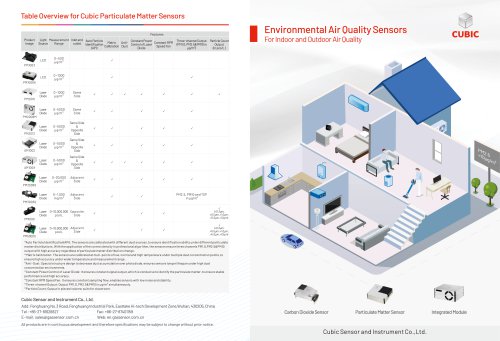
 Laser Particle Sensor-PM2008
21 Pages
 Laser Particle Sensor-PM2009
20 Pages
 Laser Particle Sensor-PM2105-M
20 Pages
 NDIR CO2 Sensor Module-CM1106S
18 Pages
 Gas Sensor Line-up
1 Page
 About Cubic
1 Page
 CEMS Solution - Gasboard 9050
22 Pages
 NDIR CO2 Sensor Modules
7 Pages
 Gasboard-7020
4 Pages
 Gasboard-7500
7 Pages
 Mainstream ETC02 module
5 Pages
 Gasboard 3400P
5 Pages
 Analyzer Gasboard 3800P
6 Pages
 LANDFILL APPLICATIONS
8 Pages







Archived catalogs
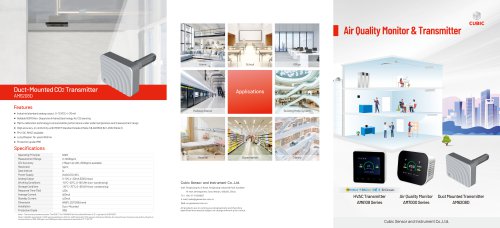
 Cubic CO Sensor Brochure
2 Pages
 Air quality monitor AM7000
11 Pages
 RHB Series
8 Pages
 Syngas portable analyzers
4 Pages
 Opacity meter
1 Page
 Infrared Methane gas sensor
3 Pages


- Cubic flow meter
- Cubic volume flow meter
- Liquid flow monitor
- Cubic gas analyzer
- Cubic concentration analyzer
- Cubic monitoring analyzer
- Cubic liquids analyzer
- Measuring machine
- Cubic automatic analyzer
- Calibration system
- Cubic waterproof flow meter
- Cubic gas flow meter
- Benchtop analyser
- Cubic solids analyzer
- Stainless steel flow monitor
- Air blower
- Industrial flow monitor
- Cubic process analyzer
- Gas detector
- Pressure probe