1. Catalogs
  2. CNC-STEP GmbH & Co. KG
  3. Industrial Milling Machine AceroDURO Operation Instructions

Industrial Milling Machine AceroDURO Operation Instructions
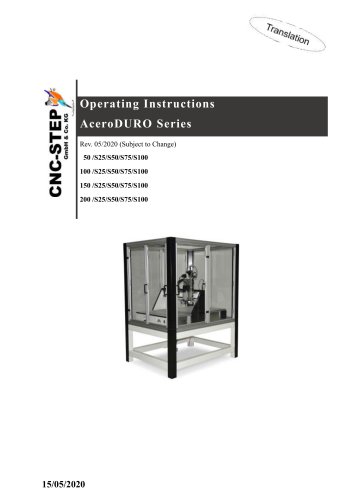
Industrial Milling Machine AceroDURO Operation Instructions
1 / 86 PagesView full catalog

Industrial Milling Machine AceroDURO Operation Instructions

Product catalog summary
General Overview: The AceroDURO series comprises CNC machines designed for 3D movement using threaded spindles and step motors. The document provides detailed instructions for installation, operation, and maintenance.
Safety: This section outlines the intended use of the machine and identifies potential hazards, including electrical, mechanical, temperature-related, fire, radiation, chemical, and general work-related dangers. It emphasizes the operator's responsibility, staff qualifications, and the necessity of personal protective equipment and safety installations.
Technical Data: Details include power values, operating conditions, working materials, emissions, and type plate information.
Structure and Functions: Describes the machine's components, including the Z, Y, and X axes, tool holder, controls, and connections. It also defines working and danger areas.
Transport, Packaging, and Storage: Provides safety instructions for transport, packaging symbols, and storage guidelines.
Installation and Commissioning: Covers safety instructions, preparation steps, machine installation, and initial start-up procedures.
Operation: Includes safety guidelines, pre-use checks, switching on and off procedures, tool changes, and emergency shutdown instructions.
Maintenance: Offers safety instructions, a maintenance schedule, cleaning and lubrication procedures, and post-maintenance measures.
Failures: Discusses troubleshooting cautions, a diagnosis chart, problem resolution steps, and commissioning after fault rectification.
Dismantling and Disposal: Provides safety regulations for disassembly and disposal procedures.
Appendix: Lists available accessories.
Safety Precautions: Ensure personal safety by wearing appropriate protective equipment such as hearing protection, safety glasses, and safety boots. Maintain a clean work area to prevent tripping hazards. Use yellow-black marker bands to designate tripping positions and absorb any liquids to dry danger zones.
Operator Responsibilities: The operator is responsible for the safe operation of the machine, adhering to legal obligations concerning occupational safety. This includes conducting risk assessments, updating operating instructions, and ensuring all personnel are trained and informed about potential hazards.
Staff Requirements: Tasks require different qualifications, and only qualified personnel should operate the machine. Regular training must be documented, including the date, content, and participants.
Personal Protective Equipment (PPE): Personnel must wear PPE such as protective clothing, chemical-resistant gloves, hearing protection, helmets, safety glasses, and safety boots to prevent injuries.
Safety Installations: Check all safety installations for functionality before use. Never deactivate or bypass safety equipment. Emergency-stop buttons are crucial for immediate shutdowns in emergencies.
Fire and Accident Procedures: Be prepared for accidents or fires by maintaining first aid facilities and fire extinguishers. In case of an emergency, press the emergency-stop button, remove people from danger, and call emergency services if necessary.
Environmental Protection: Handle hazardous substances carefully to prevent environmental damage. Dispose of lubricants, gear oil, and cooling emulsions through specialized waste management companies.
Signage: Maintain clear and legible safety, warning, and operating instructions. Replace any damaged or illegible signs immediately.
Prohibition Signs: Prohibit access to individuals with pacemakers or metal implants due to electromagnetic fields. Remove necklaces, ties, and secure long hair to prevent entanglement in moving parts.
Safety Instructions: Ensure to leave the danger zone after signalling. Maintain a safe distance from moving parts to avoid injury. Hot surfaces may not be visible; use protective gloves.
Fire Protection Signs: Use the fire alarm phone only in emergencies. Provide necessary information such as who is reporting, what happened, how many are affected, and where it occurred. Use fire extinguishers only after ensuring the safety of people in the danger zone.
Exit Signs: First aid kits are indicated by safety signs. In emergencies, use the emergency exit and follow the escape route. Keep evacuation routes clear.
Technical Data: The AceroDURO models vary in dimensions and weight. They have specific travel ranges and clamping areas. The positioning speed is 120mm/sec, and the programmable resolution is 0.005 mm.
Power Values: Each motor has a maximum power consumption of 3.0 A.
Operating Conditions: Operate within a temperature range of 15-30°C and a maximum relative humidity of 60%. The maximum operating time per session is 100 hours with a 2-hour pause required between sessions.
Working Materials: Use low friction grease and oil that are acid and resin-free.
Emissions: Noise emissions without a tool are approximately 50 dB(A).
Type Plate: The type plate is located at the back of the portal system and includes manufacturer details, type, year, serial number, and version.
Structure and Functions: The machine is used for various applications such as milling, engraving, cutting, and more. It requires additional components like a PC with control software and a tool with a 43mm intake. The machine is controlled via CNC-CAM software.
Module Description: Z-axis with Carriage: Includes trapezoidal thread spindle and linear guides. Reference switches are used for axis initialization. Y-axis with Carriage: Features linear guides and a trapezoidal threaded spindle. Reference switches are also used here. X-axis with Carriage: Comprises linear guides and a ball screw. Reference switches are necessary for axis initialization.
Reference Switch X-Axis: The reference switch on the X-axis reacts to a magnetic field during a reference trip. It operates as a Normally Closed switch, meaning the circuit is closed when triggered by the magnet. Adjustments to the magnet holder require changes in the control software settings under "working space."
Tool Holder: The tool holder on the Z-axis can accommodate various additional tools, as detailed in the appendix "Accessories."
Controls: The machine lacks built-in controls for axis movement, which must be managed through separate interfaces like the stepper motor control Zero3.
Connections: Stepper motor cables and control lines are labeled for easy identification. Machines with limited Y-Axis use only the X1 connection due to having a single stepper motor. Connections for stepper motors, reference switches, and emergency stop signals are detailed with pin assignments provided in figures.
Work and Danger Areas: The working area includes the tool holder and the range of motion of the axes when turned off. The danger zone encompasses the entire machinery area during operation.
Transport, Packaging, and Storage: Safety instructions emphasize the risks associated with suspended loads and improper transport. Proper packaging and storage conditions are outlined to prevent damage and ensure safety. Packaging materials should be disposed of in an environmentally friendly manner.
Installation and Commissioning: Safety instructions highlight the dangers of suspended loads and improper installation. Proper installation requires sufficient space, careful handling of components, and adherence to specified screw tightening torques. The machine should be placed on a flat, level surface to avoid material damage.
T-Slot Plate Specifications: The document outlines the dimensions of T-Slot plates for the AceroDURO model, with various sizes ranging from 860x280 mm to 2360x1000 mm, depending on the model type (e.g., 50/S25, 100/S100).
Installation Procedures:
  • Connecting the Computer: Follow the stepper motor controller manual for proper connection.
  • Connecting the Stepper Motor and Control Cable: Ensure cables are covered to prevent tripping, and connect the stepper motors to the appropriate terminals on the controller.
  • Installing Accessories: Follow safety regulations to prevent injury from improperly mounted accessories.
Initial Start-Up: Ensure the machine is properly installed, all connections are secure, and the necessary software is installed. Maintain an ambient temperature of 20-25°C to avoid material expansion issues.
Operation Guidelines:
  • Safety Guidelines: Ensure all safety devices are operational and no persons are in the danger zone.
  • Pre-Usage Checks: Verify all covers are installed, connections are tight, and the emergency stop is not engaged.
  • Switching On: Follow a sequence of steps including turning on the computer, clamping the workpiece, and ensuring no foreign objects are in the machine.
  • During Operation: Wear protective equipment and avoid contact with moving parts and magnetic fields.
Emergency Shutdown: In case of emergency, activate the emergency stop, remove persons from danger, and secure the machine against reconnection.
Maintenance Instructions:
  • Safety Instructions: Avoid contact with cooling emulsion and ensure electrical systems are deactivated before maintenance.
  • Improper Maintenance Risks: Ensure all maintenance is performed correctly to prevent injury and property damage.
Environmental Protection: During maintenance, ensure proper disposal of lubricants and oils according to local regulations. Use suitable containers for oils and grease-soaked cloths.
Spare Parts: Only use manufacturer-approved spare parts to avoid injury and machine malfunction. Using non-approved parts voids the warranty. When ordering, provide detailed information including type, year, serial number, version, quantity, identification, delivery method, and shipping address.
Maintenance Schedule: Regular maintenance is crucial for optimal machine operation. Adjust maintenance intervals based on wear and tear. Daily cleaning should be performed by the operator, while more technical tasks like greasing and oiling should be done by qualified personnel.
Cleaning the Machine: Avoid using compressed air to clean the machine to prevent damage. Use protective gear and clean with a slightly oily cloth.
Lubrication: Regular lubrication of the machine's components is essential to reduce wear and prolong service life. Use appropriate grease and oil, and ensure proper application to all necessary parts.
Post-Maintenance Measures: After maintenance, check all connections, reinstall protective devices, and ensure the work area is clean and safe.
Troubleshooting: For electrical and mechanical issues, ensure the machine is powered off and secured before attempting repairs. Follow safety protocols to prevent injury.
Diagnosis Chart: Provides guidance on addressing common machine errors, specifying the personnel responsible for each type of issue.
Problem Resolution:
  • Running in the Background: Disable power saving mode in BIOS if the USB port is in energy-saving mode.
  • Machine Stops Abruptly: Ensure the USB dongle is properly inserted.
  • Machine Jammed: Clean and re-lubricate the machine; repair may be needed by the manufacturer.
  • Reference Switch Issues: Set software feed homing correctly or replace the defective switch.
  • Increased Backlash: Replace worn components like the Nylatron nut or trapezoidal spindle.
Emergency Stop and Alignment:
  • To cancel an emergency stop, identify and remedy the fault, then unlock the emergency stop button.
  • Check axes for perpendicularity and align the machine using the control software.
Commissioning After Fault Rectification:
  • Reset emergency stop devices, acknowledge control faults, ensure safety, and follow operational instructions.
Dismantling and Disposal:
  • Only qualified personnel should perform disassembly, ensuring safety and environmental regulations are followed.
  • Components should be sorted for recycling, and hazardous materials disposed of by authorized companies.
Accessories and Customer Service:
  • A wide range of accessories is available, including machine extensions, work holding tools, and various application tools.
  • For technical support, contact CNC-STEP via phone or email. Remote maintenance is available through TeamViewer.
See more

Catalog excerpts

Industrial Milling Machine AceroDURO Operation Instructions-2

Operating Instructions AceroDURO AceroDURO Series Short Description The machine includes the complete mechanics for a three-dimensional movement. The linear carriage-movement takes place via threaded spindles, powered by step motors. Depending on size one or two drives are used on the X-axis. The activation of the step motors, in order to operate every single axis, is done by using further interfaces. This operating description will show you how to install, operate and service this CNC- portal system. CNC-STEP GmbH & Co. KG ▪ Siemensstrasse 13-15 ▪ 47608 Geldern ▪ Germany Support: +49 (0)2831/91021-50...

 Open the catalog to page 2
Industrial Milling Machine AceroDURO Operation Instructions-3

Operating Instructions AceroDURO CNC-STEP GmbH & Co. KG ■ Siemensstrasse 13-15 ■ 47608 Geldern ■ Germany Support: +49 (0)2831/91021-50 15/05/2020

 Open the catalog to page 3
Industrial Milling Machine AceroDURO Operation Instructions-4

CNC-STEP GmbH & Co. KG ■ Siemensstrasse 13-15 ■ 47608 Geldern ■ Germany Support: +49 (0)2831/91021-50 15/05/2020

 Open the catalog to page 4
Industrial Milling Machine AceroDURO Operation Instructions-5

CNC-STEP GmbH & Co. KG ■ Siemensstrasse 13-15 ■ 47608 Geldern ■ Germany Support: +49 (0)2831/91021-50 15/05/2020

 Open the catalog to page 5
Industrial Milling Machine AceroDURO Operation Instructions-6

CNC-STEP GmbH & Co. KG ■ Siemensstrasse 13-15 ■ 47608 Geldern ■ Germany Support: +49 (0)2831/91021-50 15/05/2020

 Open the catalog to page 6
Industrial Milling Machine AceroDURO Operation Instructions-7

Operating Instructions AceroDURO This instruction provides guidelines which enable a safe and efficient handling of the machine. The manual is an integral part of the machine and must be kept in the immediate vicinity of the machine and must remain accessible at any time for the personnel. Before starting all tasks, personnel must carefully read and understand these instructions. Adherence to all the specified safety instructions and instructions for actions in this operating manual is a fundamental requirement for working safely. Furthermore, the local accident prevention regulations and general...

 Open the catalog to page 7
Industrial Milling Machine AceroDURO Operation Instructions-8

Operating Instructions AceroDURO Warning of hazardous electrical voltage This sign stands for activities on all components carrying live voltage. Danger due to hot surface This sign stands for activities involving contact with hot objects. All data and notes in these instructions were prepared with consideration to the statutory standards and regulations, the present state of technology, as well as our many years of knowledge and experience. Under the following circumstances the manufacturer will not assume any liability: • • • • • • Non-compliance with these instructions Used other than for...

 Open the catalog to page 8
Industrial Milling Machine AceroDURO Operation Instructions-9

Operating Instructions AceroDURO 2 Safety This section gives an overview of all-important safety aspects for optimum protection of the personnel, as well as for the safe and fault-free operation. Other task-based guidelines are included in the sections regarding the individual phases of life. 2.1 Intended use The CNC.-Portal system is exclusively used for holding provided tools that serve to process various materials and surfaces. The machine is meant to be built into a complete system and does not have its own control unit. Intended use also includes compliance with instructions specified by...

 Open the catalog to page 9
Industrial Milling Machine AceroDURO Operation Instructions-10

Operating Instructions AceroDURO Fundamental dangers In the following section, all residual risks are named that can still result from the machine, even when the appliance is used as intended. In order to minimize personal injuries and property damage and avoid dangerous situations, all here mentioned safety-guidelines and those mentioned in further sections must be followed. 2 .2 .1 H a z a r d s f ro m e l e c t r i c a l p o we r Electric current DANGER: Life Hazard through electrical shock!! Touching conductive parts causes a direct danger to due to electrical shock. Damage to the insulation...

 Open the catalog to page 10
Industrial Milling Machine AceroDURO Operation Instructions-11

Operating Instructions AceroDURO Stored charge Danger: Risk of death due to stored voltage! Electronic charges could be stored in electric components that still exist after switching off and disconnecting from power-supply. Contact with these components can lead to severe injury or even death. • Before starting work disconnect mentioned components from power-supply. Wait 10 minutes, in order to assure that the internal capacitors discharge completely. 2.2.2 Dangers by mechanics Rotating tools WARNING: Risk of injury from rotating tools! Clamped tools such as milling spindles can lead to severe...

 Open the catalog to page 11
Industrial Milling Machine AceroDURO Operation Instructions-12

Operating Instructions AceroDURO Falling materials WARNING: Injuries by falling materials! During operation, chips, tools (or parts thereof) may fall or be thrown out in an uncontrolled manner and cause serious skin and eye injuries. • Wear face shield or fully closed and tight-fitting goggles, protective clothing, protective gloves and safety shoes. • If particles enter your eyes, immediately get medical attention! • Keep protective devices closed and ready for operation to avoid injuries. Unexpected start-up of the machine WARNING: Risk of injury caused by unexpected start-up of the machine...

 Open the catalog to page 12
Industrial Milling Machine AceroDURO Operation Instructions-13

Operating Instructions AceroDURO ATTENTION: Risk of injuries by sharp edges and corners! Sharp edges and corners can cause abrasions and cuts on your skin. • Working near sharp edges and corners should be done with great caution. • If possible, reduce the danger by machining (filing or grinding). • If in doubt wear protective gloves. 2.2.3 Dangers by high or very low temperatures Hot surfaces ATTENTION: Risks by hot surfaces! Tools, work pieces and chips can heat up during operation. Skin contact with hot surfaces causes serious burns of the skin. • As a matter of principle, for all tasks with...

 Open the catalog to page 13
Industrial Milling Machine AceroDURO Operation Instructions-14

Operating Instructions AceroDURO2.2.5 Radiation hazards Magnetic fields DANGER: Danger to life by magnetic fields! Magnetic fields of stepper motors can cause severe injuries or death, as well as serious damage to materials. • Persons with pacemakers must keep away from the machine! It can interfere with the function of the pacemaker. • Persons with metallic implants must not be allowed in the area of the machine. Implants can heat themselves up or be drawn in. • Take off all metal objects (Jewellery, watches, pens etc.) before starting maintenance operation. • No electronic equipment is to be...

 Open the catalog to page 14

All CNC-STEP GmbH & Co. KG catalogs and technical brochures

*Prices are pre-tax. They exclude delivery charges and customs duties and do not include additional charges for installation or activation options. Prices are indicative only and may vary by country, with changes to the cost of raw materials and exchange rates.