
- Catalogs
- Boot and Work Corp, S.L.
- M-Duino 19R+ LoRa


M-Duino 19R+ LoRa

M-Duino 19R+ LoRa
- Power Supply: 12Vdc to 24Vdc, with fuse and polarity protection.
- Inputs/Outputs: 5 inputs (analog/digital), 11 outputs (digital, PWM, relay).
- Memory: 256KB Flash, 8KB SRAM, 4KB EEPROM.
- Communication: I2C, Ethernet, USB, RS485, RS232, SPI, LoRa.
- Environmental Conditions: Operating temperature 0º to 60ºC, storage temperature -20º to 60ºC, humidity 10% to 90% non-condensing.
- Physical Dimensions: 101x70.1x119.5 mm, weight 378g max.
- Install in a housing or cabinet with a minimum distance of 25 cm from other components.
- Ensure power is disconnected during maintenance.
- Follow user guide instructions for installation and maintenance.
- Do not operate in flammable or combustible atmospheres.
- Compatible with Arduino IDE version 1.8.0 or higher.
- Programming language based on Wiring, similar to C.
- Control methods include cyclic scan and immediate refresh processing.
- Read the user guide before use.
- Ensure only qualified personnel perform maintenance.
- CE marked for compliance with EU regulations.
Catalog excerpts
Datasheet M-Duino 19R+ LoRa Industrial Shields
Open the catalog to page 1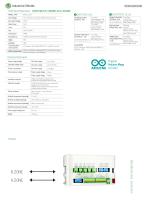
Only for uploading or debugging. NOT connected as a serial Cannot be working in a final application Separated PCB ground Rated Voltage: 10Vac 7 to 24Vdc I min: 2 to 12 mA Galvanic Isolation Rated Voltage: 24 Vdc Analog Output 8bit (0-10Vcc) - (x3) * The Analog outputs can also work as Digital outputs General Features Power supply voltage Original Arduino Mega includedPinout B ZONE 4A ZONE 4 a CD CD m D* CD CD X CD < hO o ho o
Open the catalog to page 2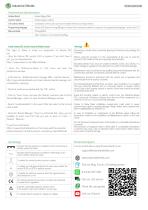
Install Arduino IDE and the Industrial Shields boards The steps to follow to install our equipment's to Arduino IDE are: • Open the Arduino IDE, version 1.8.0 or superior. If you don't have it yet , you can download here https://www.arduino.cc/en/Main/Software . • Press the "Preferences”option to "File” menu and open the preferences window. • In the text box "Additional boards manager URLs”, add the direction: http://apps.industrialshields.com/main/arduino/boards/package_ind ustrialshields_indexjson • Close the preferences window with the "OK” button. • Click on "Tools” menu, and open the "Boards”...
Open the catalog to page 4All Boot and Work Corp, S.L. catalogs and technical brochures
 Spartan Arduino PLC 21+
3 Pages
 M-Duino 38AR+ DALI
3 Pages
 PLC 16RDA
3 Pages
 Touchberry 7’’& Tinkertouch 7’’
43 Pages
 DatasheetM-Duino 50RRA+ GPRS
3 Pages
 SPARTANS
4 Pages


- Electromotor
- Connector
- Panel PC
- DC power supply
- Industrial panel PC
- Panel PC with touch screen
- Data connector
- AC/DC power supply
- LCD panel PC
- Angular encoder
- Linux panel PC
- Incremental encoder
- Circular connector
- Junction block
- Socket electrical connector
- Wireless panel PC
- Industrial connector
- Incremental rotary encoder
- IP67 connector