
- Catalogs
- Bentley Systems Europe B.V.
- ConstructSim


- Products
- Catalogs
- News & Trends
- Exhibitions
ConstructSim

ConstructSim
ConstructSim is a virtual facility model designed to optimize construction projects through planning, sequencing, execution, and monitoring. It integrates 3D CAD, engineering systems, project schedules, and other digital information to create a construction simulation and optimization environment. The Virtual Plant Model (VPM) synchronizes data across multiple applications and manages integration with other IT systems, linking engineering, procurement, and construction phases.
ConstructSim allows automatic synchronization with project schedules and reorganization of materials by craft disciplines and construction areas. It models the "parade of trades" and develops priority lists for scheduling and tracking materials procurement and engineering design.
The engineering model can be reorganized by systems for testing and turnover, allowing visual monitoring of installation progress. As projects transition from area-based to system-based work, daily activities can be reprioritized to prepare systems for testing.
ConstructSim monitors and tracks the procurement and fabrication process for project materials, visualizing the arrival of materials and directing resources to target installations where materials are available.
Pipe systems are grouped into isometric sheets and spools, with task "typicals" imported from the project controls estimating database. A detailed level-4 database of project steps is generated from a level-1 project schedule.
Materials are grouped into work packages weeks in advance, with estimated hours monitored and workload distributed across crews. Work packages are assigned to crews, and resource constraints and material availability are validated before release.
The status of construction execution is visually monitored, with the model colorized based on work completed and remaining. Activities are synchronized across craft divisions, and dependencies are identified. Planned progress is compared to actual completion using a 4D schedule replay.
- Increases productivity by optimizing work packages and reducing idle time.
- Streamlines planning and scheduling across engineering, procurement, and construction.
- Reduces project risk through detailed estimates and validation of engineering data.
- Supports multiple CAD platforms and dynamically links to project data sources.
- Includes features like clash detection, measurement tools, and customizable query sets.
- Processor: Intel Pentium-based PCs running Microsoft
- Operating System: Windows NT 4.0, Windows 2000, or XP
- RAM: 2 GB
- Hard Disk: 30 GB
- Display: Open GL graphics card, Nvidia GeForce 4 or better
- Recommended: Joystick
Catalog excerpts
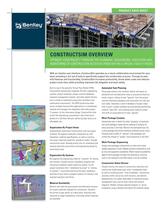
Product Data Sheet CONSTRUCTSIM OVERVIEW optimize your project through the planning, sequencing, execution and monitoring of construction activities from within a virtual facility model Built on top of the powerful Virtual Plant Model (VPM), ConstructSim dynamically integrates 3D CAD, engineering systems, project schedules, project controls databases, materials management systems, and other digital information to create an advanced construction simulation and optimization environment. The VPM synchronizes data across multiple ConstructSim applications in a distributed network and manages the integration with other project IT systems. As the information bridge, ConstructSim links across the engineering, procurement, and construction phases of a facilities lifecycle, delivering high value at an affordable cost. Organization By Project Areas Automatically synchronize ConstructSim with the project schedule. Re-organize materials components by craft disciplines, material specifications, as well as construction areas. Explicitly model the “parade of trades” through construction areas. Develop priority lists for scheduling and tracking materials procurement and engineering design by construction area. Organization By Systems Re-organize the engineering model by “systems” for testing and turnover. Visually monitor installation progress and remaining installation tasks system-by-system. As the project transitions from “installation by areas” to “testing of systems”, re-prioritize and focus the daily installation activities of your team to prepare systems for testing in the required sequence and timing. Material Availability Monitor and track the procurement and fabrication process for project materials released for construction. Visualize the arrival of pipe spools on a daily basis, directing crew resources to target installations in the areas where materials are available. Automated Task Planning Group pipe systems into isometric sheets and spools as delivered from the fabrication shop or procured as field materials. Import a library of task “typicals” from the project controls estimating database with associated unit rate and cost codes. Generate a Level-4 database of project steps from a Level-1 project schedule by automatically performing material “take-offs” and matching every material component with an associated set of task “typicals”. Work Package Creation Interactively plan in detail the ideal “grouping” of materials into work packages weeks before needing to mobilize for these activities in the field. Monitor the estimated hours for a work package and evenly distribute workload across crews. Virtually build a buffer of “optimal” work packages and control the release of “quality” work sequences to the field. Work Package Sequencing Assign work packages interactively to crews and review weekly sequences of work. Validate resource constraints as well as site and equipment availability. Match material availability against work packages through trial allocations, ensuring work is not released to the field unless it can be installed. Construction Status Review Visually monitor the status of construction execution and colorize the model based upon work “completedto-date” as well as remaining work “to-be-completed”. Synchronize activities within and across craft divisions, and identify dependencies not readily observable in traditional project management tools such as Gant charts and network diagrams. Readily compare planned progress vs. actual completion using a flexible time-based 4D schedule replay. With an intuitive user interface, ConstructSim operates as a visual collaborative environment for your team, providing a rich set of tools to specifically support the construction process. Through its powerful features and functionality, ConstructSim increases productivity, drives down costs and reduces project cycle-time, while providing improved risk mitigation and team safety.
Open the catalog to page 1
© 2008 Bentley Systems, Incorporated. Bentley, the “B” Bentley logo, AutoPlant and MicroStation are either registered or unregistered trademarks or service marks of Bentley Systems, Incorporated or one of its direct or indirect wholly-owned subsidiaries. BAA015450-1/0001 09/08 ConstructSim AT -A-GLANCE Increase Productivity • Increase productivity through the interactive generation and sequencing of optimal work packages at a crew level • Reduce “idle-time” and maximize resource utilization through the ability to visually monitor the availability of materials on-site for a work package • Reduce...
Open the catalog to page 2All Bentley Systems Europe B.V. catalogs and technical brochures
 Digital Airport Project Showcase
18 Pages
 Water_Hazelwood_Coal_Mine
2 Pages
 Water_Simtejo_case_study
2 Pages
 Wimbledon Stadium_Case Study
2 Pages
 WSP-Shard_Case_Study
3 Pages
 Bentley’s Water Project Showcase
92 Pages
 Mine Water Software Solution
4 Pages
 AutoPLANT Equipment V8i
2 Pages
 AutoPLANT Piping V8i
2 Pages
 promis•e
2 Pages
 Bentley Datasheets
2 Pages
 Making PDS Interoperable
17 Pages
 Bentley OpenPlant PowerPID
2 Pages
 STAAD.Pro
2 Pages


Archived catalogs
 Water modelling
24 Pages
 Bentley Water V8 XM
2 Pages
 Bentley Cadastre Specsheet
2 Pages
 STAAD Foundation
2 Pages
 RAM CADStudio
2 Pages
 Bentley MAP
2 Pages
 Bentley Structural Brochure
2 Pages
 Bentley Project Yearbook 2006
82 Pages
 Bentley SewerCAD
2 Pages
 Bentley WaterCAD
2 Pages
 Bentley WaterGEMS
2 Pages
 Bentley HAMMER
2 Pages
 Bentley StormCAD
2 Pages
 Bentley SewerGEMS
2 Pages
 Bentley AutoPlant P&ID
2 Pages
 Bentley Microstation
2 Pages
 Bentley Architecture
2 Pages
 Bentley ProjectWise brochure
2 Pages
 Bentley CivilStorm
2 Pages
 Bentley ProjectWise
4 Pages
 Bentley PowerDraft
2 Pages
 Bentley AutoPipe Specsheet
2 Pages


- Automation software solution
- Management software solution
- Analysis software solution
- Process software
- Real-time software
- Windows software
- Computer-aided design software
- Cloud-based software
- Control software
- Design software solution
- Industrial software
- 3D software solution
- Interface software
- Visualization software solution
- Quality software
- Simulation software solution
- Programming software solution
- Automated software
- Development software
- Network software