
- Catalogs
- Beijing Breeze Technology Co.,Ltd
- Breeze TV01 Zigbee Control Datasheet

Breeze TV01 Zigbee Control Datasheet
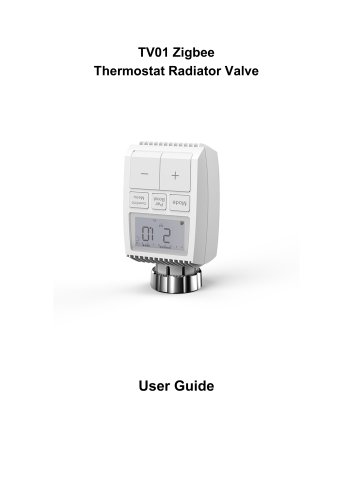
Breeze TV01 Zigbee Control Datasheet
This manual provides crucial information for the safe and effective use of the TV01 Zigbee Thermostat Radiator Valve (TRV). It is important to read and understand the manual before using the device and keep it for future reference.
The TV01 TRV is a self-regulating valve that controls room temperature by adjusting the flow of hot water to radiators. It allows temperature adjustments between 5-30℃ and can save over 15% in energy consumption. The device is compatible with common radiator valves and features a boost function for rapid heating.
Preparation: Requires 2 AA batteries and a smart gateway hub. Temperature is displayed in Celsius.
Battery Installation: Insert batteries correctly and replace them approximately every 1.5 years. A battery symbol indicates when replacement is needed.
Date and Time Setting: Set the date and time after battery installation using the +/- and Menu buttons.
The TRV is easy to install without draining water or using special tools. It fits valves with M30 x 1.5 threads and includes adapters for Danfoss valves. Detailed instructions are provided for various valve types.
The LCD screen indicates readiness for configuration. If not, reinstall batteries and repeat setup.
Download the Tuya Smart/Smart Life App for device configuration. Follow the app's setup wizard for installation and pairing with the ZigBee smart gateway hub.
Auto Mode: Temperature is controlled by a set heating profile.
Manual Mode: Allows manual temperature control.
Holiday Mode: Maintains a set temperature during absences.
Open Window Detection: Stops heating when a sudden temperature drop is detected.
Offset Temperature: Adjusts for temperature variations in the room.
Eco and Comfortable Temperature: Quick switching between preset temperatures.
Child Lock: Prevents unintended changes to settings.
Anti-Freezing Mode: Maintains a minimum temperature to prevent freezing.
Heating Stop Mode: Conserves battery by fully closing the valve.
Anti-Calcification: Prevents valve calcification by weekly operation.
Boost: Provides rapid heating for immediate warmth.
Date: Set date and time manually or sync with phone.
Week Programming Stage: Customize heating profiles with up to ten stages per day.
Temperature can be set between 5-30℃ with 0.5℃ increments. The procedure involves storing temperatures for a full day cycle, confirmed by a flashing time indicator. The boost button is used to return to the previous menu. The app allows for week programming adjustments.
Accessed via the configuration menu, this function allows setting a temperature range of 5-30℃. The app provides an icon for easy access.
Both settings are adjustable within the 5-30℃ range using the configuration menu. The app offers icons for quick adjustments.
Offset allows temperature adjustments from -5 to 5℃. Holiday mode lets users set start/end dates and desired temperatures, with a range of 5-30℃. Both settings are accessible via the app.
Compatible with Amazon Alexa and Google Home, allowing voice commands to adjust temperatures. Common commands include discovering devices, setting, increasing, or decreasing temperatures.
Integration with door sensors allows automation scenarios via the Tuya Smart app, enabling actions like open window detection.
A low battery icon appears when power is below 12%. Resetting the device involves pressing the "+" and "-" buttons for 5 seconds.
Includes battery specifications, temperature range, protection degree, display type, RF frequency, dimensions, and safety certifications.
Includes a ZigBee radiator thermostat, batteries, adapters, and a manual. Disposal must comply with electronic waste regulations, and batteries should be disposed of at designated points.
Catalog excerpts
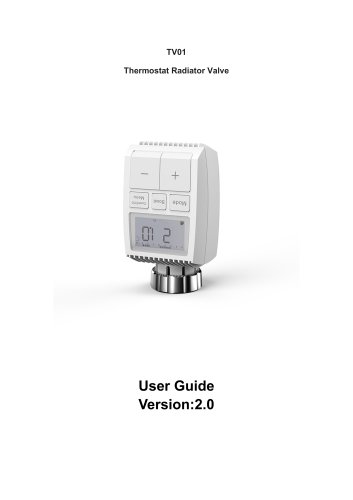
TV01 Zigbee Thermostat Radiator Valve User Guide
Open the catalog to page 1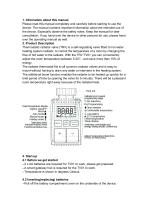
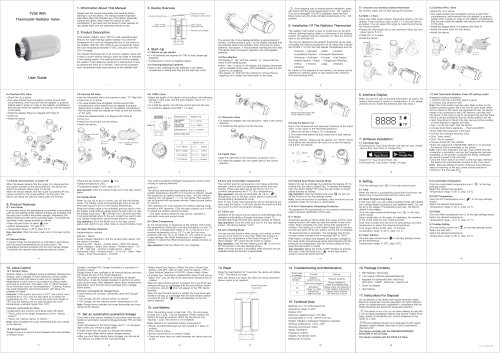
Please read this manual completely and carefully before starting to use the device. The manual contains important information about the intended use of the device. Especially observe the safety notes. Keep the manual for later consultation. If you hand over the device to other persons for use, please hand over the operating manual as well. Thermostatic radiator valve (TRV) is a self-regulating valve fitted to hot water heating system radiator, to control the temperature of a room by changing the flow of hot water to the radiator. With the TRV TV01 you can conveniently adjust the room temperature...
Open the catalog to page 2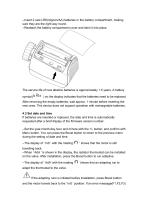
--Insert 2 new LR6(mignon/AA) batteries in the battery compartment, making sure they are the right way round. --Reattach the battery compartment cover and latch it into place. The service life of new alkaline batteries is approximately 1.5 years. A battery symbol( ) on the display indicates that the batteries need to be replaced. After removing the empty batteries, wait approx. 1 minute before inserting the new ones. This device does not support operation with rechargeable batteries. 4.3 Set date and time If batteries are inserted or replaced, the date and time is automatically requested after...
Open the catalog to page 3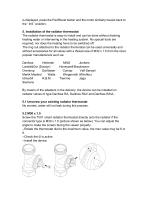
is displayed, press the Pair/Boost button and the motor similarly travels back to the ' InS ' position. The radiator thermostat is easy to install and can be done without draining heating water or intervening in the heating system. No special tools are required, nor does the heating have to be switched off. The ring nut attached to the radiator thermostat can be used universally and without accessories for all valves with a thread size of M30 x 1.5 from the most popular manufacturers such as: Danfoss Heimeier Landis&Gyr (Duodyr) Oventrop Schlosser Mertik Maxitrol Watts Idmar54 R.B.M Honeywell-Braukmann...
Open the catalog to page 4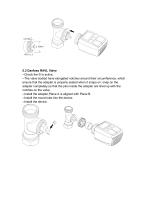
5.3 Danfoss RAVL Valve --Check the © is active. --The valve bodied have elongated notches around their circumference, which ensure that the adapter is properly seated when it snaps on: snap on the adapter completely,so that the pins inside the adapter are lined up with the notches on the valve. --Install the adapter,Plane A is aligned with Plane B. --Install the round tube into the device. --Install the device.
Open the catalog to page 5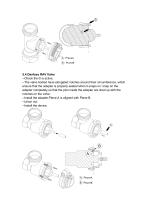
5.4 Danfoss RAV Valve --Check the © is active. --The valve bodied have elongated notches around their circumference, which ensure that the adapter is properly seated when it snaps on: snap on the adapter completely,so that the pins inside the adapter are lined up with the notches on the valve. --Install the adapter,Plane A is aligned with Plane B. --Union nut. --Install the device.
Open the catalog to page 6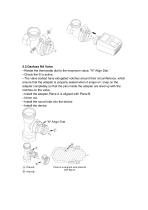
5.5 Danfoss RA Valve --Rotate the thermostat dial to the maximum value, "N" Align Dial. --Check the © is active. --The valve bodied have elongated notches around their circumference, which ensure that the adapter is properly seated when it snaps on: snap on the adapter completely,so that the pins inside the adapter are lined up with the notches on the valve. --Install the adapter,Plane A is aligned with Plane B. --Union nut. --Install the round tube into the device. --Install the device.
Open the catalog to page 7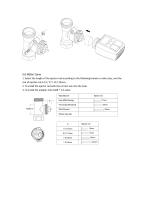
5.6 M28x1.5mm 1. Select the length of the ejector rod according to the following brands or valve sizes, and the size of ejector rod is 15 / 17 / 19 / 24mm. 2. To install the ejector rod with the correct size into the hole. 3. To install the adapter onto M28 * 1.5 valve;
Open the catalog to page 8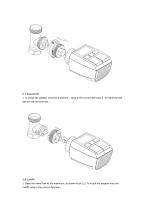
5.7 Giacomini 1. To install the adapter onto the Giacomini valve in the correct direction;2. To install the GIA ejector rod into the hole ; 5.8 Caleffi 1. Open the valve flow to the maximum, as shown in pic 1;2. To install the adapter onto the Caleffi valve in the correct direction ;
Open the catalog to page 9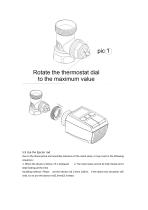
5.9 Use the Ejector rod Due to the dimensional and assembly tolerance of the metal valve, it may result in the following situations: 1. When the device is failure, F2 is displayed 2. The metal valve cannot be fully closed and is kept heating all the time Handling method : Please use the ejector rod 1.6mm (1)first, if the above two situations still exist, try to use the ejector rod2.6mm(2) instead.
Open the catalog to page 10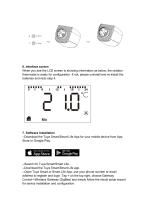
6. Interface screen When you see the LCD screen is showing information as below, the radiator thermostat is ready for configuration. If not, please uninstall and re-install the batteries and redo step 4. 7. Software Installation --Download the Tuya Smart/Smart Life App for your mobile device from App Store or Google Play. --Search for Tuya Smart/Smart Life. --Download the Tuya Smart/Smart Life app. --Open Tuya Smart or Smart Life App, use your phone number or email address to register and login. Tap + on the top right, choose Gateway Control->Wireless Gateway (ZigBee) and simply follow the inbuilt...
Open the catalog to page 11
--After the ZigBee smart gateway hub is added successfully, you can add the sub-device on the gateway hub interface. --Long press Pair button on the radiator thermostat for 5 seconds until the ZigBee signal icon flashed, which means the device has entered the pairing mode. --The blue LED indicator of gateway hub flashes during pairing mode. --When the radiator thermostat is successfully added, the blue LED indicator will extinguish within 1 second, the device ZigBee signal is always on. 8. Product features 8.1 Auto Mode In automatic mode, the temperature is controlled in accordance with the set...
Open the catalog to page 12
The device automatically stop heating when it detects a sudden temperature drop(5℃ in 5 minutes as default). This is usually caused by an opened window or door and the open window icon will display( ) on the screen. you can manually resume the device by pressing the mode button. App operation: Click the open window icon in App control panel to cancel the window opening function. --The open window detection only operates in automatic mode and manual mode. 8.5 Offset Temperature As the temperature is measured on the radiator thermostat, the temperature distribution can vary throughout a room. To...
Open the catalog to page 13
--Long press the mode button for 5 seconds, it will show LOC symbol on the screen and the device button cannot be used. --Long press the mode button for 5 seconds to unlock child lock. App operation: Click the child lock icon in the App settings screen. 8.8 Anti-Freezing Mode The device operation In the manual mode, when the temperature is manually adjusted to less than 5 degrees, the screen will display "AF", and the anti-freezing function will be started to ensure that the indoor temperature is "8" degrees. Press any button to cancel anti-freezing function and return to automatic mode. App...
Open the catalog to page 14All Beijing Breeze Technology Co.,Ltd catalogs and technical brochures
 Breeze V1 Datasheet
2 Pages
 Breeze V7-06 Datasheet
2 Pages
 Breeze Valve Datasheet
8 Pages
 Breeze V3-W3D15 Datasheet
2 Pages
 Breeze BC204 Datasheet
3 Pages
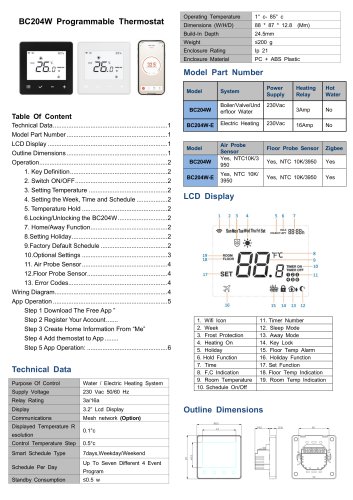 Breeze BC204-E Datasheet
6 Pages
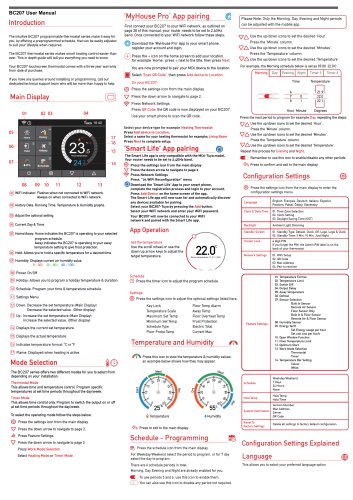 Breeze BC207-E Datasheet
3 Pages
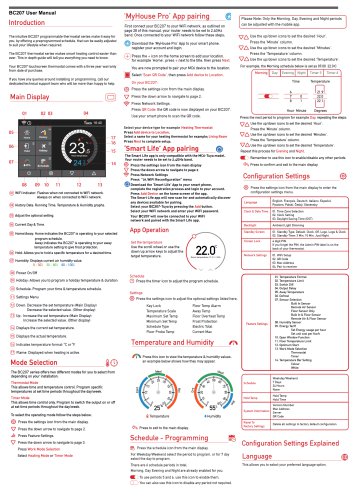 BC207W-T
3 Pages
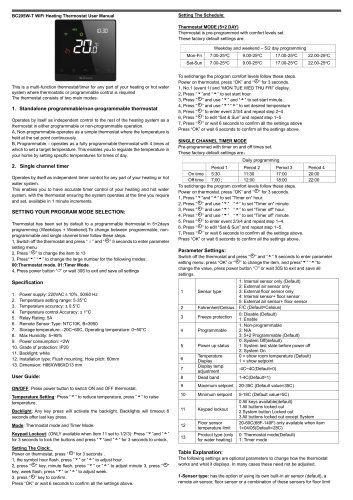 Breeze BC205W-T Datasheet
3 Pages
 BC205-E WIFI Datasheet
3 Pages
 Breeze BC205-E Datasheet
2 Pages
 Breeze BC203-E Datasheet
2 Pages
 Breeze BC203 Datasheet
2 Pages
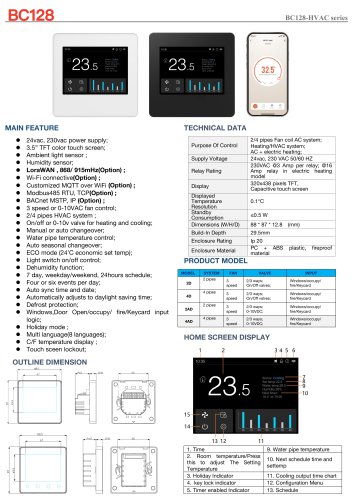 Breeze BC35-4 Datasheet
2 Pages
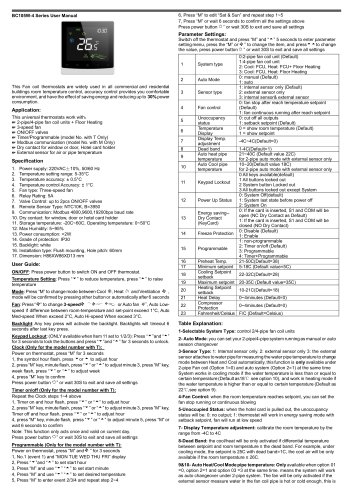 Breeze BC105W-4D Datasheet
2 Pages
 Breeze BC104W-4 Datasheet
2 Pages
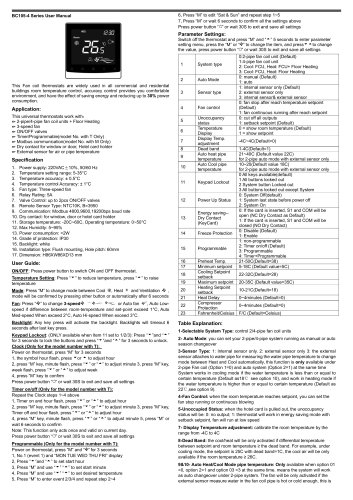 Breeze BC105-4DM Datasheet
2 Pages
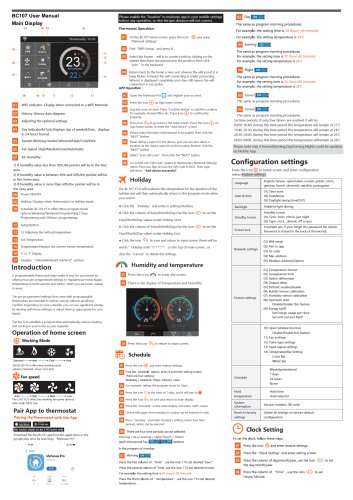 Breeze BC107-4EDM Datasheet
3 Pages
 Breeze BC107-2A/4A Datasheet
3 Pages
 Breeze BC107-4DM Datasheet
3 Pages
 Breeze BC103-4ADM Datasheet
2 Pages
 Breeze BC103-4EDM Datasheet
2 Pages
 Breeze BC103-4DM Datasheet
2 Pages
 Breeze BC105W-4ED datasheet
3 Pages
- Control valve
- Water valve
- Ball valve
- Threaded valve
- Electric valve
- Standard valve
- Chrome-plated brass valve
- 2-channel valve
- Valve actuator
- Rotary valve actuator
- 3-way valve
- Flow control valve
- Heating valve
- Electric valve actuator
- Flow-control valve
- Pipeline valve
- Adjustable thermostat
- Waterproof thermostat
- HVAC valve