
- Catalogs
- Beijing Breeze Technology Co.,Ltd
- Breeze BC204-E Datasheet

Breeze BC204-E Datasheet
Breeze BC204-E Datasheet
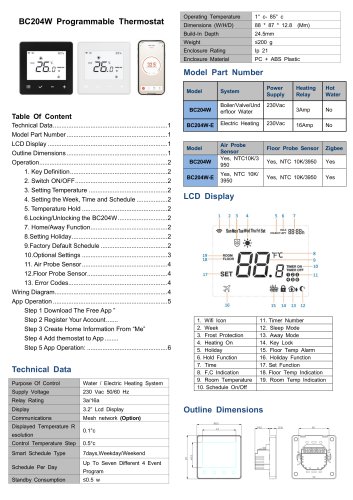
The BC204W Programmable Thermostat is designed for both water and electric heating systems, operating at 230 Vac 50/60 Hz. It features a 3.2” LCD display and supports mesh network communication. The thermostat offers a temperature resolution of 0.1°C and a control temperature step of 0.5°C. It supports a 7-day or weekday/weekend smart schedule with up to seven different 4-event programs per day. The device has a standby consumption of ≤0.5 W and operates within a temperature range of 1°C to 85°C. It is enclosed in PC + ABS plastic with an IP21 rating.
The BC204W model is suitable for boiler/valve/underfloor water systems, while the BC204W-E is for electric heating. Both models include air and floor probe sensors and support Zigbee communication.
The thermostat features several operational modes and settings, including key definition, switch ON/OFF, temperature setting, week, time, and schedule setting, temperature hold, locking/unlocking, home/away function, holiday setting, and factory default schedule.
The thermostat offers various optional settings, including power-off/on data saving, key lock options, program modes, temperature format, differential settings, temperature limits, sleep mode, frost protection, and more.
The thermostat supports both air and floor probe sensors, with default sensors being NTC 10K. The floor probe sensor can be configured to prevent overheating.
Error codes indicate sensor faults, such as E0 for internal sensor faults and E1/E2 for remote probe issues.
Includes basic wiring diagrams for different heating systems.
The thermostat can be controlled via the "Smart Life" app, which requires account registration and Wi-Fi connection. The app allows for temperature setting and device management.
Catalog excerpts
Outline Dimensions
Open the catalog to page 1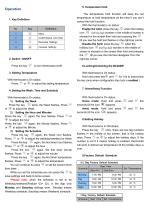
7-Day Factory Default Schedule
Open the catalog to page 2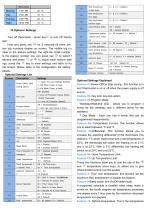
lO.Optional Settings Turn off thermostat - press keys-/ to turn off thermo stat Hold and press key ;= for 5 seconds till there are two big numbers display on screen. The middle big nu mber is the feature settings, the right-top small number is the feature number, you can press key ;= to select f eatures and press — or + to adjust each feature setti ngs, press the s/ key to save settings and back to ho me screen. Below table is the configuration list setting details. Optional Settings Explained Feature 01-Power-Off/On data saving: this function is to set if thermostat is on or off when the power...
Open the catalog to page 3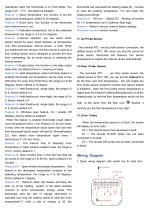
maintained when the thermostat is in Frost Mode. The range is 07 - 17°C. The default is disabled Feature 11-Away temperature: this function is set the away mode temperature; default is 16 degrees. Feature 12-Clock Sync: this function is set thermostat sync internet time or not. Feature 13-Calibration temperature: this is the calibrated temperature; the range is -5.0 to 5.0 degrees. Feature 14-Sensor selection: you can select which sensor should be used, select between air temperature only, floor temperature, internal sensor, or both. When you enable both two sensors, the floor sensor is used...
Open the catalog to page 4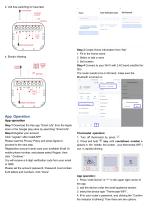
Step 1 Download the free app "Smart Life” from the Apple store or the Google play store by searching "Smart Life" Step 2 Register your account Click “register" after install APP Please read the Privacy Policy and press Agree to proceed to the next step. Registration account name uses your available Email Or mobile phone number, and please select Region, then click "Continue” You will receive a 6-digit verification code from your email or SMS Please set the account password, Password must contain 6-20 letters and numbers. click “Done" Mobile Number/Email Use 6-20 characters with a mix ol letters...
Open the catalog to page 5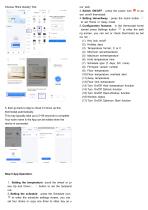
3. Switch ON/OFF : press the power icon © to po wer on/off thermostat 4. Setting Home/Away : press the home button to set Home or Away mode 5. Configuration features: in the thermostat home screen press Settings button to enter the setti ng screen, you can set or check thermostat as bel ow list : (6) Hold temperature time (7) Schedule type (7 days, 5/2, none) (8) Firmware version number (10) Floor temperature overheat alert (12) Floor limit temperature (13) Turn On/Off Hold temperature function (14) Turn On/Off Defrost function (15) Turn On/Off Open-Window function (17) Turn On/Off Optimum Start...
Open the catalog to page 6All Beijing Breeze Technology Co.,Ltd catalogs and technical brochures
 Breeze V1 Datasheet
2 Pages
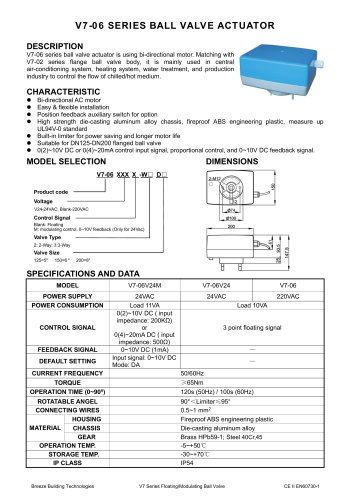 Breeze V7-06 Datasheet
2 Pages
 Breeze Valve Datasheet
8 Pages
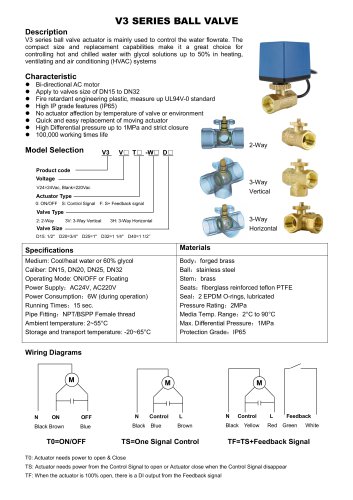 Breeze V3-W3D15 Datasheet
2 Pages
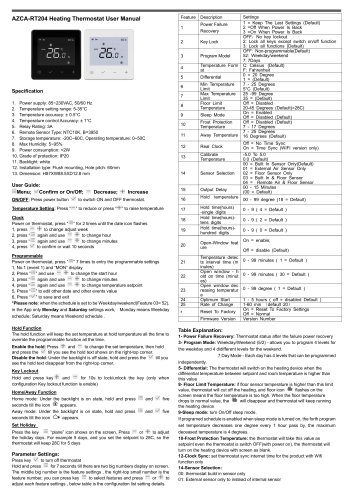 Breeze BC204 Datasheet
3 Pages
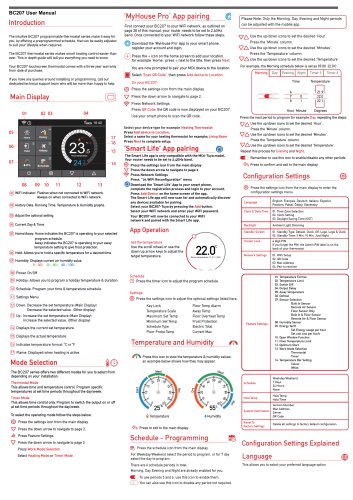 Breeze BC207-E Datasheet
3 Pages
 BC207W-T
3 Pages
 Breeze BC205W-T Datasheet
3 Pages
 BC205-E WIFI Datasheet
3 Pages
 Breeze BC205-E Datasheet
2 Pages
 Breeze BC203-E Datasheet
2 Pages
 Breeze BC203 Datasheet
2 Pages
 Breeze BC35-4 Datasheet
2 Pages
 Breeze BC105W-4D Datasheet
2 Pages
 Breeze BC104W-4 Datasheet
2 Pages
 Breeze BC105-4DM Datasheet
2 Pages
 Breeze BC107-4EDM Datasheet
3 Pages
 Breeze BC107-2A/4A Datasheet
3 Pages
 Breeze BC107-4DM Datasheet
3 Pages
 Breeze BC103-4ADM Datasheet
2 Pages
 Breeze BC103-4EDM Datasheet
2 Pages
 Breeze BC103-4DM Datasheet
2 Pages
 Breeze BC105W-4ED datasheet
3 Pages
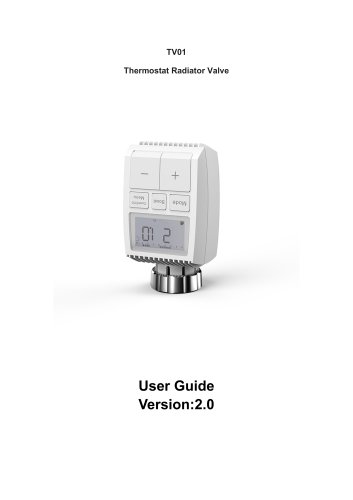
- Control valve
- Water valve
- Ball valve
- Threaded valve
- Electric valve
- Standard valve
- Chrome-plated brass valve
- 2-channel valve
- Valve actuator
- Rotary valve actuator
- 3-way valve
- Flow control valve
- Heating valve
- Electric valve actuator
- Flow-control valve
- Pipeline valve
- Adjustable thermostat
- Waterproof thermostat
- HVAC valve