
- Catalogs
- BeanAir GmbH
- Wireless Accelerometer, Shock and Inclinometer sensors


- Company
- Products
- Catalogs
- News & Trends
- Exhibitions
Wireless Accelerometer, Shock and Inclinometer sensors

Wireless Accelerometer, Shock and Inclinometer sensors
Contact Beanair Technical Support Center at [email protected] for inquiries, support, and feedback on the SmartSensor product line.
Symbols include Caution, Danger, and Tips to highlight important information and instructions.
Includes terms like AES, CCA, CSMA/CA, and WSN to aid understanding.
Access additional resources on Beanair's website and YouTube channel for further information on SmartSensor products.
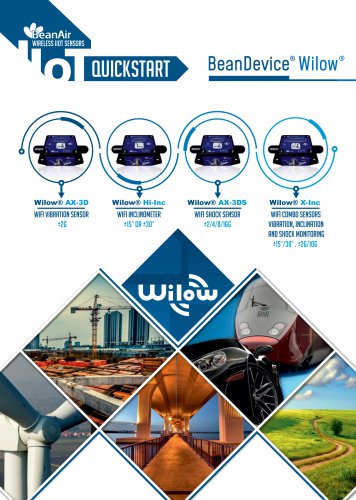
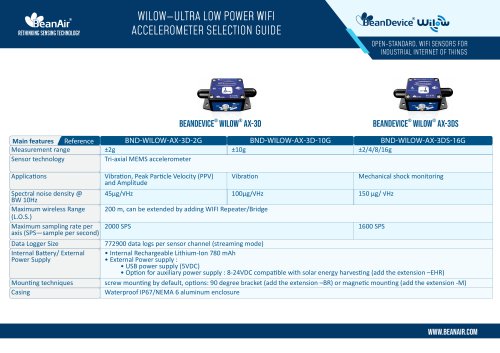
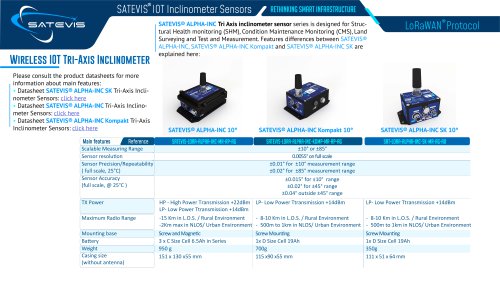
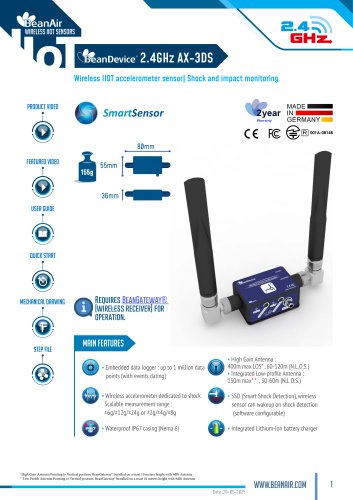
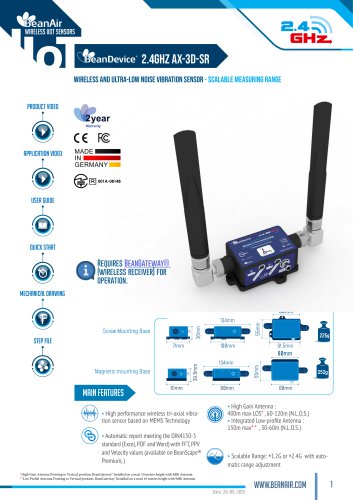
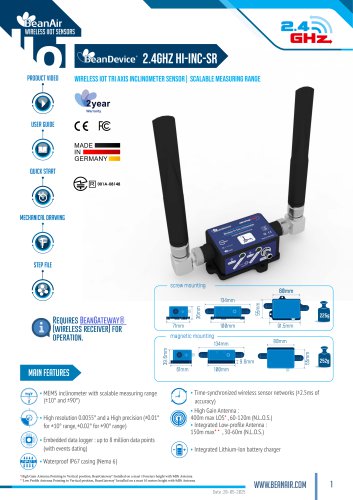
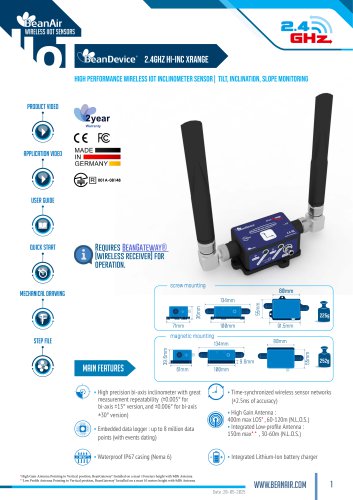
The SmartSensor line includes wireless accelerometers, inclinometers, and shock sensors for applications like SHM and CMS. Models include BeanDevice® 2.4GHz AX-3D, HI-INC, and AX-3DS, each with specific features and applications.
Details on performance metrics, operational parameters, and specifications for each BeanDevice® model, including RF and environmental specifications.
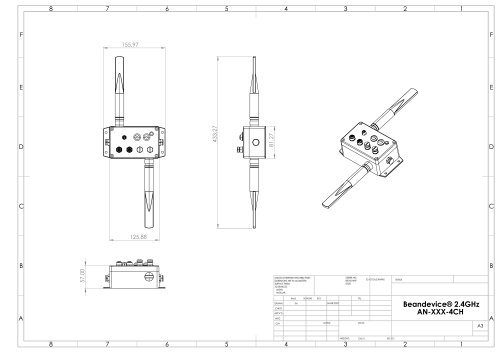
Physical characteristics such as casing, LED indicators, and mechanical drawings are detailed.
Guidance on mounting devices using adhesive or screws, with special instructions for wireless inclinometers.
Options include integrated rechargeable batteries and external primary cells, with instructions for changing power cells.
Instructions for resetting devices to original configurations.
Instructions on using BeanScape® software for device supervision, configuration, and data analysis.
Configuration of alarms, including email setup and system alarms.
Details on configuring log files, managing alarms, and importing/exporting user settings.
Standard and Expert views for managing dashboards and advanced settings.
Features for FFT waveform analysis and particle velocity measurement.
Installation procedures and sensor characteristics are detailed.
Specifications for power supply options and battery management features.
Includes optional accessories like external power supplies and solar panel kits.
Details on wireless inclinometers and accelerometers, including configurable settings and RF specifications.
Information on casing, shock resistance, and compliance with standards.
Overview of sensor specifications, configurable settings, power management, and RF specifications.
Details on static and dynamic data acquisition modes and power modes.
Instructions for mounting and unmounting devices, including screw mounting and wireless inclinometer instructions.
Evaluation of network-link status using Packet Error Rate and Link Quality Indicator.
Monitoring of battery temperature and power supply status.
Regular collection of device information, including battery charge status and internal temperature.
Information on product version and active data acquisition mode.
Details on sensor measurement range, sampling rate, and temperature range.
Customization options for device configuration, including data acquisition and sensor settings.
Threshold levels for dynamic and static data acquisition modes.
Features for online FFT configuration and velocity measurement.
Configuration and management of log files, including naming and analysis.
Configuration of alarms and notifications for various modes.
Options for enabling notifications and customizing report formats.
Access to configurations and management options for BeanScape® and BeanDevice®.
Instructions for installing SQL Server and MATLAB extensions.
Features for switching between client and server modes.
Instructions for sending data log files to an FTP server.
Guidance on generating FFT reports and configuring FFT settings.
Configuration options for velocity measurement and compliance with DIN4150-3.
Important considerations for accurate analysis and configuration.
Procedures for factory calibration and re-calibration frequency.
Instructions for allowing BeanScape® through a firewall.
Catalog excerpts

SmartSensor User Manual series Beanair GmbH “Rethinking sensing technology”
Open the catalog to page 1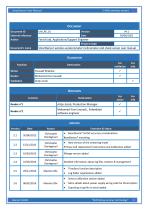
SmartSensor User Manual series DOCUMENT Document ID External reference Author Version Date Fahd Essid, Application/Support Engineer Project Code SmartSensor wireless accelerometer inclinometer and shock sensor user manual Document’s name VALIDATION Function Youssef Shahine Mohamed-Yosri Jaouadi Antje Jacob DIFFUSION Function Antje Jacob, Production Manager Mohamed-Yosri Jaouadi., Embedded software engineer UPDATES Version Evolution & Status Christophe Dontegreuil Christophe Dontegreuil Christophe Dontegreuil XRange version added Christophe Dontegreuil Detailed information about log files creation...
Open the catalog to page 2
SmartSensor User Manual series Aymen JEGHAM Aymen JEGHAM Signal processing Alarm threshold Zeroing S.E.T acquisition mode Technical features updated Alarm Management description transferred from BeanScape® UM to BeanDevice® 2.4GHZ User Manual Offline analysis tool description transferred from BeanScape® UM to BeanDevice® 2.4GHZ UM Dedicated section Online data analysis tool Diagram updated “Offline and online data analysis tool” Vocabulary update Off. Graph and date conversion location update Screenshots update LEDs Description update Tab signal processing changed to Online Data analysis and...
Open the catalog to page 3
SmartSensor User Manual series Fahd ESSID Alarm Management updated Alarm Management Note added Right click functionalities added Tab Sensor Config Added Firewall exception for BeanScape Vocabulary update Online/Offline Data Analysis update Fahd ESSID Mohamed Bechir Besbes Fahd ESSID YAHYA Bassem Seddik ATTIG Appendices updated Seddik ATTIG Seddik ATTIG Update sensors specifications and screenshots Seddik ATTIG Seddik ATTIG Update the Battery saver mode section Seddik ATTIG Update sensors specification Seddik ATTIG Standard/Expert view updated Seddik ATTIG Links updated Seddik ATTIG Seddik ATTIG...
Open the catalog to page 4
SmartSensor User Manual series Disclaimer The contents are confidential and any disclosure to persons other than the officers, employees, agents or subcontractors of the owner or licensee of this document, without the prior written consent of Beanair GmbH, is strictly prohibited. Beanair makes every effort to ensure the quality of the information it makes available. Notwithstanding the foregoing, Beanair does not make any warranty as to the information contained herein, and does not accept any liability for any injury, loss or damage of any kind incurred by use of or reliance upon the information....
Open the catalog to page 5
SmartSensor User Manual series Beanair GmbH “Rethinking sensing techno
Open the catalog to page 6
SmartSensor User Manual series Beanair GmbH “Rethinking sens
Open the catalog to page 7
SmartSensor User Manual series Beanair GmbH “Rethinking sensing technology
Open the catalog to page 8
SmartSensor User Manual series Beanair GmbH “Rethinking sensing technology
Open the catalog to page 9
SmartSensor User Manual series Beanair GmbH “Rethinking sensing technolog
Open the catalog to page 10
SmartSensor User Manual series Beanair GmbH “Rethinking sensing technology”
Open the catalog to page 11
SmartSensor User Manual series Beanair GmbH
Open the catalog to page 12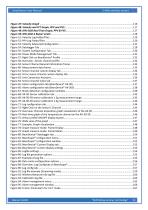
SmartSensor User Manual series Beanair GmbH “Rethinking sensing technol
Open the catalog to page 13
SmartSensor User Manual series Beanair GmbH “Rethinking sensing technology
Open the catalog to page 14
SmartSensor User Manual series Beanair GmbH “Rethinking sensing technology
Open the catalog to page 15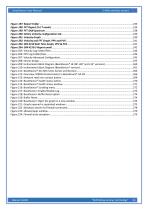
SmartSensor User Manual series Beanair GmbH “Rethinking sensing techn
Open the catalog to page 16
SmartSensor User Manual series For general contact, technical support, to report documentation errors and to order manuals, contact Beanair Technical Support Center (BTSC) at: [email protected] For detailed information about where you can buy the Beanair equipment/software or for recommendations on accessories and components visit: www.Beanair.com To register for product news and announcements or for product questions contact Beanair’s Technical Support Center (BTSC). Our aim is to make this user manual as helpful as possible. Keep us informed of your comments and suggestions for improvements....
Open the catalog to page 17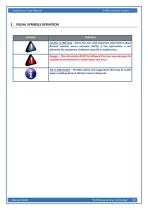
SmartSensor User Manual series 2. VISUAL SYMBOLS DEFINITION Definition Caution or Warning – Alerts the user with important information about Beanair wireless sensor networks (WSN), if this information is not followed, the equipment /software may fail or malfunction. Danger – This information MUST be followed if not you may damage the equipment permanently or bodily injury may occur. Tip or Information – Provides advice and suggestions that may be useful when installing Beanair Wireless Sensor Networks. Beanair GmbH “Rethinking sensing technology
Open the catalog to page 18
SmartSensor User Manual series Advanced Encryption Standard Clear Channel Assessment Carrier Sense Multiple Access/Collision Avoidance Guaranteed Time-Slot Kilo samples per second Logical Link Control Link quality indicator Low duty cycle data acquisition Media Access Control Personal Area Network Packet error rate Radio Frequency Secure Digital Wireless sensor Network Beanair GmbH “Rethinking sensing technology”
Open the catalog to page 19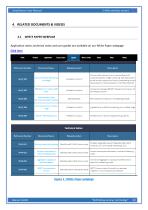
SmartSensor User Manual series 4. RELATED DOCUMENTS & VIDEOS WHITE PAPER WEBPAGE Application notes, technical notes and user guides are available on our White Paper webpage: Click here Figure 1 : White Paper webpage Beanair GmbH “Rethinking sensing technology”
Open the catalog to page 20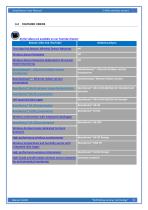
SmartSensor User Manual series FEATURED VIDEOS All the videos are available on our YouTube channel Beanair video link (YouTube) Related products First step into Beanair Wireless Sensor Networks Wireless Sensor Networks Wireless Sensor Networks dedicated to Structural Health Monitoring BeanGateway® - Ethernet Outdoor version introduction BeanGateway® - Ethernet Outdoor version introduction BeanGateway® – Ethernet Indoor version presentation BeanGateway® Ethernet Indoor version BeanDevice® AN-XX wireless range demonstration BeanDevice® AN-V/AN-420/AN-mV Standard and Extender BeanDevice® AN-XX presentation...
Open the catalog to page 21
SmartSensor User Manual series TECHNICAL VIDEOS All the videos are available on our YouTube channel Beanair video link (Youtube) How to launch the BeanScape® software Related products BeanGateway® Ethernet/LAN Configuration, directly BeanGateway® connected to the Laptop/PC How to remove a BeanDevice® from your Network Energy Scan Synchronous Multicasting process Manual channel selection Automatic Channel selection Authorized Channels Fast Fourier Transform waveform analysis module Beanair GmbH “Rethinking sensing tech
Open the catalog to page 22All BeanAir GmbH catalogs and technical brochures
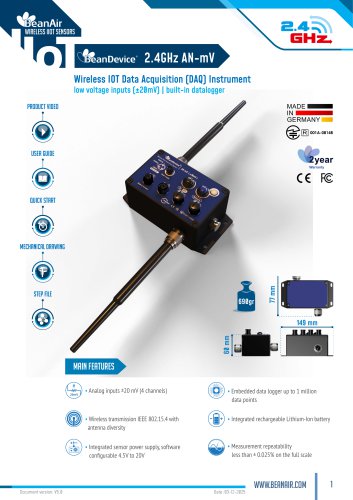 BeanDevice® 2.4GHz AN-mV
11 Pages
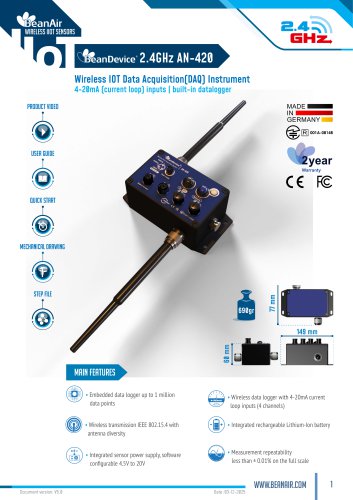 BeanDevice® 2.4GHz AN-420
12 Pages
 BeanScape 2.4GHz Version
8 Pages
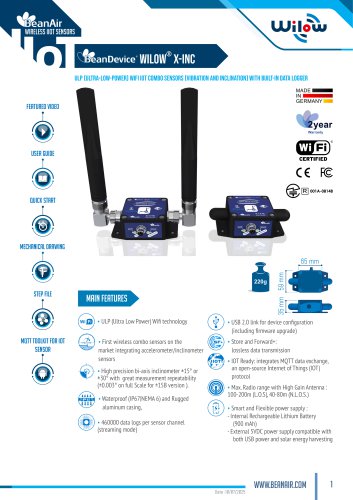 BeanDevice Wilow X-Inc
10 Pages
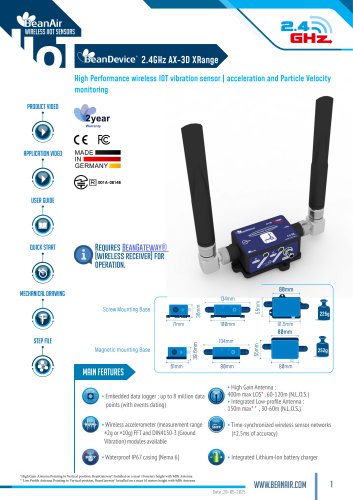 BeanDevice® 2.4GHz AX-3D Xrange
12 Pages
 Beanair Product Catalog 2025
17 Pages
 BeanDevice 2.4GHz AX3DS
11 Pages
 Starterkit ONE-TH
3 Pages
 Starterkit ONE-T
3 Pages
 Starterkit AN-V ( ±10V )
3 Pages
 Starterkit AN-V ( ±5V )
3 Pages
 Starterkit AN-mV
3 Pages
 Starterkit AN-420
3 Pages
 Starterkit 2.4GHz AX-3D-SR
3 Pages
 BeanGateway® Modbus Outdoor
7 Pages
 BeanGateway Modbus Indoor
7 Pages
 BeanScape Wilow Version
6 Pages
 2.4GHz Hi-Inc
10 Pages
 BeanGateway® 4G
9 Pages
 Digital T/H Sensor B-TH-01
6 Pages
 2.4GHz ONE-T
10 Pages
 2.4GHz ONE-TH
9 Pages
 MQTT Communication Protocol
97 Pages

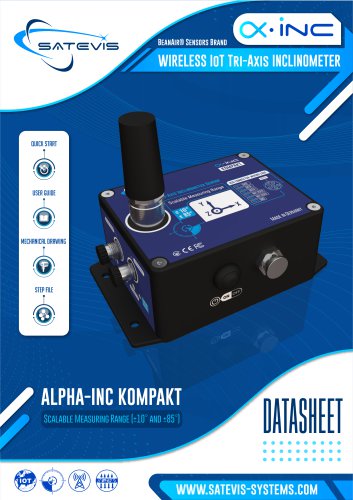
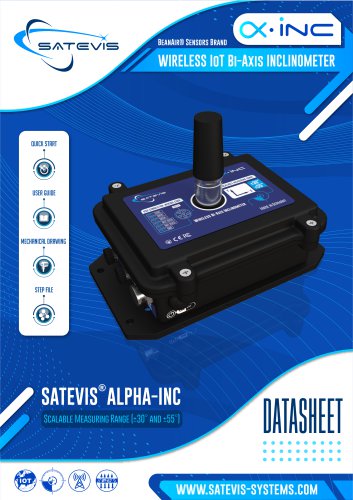




- Electrical cable
- Temperature probe
- Communication gateway
- Waterproof temperature sensor
- Humidity and temperature probe
- Relative humidity and temperature sensor
- Wireless gateway
- Digital inclination sensor
- Triaxial acceleration sensor
- IoT gateway
- 2-axis tilt sensor
- Compact accelerometer
- MEMS inclination sensor
- Waterproof humidity and temperature sensor
- Digital humidity and temperature sensor
- Coaxial electrical cable
- Data acquisition unit
- Multi-axis tilt sensor