
- Catalogs
- BeanAir GmbH
- Quikcstart Satevis Alpha-Inc Kompakt- Lorawan Inclinometer


- Company
- Products
- Catalogs
- News & Trends
- Exhibitions
Quikcstart Satevis Alpha-Inc Kompakt- Lorawan Inclinometer
Quikcstart Satevis Alpha-Inc Kompakt- Lorawan Inclinometer
For general inquiries, technical support, and documentation errors, contact SATEVIS® Technical Support Center at [email protected].
Symbols used in the document include: Danger (must follow to avoid damage or injury), Tip (useful advice), and Caution (important information to prevent equipment/software failure).
Common terms include AES (Advanced Encryption Standard), CCA (Clear Channel Assessment), and RF (Radio Frequency).
- Unboxing and Device Overview: Includes non-contact buttons, LEDs, and power options (USB and battery).
- Device Commissioning: Steps to register the device on cloud software like TTN, including QR code scanning and LoRa settings configuration.
- Sensor Installation: The device can be mounted on vertical or horizontal structures using various mounting bases.
- Sensor Zeroing: Process to calibrate the sensor using a magnet, with feedback via LED indicators.
- Checking Sensor Status: Methods to verify sensor operation on-site and through cloud software.
For more technical literature, visit the SATEVIS® White Paper Page or refer to the user manual available online.
Catalog excerpts

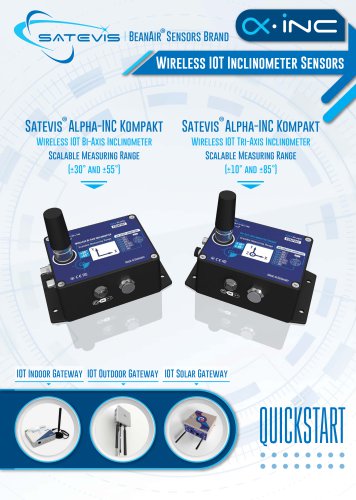
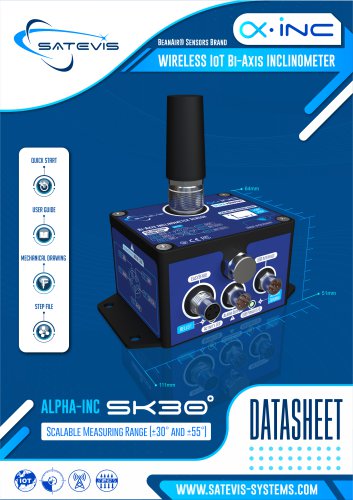
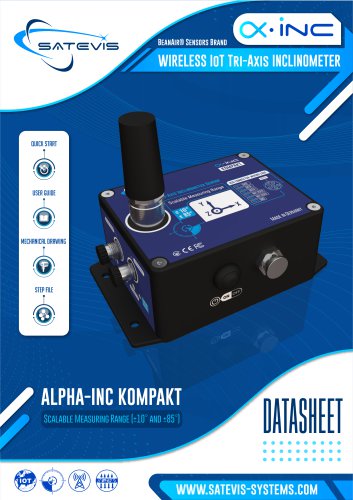
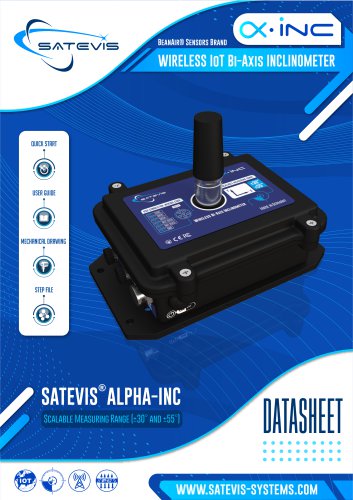
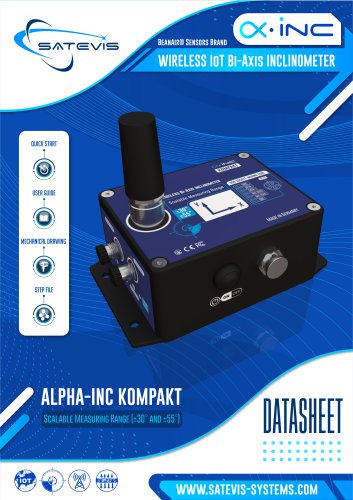
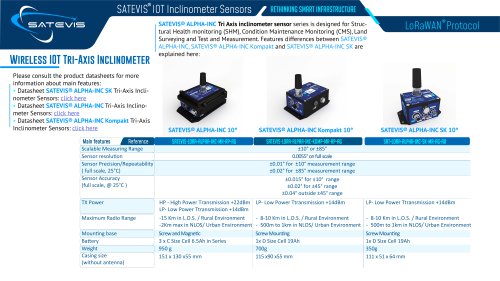
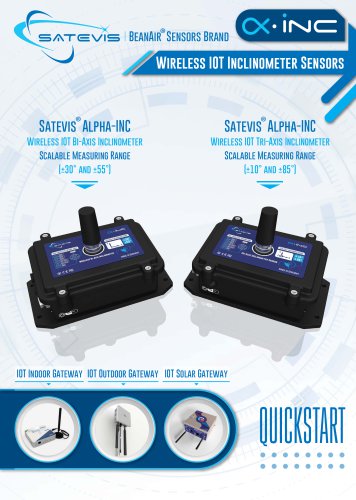
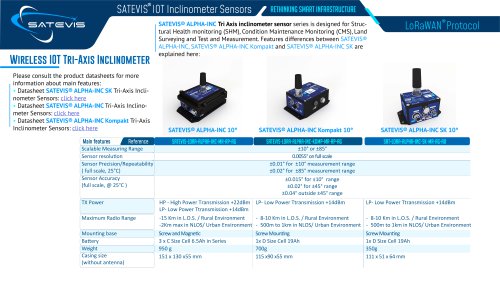
BeanAir® Sensors Brand Wireless IOT Inclinometer Sensors Satevis® Alpha-INC Kompakt Satevis® Alpha-INC Kompakt Wireless IOT Bi-Axis Inclinometer Wireless IOT Tri-Axis Inclinometer Scalable Measuring Range Scalable Measuring Range IOT Indoor Gateway IOT Outdoor Gateway IOT Solar
Open the catalog to page 1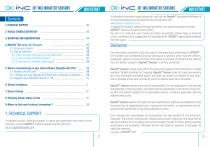
2-VISUAL SYMBOLS DEFINITION 3-ACRONYMS AND ABBREVIATIONS For detailed information about where you can buy the BeanAir® equipment/software or for recommendations on accessories and components visit: www.satevis-systems.com To register for product news and announcements or for product questions contact SATEVIS® Technical Support Center (STSC). Our aim is to make this user manual as helpful as possible. Please keep us informed of your comments and suggestions for improvements. SATEVIS® appreciates feedback from the users. BeanAir® Sensors makes every effort to ensure the quality of the information...
Open the catalog to page 2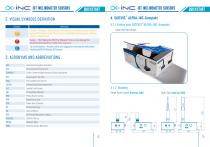
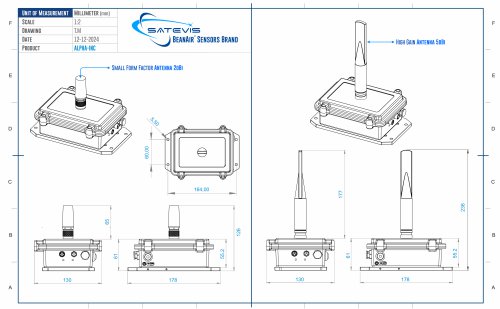
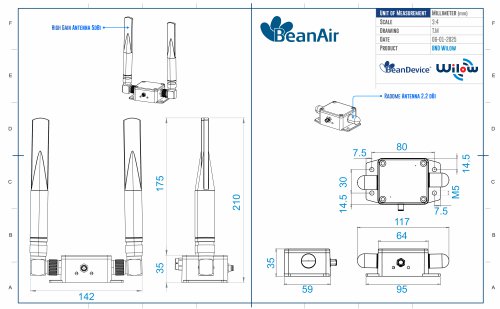
• iisici iot inclinometer sensors (X-iisid iot inclinometer sensors 4.1.1 Unbox your SATEVIS® ALPHA-INC-Kompakt Caution or Warning - Alerts the user with important information about SATEVIS® wireless IOT Sensors. if this information is not followed, the equipment /software may fail or malfunction Danger - This information MUST be followed if not you may damage the equipment permanently or bodily injury may occur. Tip or Information - Provides advice and suggestions that may be useful when installing SATEVIS Wireless IOT Sensors. Open the Device box4.1.2 DrawingSmall Form Factor Antenna 2dBi High...
Open the catalog to page 3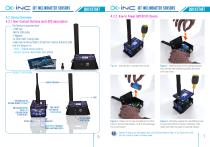
4.2.2 How to Power SATEVIS® Device 4.2 Device Overview 4.2.1 Non-Contact Buttons and LEDS description The Device is provided with : -2 M8 cap -M8 to USB cable -1 Magnet -1x 25cm Self-Fusing Tape -High Gain Antenna 5dBi or Small Form Factor Antenna 2dBi Use the Magnet to: - Hello ! :Check sensor status - Sensor Zeroing: Automatic Zero offset Figure 1 : Unscrew the 4 screws from the lid Figure 2 : Hold the base of the casing securely then remove the battery by pulling the Hookand-loop strap Figure 3 : Please do not use screwdrivers or other tools to remove the battery, as this may damage the circuit...
Open the catalog to page 4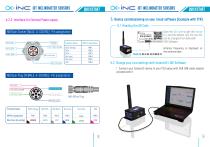
• iisid iot inclinometer sensors 4.2.3 Interface for External Power supply CX-iivi iot inclinometer sensors 5. Device commissioning on your cloud software (Example with TTN) 5.1 Reading the QR Code M8 6pin Socket [MALE, A-CODING)- Pin assignation c Interface Name Scan the QR code to get the Device EUI and the default Join EUl.Join EUI can be changed from Satevis® LINK Software Antenna frequency is displayed on the antenna base 5.2 Change your Lora settings with Satevis® LINK Software M8 6pin Plug (FEMALE, A-CODING)- Pin assignation 1. Connect your Satevis® device to your PC/Laptop with USB /M8...
Open the catalog to page 5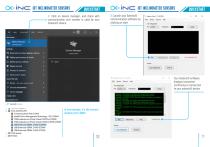
CX-nvi iot inclinometer sensors 2. Click on device manager, and check with communication port number is used by your Satevis® device. 3. Launch your Satevis® communication software by clicking on start All Apps Documents Web Wore * Device Manager Control panel Bluetooth and other devices settings Device Manager Control panel v Device performance St health E Device privacy settings “ Device security (□& Printers & scanners © View your PC name P device - See more search results P devices and printers P device manager File Server Device Info Your Satevis® software displays connected confirming to...
Open the catalog to page 6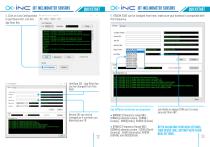
CX-nvi iot inclinometer sensors 4. Click on Lora Configuration to get Device EUI, Join EUI, App Root Key File Server Device Info 5. REGION CODE can be changed from here, make sure your Antenna is compatible with this frequency. > Message: 13.02.2024 ? Message: 13 02.2024 device not responding > Message 13.02,2024 from device 1Q:28:26Ping with Acquittal sent to device lO:28:27Png with Acquittal sent to device 10:28 279ait FaJ Timeout: Connection not established. 10:31 36Ping with Acquittal sent to device 10:31:36Ping with Acqiittal sent to device 10:31:36Png response with OK Acquittal was received...
Open the catalog to page 7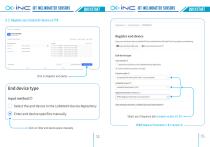
CX-irvi iot inclinometer sensors 5.3 Register your Satevis® device on TTN Click on Register end device End device type Input method® Select the end device in the LoRaWAN Device Repository (•) Enter end device specifics manually Click on Enter end device specs manually Applications > lofa-test-Periin > End devices Does your end device have a loRaWAN5 Device identification qr code? Scan it to speed up onboarding. □ Scan end device QR code m Device registration help ^ Input method Select the end device in the LoRaWAN Device Repository Enter end device specifics manually Frequency plan® • LoRaWAN...
Open the catalog to page 8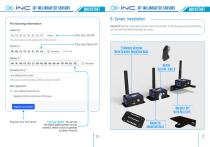
CX-nvi iot inclinometer sensors Provisioning information This end device can be registered on the network DevEUI©* Enter your Join EUI Enter your Device EUI Satevis® device comes with a three-axis inclinometer, it can be easily mounted directly on both vertical and Horizontal structures This value is automatically prefilled using the DevEUI After registration • View registered end device Register another end device of this type Register your end device Enter your AppKey ■ you can use the default AppKey present on your satevis® device or click on generate to create a new one
Open the catalog to page 9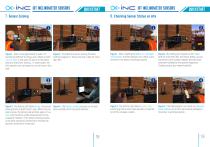
8. Checking Sensor Status on site Figure 1 : Even if an angle bracket is used, it’s Figure 2 : To enable the sensor zeroing function, sometimes difficult to bring a zero-offset on both hold the magnet on ‘Sensor Zeroing” Label for more X and Y axis ( in the case if Z axis is on the same than 10s. direction than Earth Gravity).. In some cases, the field operator can not spend too much time on this task. Figure 1 : After installing the Alpha-Inc-Kompakt inclinometer, the field operator can check at any moment if the sensor is working properly Figure 2 : By Holding the magnet on the ‘Hello!’ label...
Open the catalog to page 10
9. Where to find more Technical Information ? For mode technical litterature, please visit our White Paper Page: https://www.satevis-systems.com/white-paper.html ® Please refer to the SATEVIS Alpha-INC-Kompakt user manual section for more information https://www.satevis-systems.com/files/User-Manual-SATEVIS-LORA-ALPHA-INC-MR-PS.pdf Facing technical problems ? Contact our technical support team at : [email protected] Buchholzer Straße 65, 13156 Berlin, Germany
Open the catalog to page 11All BeanAir GmbH catalogs and technical brochures
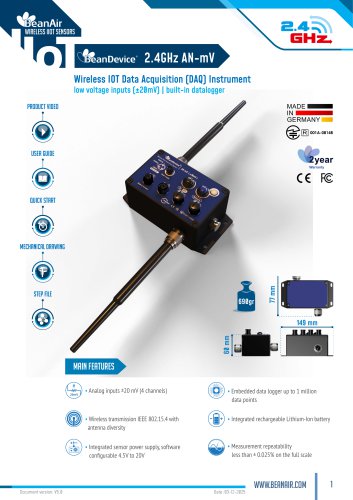 BeanDevice® 2.4GHz AN-mV
11 Pages
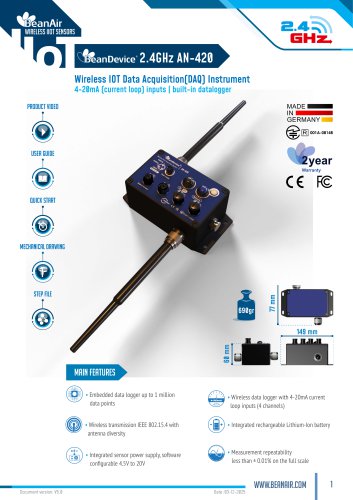 BeanDevice® 2.4GHz AN-420
12 Pages
 BeanScape 2.4GHz Version
8 Pages
 BeanDevice Wilow X-Inc
10 Pages
 BeanDevice® 2.4GHz AX-3D Xrange
12 Pages
 Beanair Product Catalog 2025
17 Pages
 BeanDevice 2.4GHz AX3DS
11 Pages
 Starterkit ONE-TH
3 Pages
 Starterkit ONE-T
3 Pages
 Starterkit AN-V ( ±10V )
3 Pages
 Starterkit AN-V ( ±5V )
3 Pages
 Starterkit AN-mV
3 Pages
 Starterkit AN-420
3 Pages
 Starterkit 2.4GHz AX-3D-SR
3 Pages
 BeanGateway® Modbus Outdoor
7 Pages
 BeanGateway Modbus Indoor
7 Pages
 BeanScape Wilow Version
6 Pages
 2.4GHz Hi-Inc
10 Pages
 BeanGateway® 4G
9 Pages
 Digital T/H Sensor B-TH-01
6 Pages
 2.4GHz ONE-T
10 Pages
 2.4GHz ONE-TH
9 Pages
 MQTT Communication Protocol
97 Pages




- Electrical cable
- Temperature probe
- Acceleration sensor
- Communication gateway
- Waterproof temperature sensor
- Humidity and temperature probe
- Relative humidity and temperature sensor
- Wireless gateway
- Digital inclination sensor
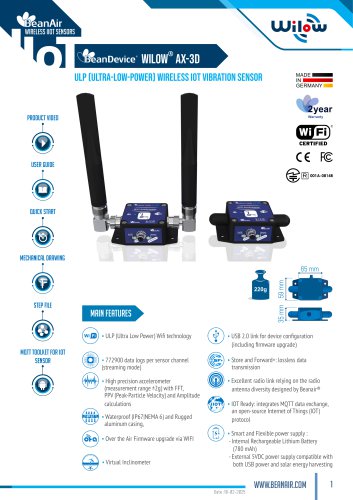
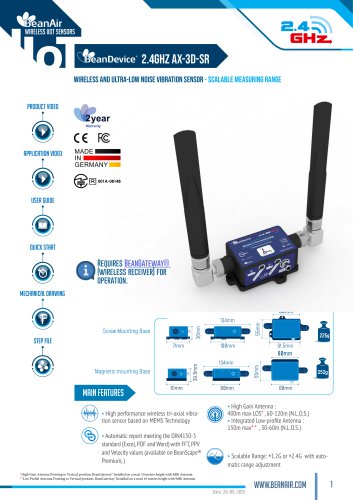
- Triaxial acceleration sensor
- IoT gateway
- 2-axis tilt sensor
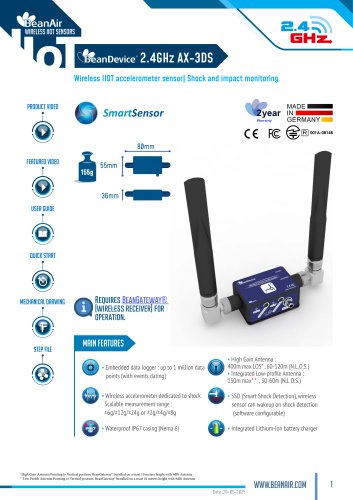
- Compact accelerometer
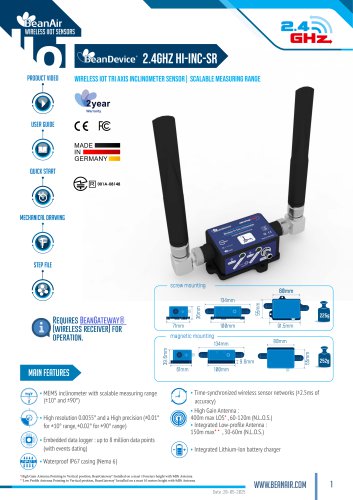
- MEMS inclination sensor
- Waterproof humidity and temperature sensor
- Digital humidity and temperature sensor
- Coaxial electrical cable
- Data acquisition unit
- Multi-axis tilt sensor