


- Products
- Catalogs
- News & Trends
- Exhibitions
Autodesk Navisworks Review

Autodesk Navisworks Review
Autodesk Navisworks 2010 is a suite of software products designed to enhance project control and utilize existing 3D design data for improved productivity and quality in complex projects. The suite includes four main products: Navisworks Manage, Simulate, Review, and Freedom, each offering unique functionalities to support design and construction management professionals.
This comprehensive review solution integrates fault-finding analysis, interference management, 4D project schedule simulation, and photorealistic visualization. It supports coordinated and complete construction documentation, reducing waste and increasing efficiency. Key features include clash detection, real-time visualization, and advanced analysis for error reduction and improved planning.
Navisworks Simulate enhances real-time visualization capabilities, allowing for the creation of images and animations, and dynamic linking of 3D models with project schedules. It supports 4D simulations and object animations, enabling stakeholders to visualize future project outcomes and improve planning by identifying risks early.
This software extends access to design data for real-time visualization and exploration of 3D projects. It supports dynamic navigation, collision detection, and the creation of animations and viewpoints. Navisworks Review is compatible with major 3D design and laser scan formats, facilitating comprehensive project reviews.
Navisworks Freedom is a free viewer for NWD and 3D DWF formats, allowing stakeholders to view simulations and outputs without additional costs. It supports effective collaboration by enabling easy communication of design intent and stakeholder contributions.
Autodesk offers various resources for learning and support, including training centers, online tools, and subscription services that provide software upgrades and community resources. These services aim to optimize productivity and return on investment for users.
Catalog excerpts

Autodesk > Navisworks > ή Experience the project, before it is real. >
Open the catalog to page 1
By enabling existing detailed D design models to be aggregated and shared for review between all project stakeholders, Autodesk The Autodesk Navisworks software family consists of four products to help you and your extended teams experience enhanced control, and use existing D design data to gain insight and predictability to improve productivity and quality on even your most complex projects. Autodesk > Navisworks > ή Simulate software oers precise replication of design intent and modeling of D construction schedules, enabling previsualization of construction projects. Virtually experiencing...
Open the catalog to page 2
Autodesk Navisworks Manage Autodesk Navisworks Simulate Autodesk Navisworks Review Coordinated, Consistent, Complete Where Design Meets Deadline Visualize, Explore, Experience Including all the functionality of both Autodesk Navisworks Review software and Autodesk Navisworks Simulate software with powerful clash detection capabilities, Autodesk Navisworks Manage software provides the most comprehensive Navisworks design review solution for your construction project. Enabling consistent, coordinated, and complete construction documentation, Navisworks Manage streamlines workflow across your organization...
Open the catalog to page 3All AUTODESK catalogs and technical brochures
 Autodesk ® Flame®
2576 Pages
 Autodesk® In Games
7 Pages
 Autodesk® DirectConnect
80 Pages
 AUTODESK ® 3DS MAX
1358 Pages
 CEIT-KE
2 Pages
 Novax DMA
2 Pages
 autocad_civil3d
6 Pages
 building_design_suite_2013
4 Pages
 autocad_design_suite_2013
2 Pages
 autocad_mep_brochure
4 Pages
 acade_jic_overview_broch_us
4 Pages
 alias_2013_
10 Pages
 Autodesk Utility Design
2 Pages
 Autodesk Toxik
4 Pages
 Autodesk Subcontractor
4 Pages
 Autodesk Smoke
2 Pages
 Autodesk Mudbox
4 Pages
 Autodesk MotionBuilder
4 Pages
 Autodesk Moldflow Adviser
4 Pages
 Autodesk Maya
4 Pages
 Autodesk Lustre
6 Pages
 Autodesk LandXplorer
4 Pages
 Autodesk Inferno
1 Page
 Autodesk Flare
1 Page
 Autodesk Flint
1 Page
 Autodesk Cleaner XL
2 Pages
 Autodesk Cleaner
2 Pages
 Autodesk Buzzsaw
4 Pages
 Autodesk Backdraft Conform
6 Pages
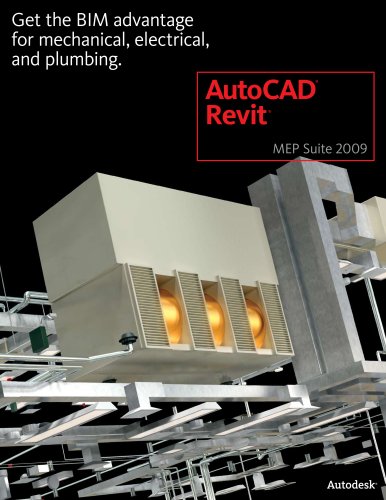 AutoCAD Revit MEP Suite
4 Pages
 AutoCAD P&ID
4 Pages
 AutoCAD Inventor Suites
32 Pages
 AutoCAD Electrical
4 Pages
 Autodesk Quantity Takeoff
4 Pages
 Autodesk Revit Structure
8 Pages
 AutoCAD Civil
6 Pages


Archived catalogs
 AutoCAD Raster Design
2 Pages
 AutoCAD MEP
6 Pages
 AutoCAD Civil 3D
2 Pages
 factory_design_suite_2013
4 Pages
 Autodesk 3ds Max Design
4 Pages
 AutoCAD Map 3D
4 Pages
 AutoCAD Mechanical
4 Pages
 AutoCAD Structural Detailing
6 Pages
 Autodesk Alias Design
4 Pages
 Autodesk Alias Surface
4 Pages
 Autodesk Revit Structure
8 Pages
 AutoCAD LT
2 Pages
 Autodesk MapGuide Enterprise
4 Pages
 Autodesk Topobase
2 Pages
 Autodesk Ecotect Analysis
4 Pages
 AutoCAD Architecture
4 Pages
 acade_jic
4 Pages
 autocad_lt_2013
2 Pages
 3DS
3DS8 Pages
 map3D_2013
2 Pages
 BIM and Visualization
11 Pages


- AUTODESK automation software
- AUTODESK management software
- AUTODESK analysis software
- AUTODESK process software
- Real-time software
- Windows software
- AUTODESK CAD software
- AUTODESK cloud software
- AUTODESK control software
- AUTODESK design software
- Industrial software
- AUTODESK 3D software
- Measurement software
- Interface software
- AUTODESK visualization software
- AUTODESK quality software
- AUTODESK simulation software
- AUTODESK programming software
- AUTODESK automated software
- AUTODESK development software