

TS408
TS408
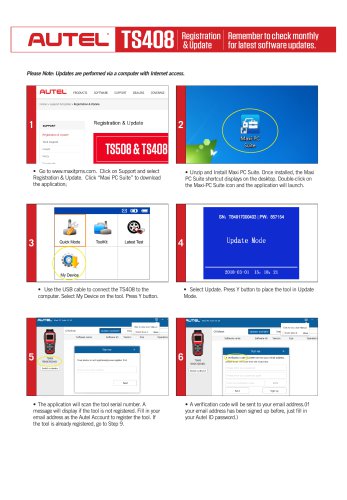
- Download and Install Maxi PC Suite: Visit www.maxitpms.com, navigate to Support, and select Registration & Update. Download the 'Maxi PC Suite' application, unzip, and install it. A shortcut will appear on the desktop.
- Connect TS408 to Computer: Use a USB cable to connect the TS408 to the computer. On the tool, select 'My Device' and press the 'Y' button.
- Enter Update Mode: Select 'Update' on the tool and press 'Y' to enter Update Mode.
- Register the Tool: The application will scan the tool's serial number. If not registered, enter your email as the Autel Account to register. A verification code will be sent to your email.
- Verification and Account Setup: Retrieve the verification code from your email, enter it, create a password, and click 'Sign Up' to complete registration.
- Initiate Updates: The application will list available updates. Click 'Update' to download and install them. The process can be monitored on the display.
- Completion: Once updates are complete, the message 'Update End' will display. If no updates are available, disconnect the USB cable. The tool is now ready for use.
Catalog excerpts
AUTOMOTIVE INTELLIGENCE Registration Remember to check monthly & Update for latest software updates. Please Note: Updates are performed via a computer with Internet access. • Go to www.maxitpms.com. Click on Support and select Registration & Update. Click “Maxi PC Suite” to download the application; • Unzip and Install Maxi PC Suite. Once installed, the Maxi PC Suite shortcut displays on the desktop. Double-click on the Maxi-PC Suite icon and the application will launch. • Use the USB cable to connect the TS408 to the computer. Select My Device on the tool. Press Y button. • The application will scan the tool serial number. A message will display if the tool is not registered. Fill in your email address as the Autel Account to register the tool. If the tool is already registered, go to Step 9. • Select Update. Press Y button to place the tool in Update Mode. • A verification code will be sent to your email address.(If your email address has been signed up before, just fill in your Autel
Open the catalog to page 1
TQ/|fl« Registration Remember to check monthly IQ4UO & Update for latest software updates. Please verify your Autel account Dear customer, You have selected —gmail.com as your new Autel ID. In order to complete the registration, we need to verify that this is your email address. Please enter the code below on the page requested it to continue: This code will expire 30 minutes after this email was sent. • Come to your email box. Find the verification code from your email. • Enter the verification code. Create and input a Password in the space provided, click the Sign Up button. Your tool has now...
Open the catalog to page 2All AUTEL Maxitpms catalogs and technical brochures
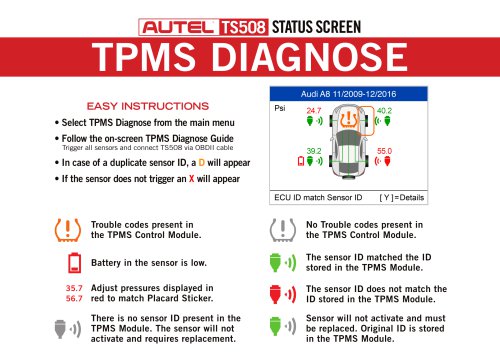 TS508
TS5082 Pages
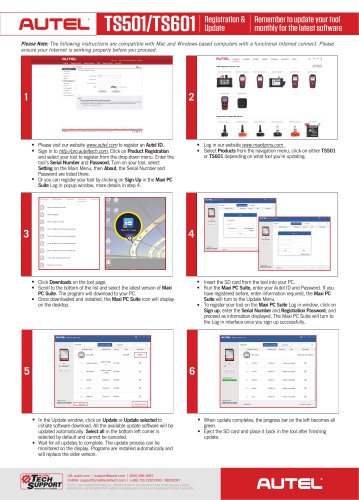 TS501/TS601
1 Page
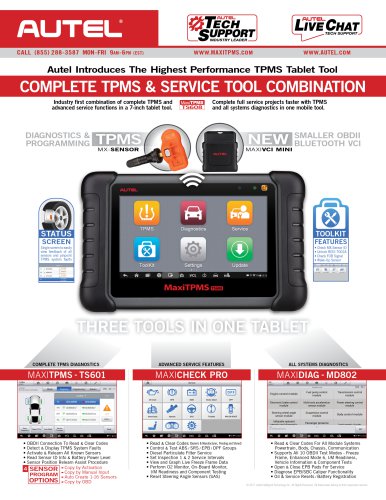 TS608 Introduction
2 Pages
Archived catalogs
 1Sensor-Introduction-US
2 Pages
 WHY CHOOSE AUTEL?
2 Pages
 TOOLS catalog 2018
7 Pages
- AUTEL pressure sensor
- AUTEL diagnostic tool
- AUTEL car diagnostic tool
- AUTEL OEM pressure sensor
- AUTEL USB diagnostic tool
- AUTEL WiFi diagnostic tool
- ECU OBD2 scanner
- Android diagnostic tool
- AUTEL vacuum pressure sensor
- AUTEL automotive pressure sensor
- Programmable pressure sensor
- AUTEL TPMS diagnostic tool
- Bluetooth diagnostic tool
- ECU programming diagnostic tool
- Wireless pressure sensor
- HDMI diagnostic tool
- SAS diagnostic tool
- Valve set
- Combined pressure sensor
- IMMO coding diagnostic tool