- Catalogs
- Ametek Calibration
- HPC40 Series Pressure Calibrator Manual

- Products
- Catalogs
- News & Trends
- Exhibitions
HPC40 Series Pressure Calibrator Manual
HPC40 Series Pressure Calibrator Manual
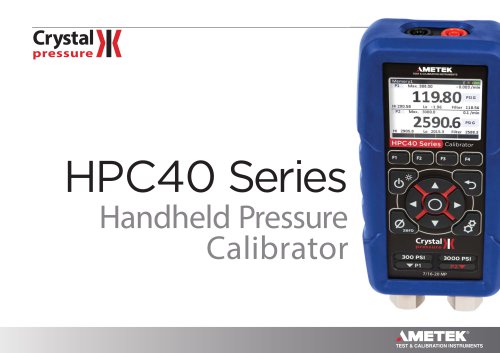
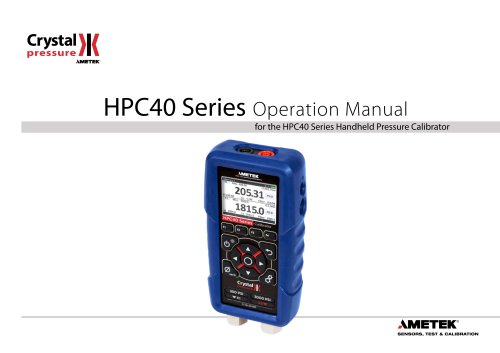
The HPC40 Series Handheld Pressure Calibrator by Crystal Engineering Corporation is a high-accuracy digital device suitable for various applications. It features a full-color display, user-friendly interface, and supports single and dual pressure sensor models. It includes options for external pressure ports, barometric reference, and electrical connections for mA, voltage, switch testing, and temperature measurement (RTD), with an internal 24 VDC supply for mA transmitters.
The calibrator offers a non-menu user interface for ease of use, a large color display, and function buttons with clear explanations. It includes a mini-USB port for setup customization and CPF pressure connections for leak-free operation.
- On/Off: Power button for device operation with automatic shutoff to conserve battery life.
- Navigation: Arrow buttons for navigating editable fields, with a back button to cancel and an enter button to confirm selections.
- Settings: Users can save and recall setups, adjust system settings, and configure pressure and RTD inputs.
The display is divided into upper and lower sections, configurable to show various measurement values such as current, voltage, RTD, pressure, and barometric pressure.
- Pressure Sensors: Equipped with one or two sensors, with warnings for overpressure. The Crystal CPF system is used for pressure connections.
Includes detailed specifications such as ranges, resolutions, and certifications, ensuring compliance with industry standards.
Guidance on troubleshooting common issues and accessing support services is provided.
Information on calibration procedures and available accessories and replacement parts is included.
Contact information for Crystal Engineering and warranty details are provided.
The CPF fittings use AS568A-012 Viton O-rings with a durometer of 80 or 90. Hand tightening is generally sufficient, but wrench tightening is recommended for chemical compatibility concerns. The recommended torque is 120 in-lbs ±20 in-lbs. No substitutions for O-rings are allowed to maintain maximum working pressures.
The HPC40 can measure moderate vacuum, displaying a minus sign for pressures below ambient. Continuous high vacuum use is not recommended.
The HPC40 reads up to 110% of the rated pressure range. Overpressure affects accuracy temporarily unless the sensor is damaged.
Connect the HPC40 and select a pressure mode. Zero the calibrator using the zero button. Differential pressure can be displayed using two sensors.
The HPC40 measures current in mA, 0-20 mA, 4-20 mA, and 10-50 mA modes. It can source up to 25 mA and has step and ramp functions for current output.
The HPC40 measures voltages up to 30VDC. Exceeding this range will display + OL.
The HPC40 uses "true ohm" technology for accurate temperature measurement with RTDs. It supports 2, 3, and 4-wire connections.
The HPC40 records switch state changes and associated pressure or temperature. The test results are displayed clearly.
The HPC40 can calibrate transmitters with ranges of 0 to 20 mA, 4 to 20 mA, and 10 to 50 mA using both displays.
- 4 to 20mA Range Selection: Users can select between external or internal power sources for the mA loop. The HPC40 can supply power if needed.
- HART Resistor: An internal 250 Ohm HART resistor can be activated for communication purposes.
- Percent Error Function: The device can calculate deviation or percent error from a 4-20 mA output, displaying pressure, mA, and percent error simultaneously.
- Percent Flow Function: Calculates flow percentage for differential pressure transmitters, scaling results from 0 to 100%.
- Scaling Function: Allows current or voltage readings to be scaled and displayed in the same units as pressure readings for easier comparison.
- Enclosure: Made of machined aluminum, rated IP65, and weighs 689g.
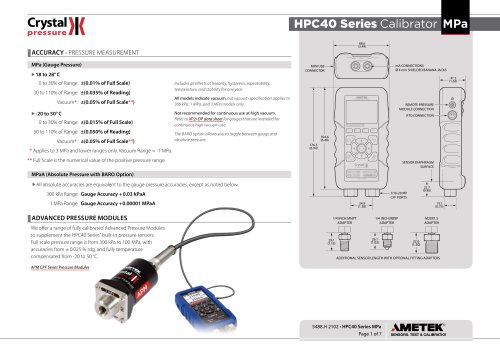
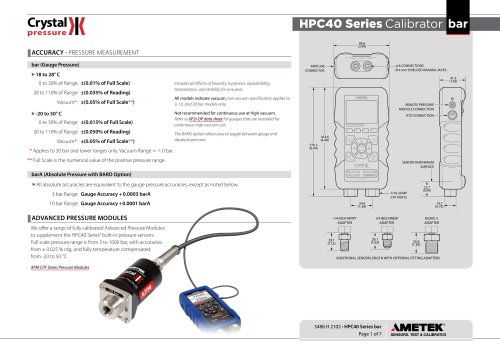
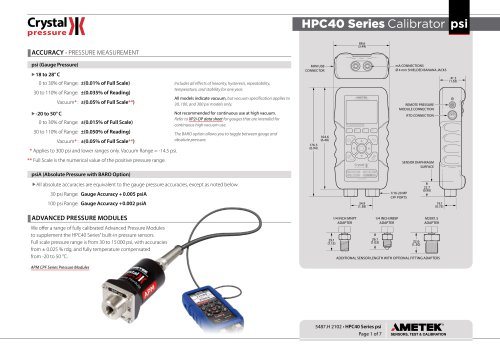
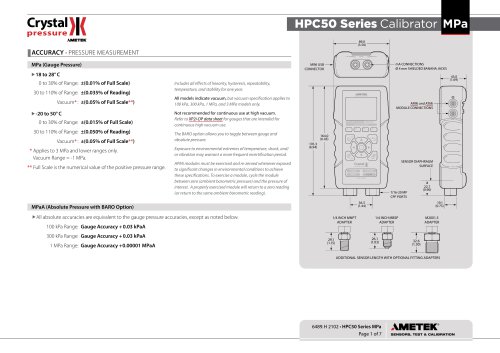
- Pressure Accuracy: Includes effects of linearity, hysteresis, repeatability, temperature, and stability. Requires re-zeroing after environmental changes.
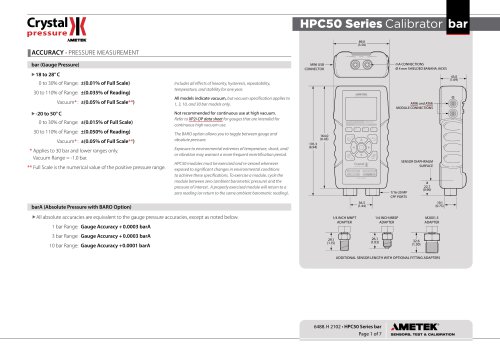
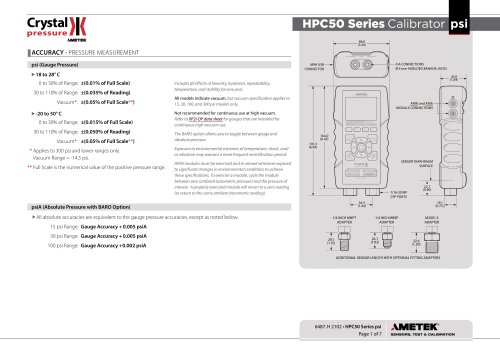
- Pressure Ranges: Detailed accuracy specifications for gauge, absolute, and differential pressure measurements.
- Electrical Specifications: Includes current and voltage input/output accuracy, loop power, and switch test capabilities.
- Display and Power: Features a graphical display with various reading rates and can be powered by batteries or USB.
- Noisy or Unstable Readings: Caused by trapped gas in the line, which can be resolved by evacuating tubing with a vacuum pump.
- Non-repeatability of Pressure Measurements: Occurs due to gas dissolving into hydraulic fluid, affecting pressure readings.
- Factory Calibration: Recommended for adjustments, offering benefits like NIST traceable standards and A2LA accreditation.
- Annual Calibration: Suggested under normal conditions, though frequency may vary based on usage and environment.
- Calibration Instructions: Provided for qualified personnel with appropriate equipment. Includes steps for calibrating P1 and P2, Barometric Reference Module (BARO), Voltage and mA In/Out, and RTD.
Includes test lead kits, protective boots, USB cables, carrying cases, RTD probes, rechargeable batteries, and various fittings.
Contact details for Crystal Engineering and its international offices are provided for support and service.
The HPC40 Series Calibrator is warranted to be free from defects for one year from the date of purchase. The warranty does not cover batteries or damage from misuse or abnormal conditions. Repair or replacement is offered at the company's discretion.
Catalog excerpts
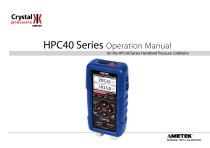
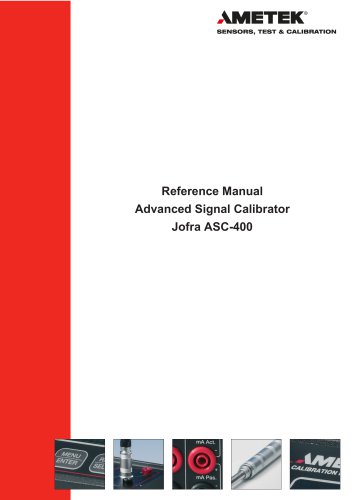
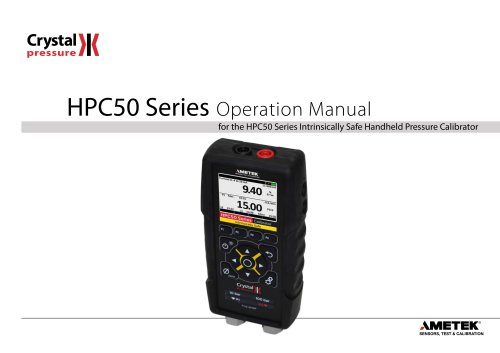
HPC40 Series Operation Manual for the HPC40 Series Handheld Pressure Calibrator AMETEK' SENSORS, TEST & CALIBRATION
Open the catalog to page 1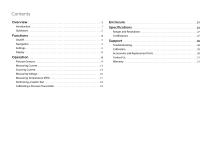
Contents Overview . . . . . . . . . . . . . . . . . . . . . . . . . . . . . . . . . . . . . . . . . . . . . . . . . . . . . . . . . . . . . . On/Off . . . . . . . . . . . . . . . . . . . . . . . . . . . . . . . . . . . . . . . . . . . . . . . . . . . . . . . . . . . . . . . . . Navigation . . . . . . . . . . . . . . . . . . . . . . . . . . . . . . . . . . . . . . . . . . . . . . . . . . . . . . . . . . . . . Settings . . . . . . . . . . . . . . . . . . . . . . . . . . . . . . . . . . . . . . . . . . . . . . . . . . . . . . . . . . . . . . . . Display . . . . . . . . . . . . . . . . . . . . ....
Open the catalog to page 2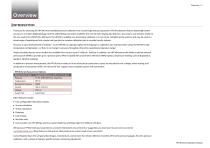
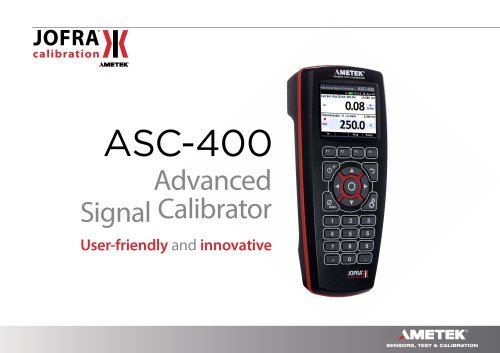
Overview| INTRODUCTION Thankyou for choosing the HPC40 Series handheld pressure calibrator from Crystal Engineering Corporation. HPC40 calibrators feature deadweight tester accuracy in a modern digital package with the safest fitting connection available. The new full color display also features a new easy to use interface similar to the one used in the JOFRA ASC-400 Series.The HPC40 is available as a stand-alone calibrator or in one of our complete pump systems, and may be used in a broad range of applications from simple tool type jobs to complex calibration jobs in custody transfer systems....
Open the catalog to page 3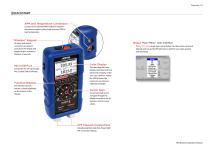
QUICKSTART APM and Temperature Connection Connect to an external APM module to expand the pressure options, plus a high accuracy RTD to read temperature. “Wireless” Keypad Unique “Non-Menu” User Interface Easy to use single layer user interface. No deep menu structure! All input and output connectors are placed away from the display and keypad to give maximum freedom to operate. Mini-USB Port Customize the set-up through free CrystalControl software. Function Buttons The function of each button is clearly explained on the bottom of the display. Operate and set up the HPC40 Series to perform...
Open the catalog to page 4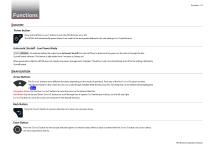
Functions ON/OFF Power button Press and hold the ( power) button to turn the HPC40 Series on or off. The HPC40 will automatically power down if not used for the time period defined in the unit settings or in CrystalControl. Automatic Shutoff - Low Power Mode To optimize battery life, adjust your Automatic Shutoff time (shut off time in absence of key press) on the unit or through the free CrystalControl software. This feature is adjustable from 5 minutes to “always on.” When powered by USB, the HPC40 does not employ any power management strategies. Therefore, it will not automatically shut...
Open the catalog to page 5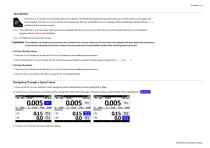
Zero Button Press the ( zero) button to activate the function key options. The HPC40 will display the parameters that are currently shown on the upper and lower displays. Press the ( function) button for the parameter that you would like to zero. The display will then briefly flash all dashed lines (-----), indicating that it has been zeroed. Note: If you attempt to zero the gauge with more pressure applied than the Zero Limit set on the HPC40 (or with CrystalControl) the command will be ignored, and Over Zero Limit will display. Note: The BARO sensor cannot be zeroed. ! WARNING: This calibrator...
Open the catalog to page 6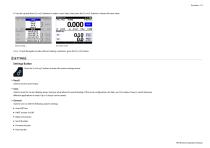
4 Use the up and down (arrow) buttons to select a new value, then press the (enter) button to choose the new value. Note: To exit Navigation mode without making a selection, press the (back) button. Press the (settings) button to enter the system settings menu. Used to recall a saved setup. Used to store the current display setup. Saving a setup allows for quick loading of the same configurations for later use. This makes it easy to switch between different applications or tasks. Up to 5 setups can be stored. Used to view or edit the following system settings: • HART resistor On/Off • Battery...
Open the catalog to page 7
► P1, P2, and APM • Mode: Switch between absolute and gauge pressure. • Filter Time • Zero Limit • Custom Engineering Unit • Serial Number • Maximum Resolution: When a resolution less than standard is selected, the displayed number will include an asterisk (*). • View Calibration Details • Serial Number • Maximum Resolution: When a resolution less than standard is selected, the displayed number will include an asterisk (*). • View Calibration Details • Serial Number • Maximum Resolution: When a resolution less than standard is selected, the displayed number will include an asterisk (*). • View...
Open the catalog to page 8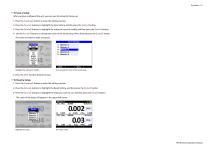
Functions 7 X To Save a Setup After you have configured the unit, you can save the setup for future use. 1 Press the ( settings) button to enter the settings section. 2 Press the ( arrow) buttons to highlight the Save Setting, and the press the ( enter) button. 3 Press the ( arrow) buttons to highlight the setup you want to modify, and then press the ( enter) button. 4 Use the ( arrow) buttons to change the name of the saved setup. When finished press the ( enter) button. The name is limited to eight characters. Highlight the settings to modify... then change the name of the saved setup. 5...
Open the catalog to page 9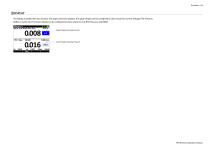
DISPLAY The display is divided into two sections: the upper and lower displays. The upper display can be configured to show values for Current, Voltage, RTD, Pressure, BARO, or Switch Test. The lower display can be configured to show values for only RTD, Pressure, and BARO. Upper Display (showing Current) Lower Display (showing Pressure)
Open the catalog to page 10
Operation PRESSURE SENSORS The HPC40 Series is equipped with one or two pressure sensors. In addition, a Crystal APM (Advanced Pressure Module) may also be used. For information on the Crystal APM, please refer to the APM CPF Series Operation Manual. Be sure to choose the proper sensor based on working pressures and accuracy. ! WARNINGS: The following warnings apply to any sensor used with the HPC40 — whether internal or external: • • Pressure sensors may be damaged and/or personal injury may occur due to improper application of pressure. Please refer to the Ranges and Resolutions table for...
Open the catalog to page 11All Ametek Calibration catalogs and technical brochures
 Type T Deadweight Tester
8 Pages
 ATMi Temperature Module
7 Pages
 XP2i Data Recorder
6 Pages
 Temperature Pressure Process
12 Pages
 AMETEK Calibration Brochure
12 Pages
 Maritime Brochure
8 Pages
 CPF Brochure (D)
4 Pages
 APM Advanced Pressure Module
6 Pages
 Product Overview Brochure
8 Pages
 GaugeCalHP Manual
20 Pages
 24 VDC Power Supply Manual
7 Pages
 24 VDC Power Supply
4 Pages
 FastCalXP
9 Pages