
- Catalogs
- Ametek Calibration
- ASC-400 Multifunction Process Calibrator Reference Calibrator

- Products
- Catalogs
- News & Trends
- Exhibitions
ASC-400 Multifunction Process Calibrator Reference Calibrator
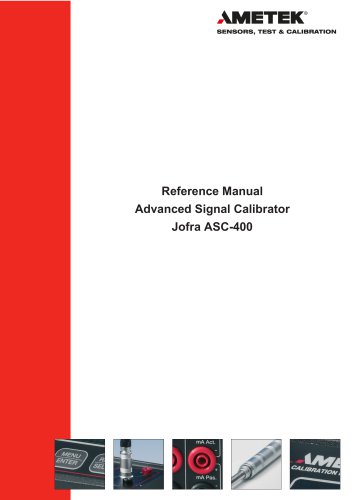
ASC-400 Multifunction Process Calibrator Reference Calibrator
The JOFRA ASC-400 is a handheld signal calibrator for industrial use, capable of measuring and sourcing various electrical and physical parameters. It features a dual-color display and a USB interface for remote control. The device is ISO-9001 certified and complies with EU directives.
The ASC-400 includes a two-year warranty covering defects in workmanship, material, and design, excluding damage from tampering, abuse, or corrosive conditions. Transportation costs are not covered.
Ensure all components are present upon receipt, including the calibrator, reference manual, test leads, carrying bag, USB cable, batteries, and calibration certificate. Contact the dealer if any parts are missing or damaged.
Users must read the manual thoroughly for safe operation. The calibrator should not be connected to voltages above 30 Volts. Proper disposal is required under the WEEE Directive.
The ASC-400 features input/output connections, a keypad, and dual displays for various functions. The upper display measures volts, current, and pressure, while the lower display handles additional functions like sourcing pulse trains and thermocouples.
Basic operation involves setting up the device, navigating settings, and utilizing features like power saver and memory functions. It supports various measure modes, including volts, frequency, mA, temperature, and pressure.
The ASC-400 can source mA, voltage, frequency, pulse trains, and thermocouples, with features like auto output functions for step and ramp operations.
Guidelines for returning the calibrator to service, replacing batteries, storing, and cleaning are provided to ensure longevity and performance.
Detailed technical specifications and a list of available accessories are included for user reference.
- Do not exceed the rated voltage and follow all safety procedures.
- Inspect the calibrator for damage before use.
- Ensure the battery cover is secure and remove test leads before opening the battery door.
- Inspect test leads for damage and replace if necessary.
- Connect the common test lead before the live one and disconnect the live test lead first.
- Avoid using the calibrator in explosive environments and ensure pressure lines are depressurized before connecting or disconnecting.
- Use only specified replacement parts and avoid water exposure.
- Inspect safety instructions before use.
- Connect USB and APM before powering on.
- Use the menu and arrow keys to navigate and select settings.
- Access system settings to adjust parameters like auto-off time and memory presets.
- Store and recall settings using memory functions.
- Guidelines for measuring volts and frequency using the lower display.
- Follow connection guides and select appropriate modes and ranges.
This document provides detailed instructions for using the ASC-400 calibrator to measure and source various electrical parameters, including current (mA), temperature, pressure, voltage, frequency, and resistance. It includes guidelines for setting up and operating the device, as well as safety precautions.
To measure mA, enter edit mode, select 'Current' from the Lower Mode list, choose the desired Test Mode, Range, Power Source, and Units, then accept the selections and connect the leads as shown in Figure 3.
- Using Thermocouples (TC): The ASC-400 supports various TC types and offers three cold junction modes: CJ Auto, CJ Off, and CJ Manual. Follow the setup instructions to measure temperature using thermocouples.
- Using Resistance-Temperature-Detectors (RTDs): The calibrator supports two, three, and four-wire RTDs. Follow the setup instructions to measure temperature using RTDs.
Connect the pressure module to the calibrator, select 'Pressure' from the mode list, choose the pressure type and unit, and zero the pressure module if necessary. The calibrator can measure pressure in two different units simultaneously.
The ASC-400 can generate signals for testing and calibrating instruments. It can source mA, voltage, frequency, pulses, and simulate RTD and thermocouple outputs. Follow the setup instructions for each parameter.
- When measuring pressure, ensure to shut off the valve and bleed off pressure before attaching the module.
- Avoid overpressure and corrosion by adhering to the module's specifications.
- For best accuracy in temperature measurements, allow time for stabilization.
- Use appropriate connectors to avoid errors.
- Custom RTD settings can be configured using the Calendar-Van Dusen equation.
The document provides coefficients for different RTD types (PT385, PT3926, PT3916) across various temperature ranges, essential for accurate temperature measurement and calibration.
The ASC-400 calibrator features two auto output functions: Step and Ramp. The Step function allows for incremental output adjustments, while the Ramp function provides a gradual increase or decrease in output. Both functions require selecting appropriate modes and settings, such as step size and ramp time.
The ASC-400 can measure current, voltage, and pressure using isolated inputs. Specific procedures are outlined for measuring mA with external loop supply, using internal loop power, and measuring voltage and pressure. Safety precautions are emphasized for pressure measurements to prevent equipment damage and ensure user safety.
The document details procedures for performing temperature and pressure switch tests, testing input or indicating devices, and calibrating various transmitters (e.g., I/P devices, signal converters). Each procedure involves selecting appropriate modes, connecting the calibrator to the device, and adjusting settings as necessary.
The ASC-400 offers advanced features such as scaled current or voltage display and percent error calculation. These features allow for more precise calibration by displaying measurements in desired units and calculating errors as a percentage of the loop span.
Warning: Review safety instructions to avoid electric shock or injury. Only qualified personnel should perform maintenance not covered by the manual. For repairs, contact AMETEK Denmark Service Department.
If malfunctioning, ensure proper operation as per the manual. For repairs under warranty, refer to the warranty section. If out of warranty, repairs are available for a fixed fee. Include a completed service information form when returning the instrument.
AMETEK Denmark is not liable for errors if non-recommended parts are used.
The ASC-400 uses six AA batteries. Ensure the charger switch is set to 'Alkaline' for alkaline batteries. Follow the steps to replace batteries, ensuring correct polarity and battery type.
The calibrator can remain in a setup if kept dry and clean or stored in its soft bag.
Turn off the calibrator before cleaning. Use a damp cloth with mild detergent. Avoid water penetration and do not use solvents or abrasives.
Warning: Ensure software setup matches sensor distribution. Restart calibration if power is lost.
Solutions include checking batteries, power supply, sensor connections, and USB connections. If issues persist, return the device for service.
Mechanical Specifications: Operating temperature is -10 to 50°C. Storage temperature is -20 to 60°C. The device has IP40 case protection and a 2.8" color display.
The device uses 6 AA batteries and supports RS232 communication. It has a display update rate of 2.5/second for certain measurements.
Various TC types are supported with specific accuracy and range details.
Supports multiple RTD types with specific temperature resolution and accuracy.
Range is 0 to 24 mA with isolated input and loop power for transmitters.
The document outlines various pressure modules and their specifications, including gauge and absolute pressure types. It details accuracy ranges for different pressure levels (3 bar, 10 bar, 30 bar, etc.) and provides specific accuracy percentages for full scale (FS) and reading (RDG) measurements. The specified temperature range for operation is -10 to 50°C.
The document mentions the need for frequent zeroing to maintain accuracy and highlights the importance of operating within the rated temperature and pressure ranges.
Compliance with the EMC Directive 2014/30/EU is noted, along with specific standards such as EN61326-1:2013 for electrical equipment. It lists various immunity and emission standards, including CISPR 11 and IEC 61000 series.
Users are advised to contact dealers for parts not listed in the accessories section. The document emphasizes the importance of using the correct accessories to ensure optimal performance.
A list of accessories is provided, including various thermocouple plugs, extension cables, and power supplies. Each accessory is associated with a part number for easy reference.
Contact details for AMETEK offices in various countries, including the UK, France, Germany, Denmark, USA, India, Singapore, and China, are provided for customer support and inquiries.
Catalog excerpts
Reference Manual Advanced Signal Calibrator Jofra ASC-400
Open the catalog to page 1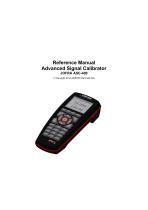
Reference Manual Advanced Signal Calibrator JOFRA ASC-400 Copyright 2014 AMETEK Denmark A/S
Open the catalog to page 2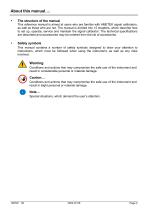
About this manual…. • The structure of the manual This reference manual is aimed at users who are familiar with AMETEK signal calibrators, as well as those who are not. The manual is divided into 12 chapters, which describe how to set up, operate, service and maintain the signal calibrator. The technical specifications are described and accessories may be ordered from the list of accessories. Safety symbols This manual contains a number of safety symbols designed to draw your attention to instructions, which must be followed when using the instrument, as well as any risks involved. Warning Conditions...
Open the catalog to page 3
Congratulations on your new AMETEK JOFRA Advanced Signal Calibrator! With the AMETEK JOFRA Advanced Signal Calibrator, you have chosen an extremely effective instrument, which we are sure will perform according to your expectations. This ASC-400 signal calibrator is a handheld, battery or DC adaptor powered instrument that measures and sources electrical and physical parameters. During the past several years, we have acquired extensive knowledge of industrial signal calibration. This expertise is reflected in our products, which are all designed for daily use in an industrial environment. Please...
Open the catalog to page 6
Please contact the dealer from whom you acquired the instrument if you require technical assistance. This instrument is warranted against defects in workmanship, material and design for two (2) years from date of delivery to the extent that AMEtEk will, at its sole option, repair or replace the instrument or any part thereof which is defective, provided, however, that this warranty shall not apply to instruments subjected to tampering or, abuse, or exposed to highly corrosive conditions. THIS WARRANTY IS IN LIEU OF ALL OTHER WARRANTIES WHETHER EXPRESS OR IMPLIED AND AMETEK HEREBY DISCLAIMS ALL...
Open the catalog to page 7
Read this manual carefully before using the instrument! Please follow the instructions and procedures described in this manual. They are aimed at allowing you to make the best of your signal calibrator and avoid any personal injuries and/or damage to the instrument. /v-0\ The signal calibrator contains Electrical and Electronic circuits and must be properly recycled or disposed of (in accordance with the WEEE Directive 2012/19/EU). The signal calibrator is designed to calibrate and measure low voltage process signals. To ensure the safety of the operator and the instrument, DO NOT connect the...
Open the catalog to page 9
To avoid possible damage to the signal calibrator or to the equipment under test: • Disconnect the power and discharge all high-voltage capacitors before testing resistance or continuity. • Use the proper jacks, function, and range for your measurement or sourcing application. • If the message changes to "OL" the range limit is exceeded and the pressure source must immediately be removed from the APM to prevent damage to the pressure transducer inside. • To avoid damaging the pressure module from overpressure, never apply pressure above the rated maximum printed on the module. • To avoid damaging...
Open the catalog to page 10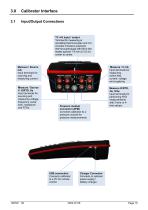
Calibrator Interface Input/Output Connections TC mV input / output Terminal for measuring or simulating thermocouples and mV. Accepts miniature polarized thermocouple plugs with flat in-line blades spaced 7.9 mm (0.312 in) center to center. Measure / Source mA Input terminals for sourcing and measuring current. Measure / V mA Input terminals for measuring , switch test, current, voltage and supplying Measure / Source V, Ω/RTD, Hz Input terminals for sourcing and measuring voltage, frequency, pulse train, resistance and RTDs. Measure Ω/RTD, 4w, 3/4w Input terminals for performing RTD measurements...
Open the catalog to page 11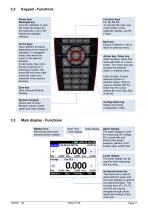
Keypad - Functions Power key/ Backlight key Turn the calibrator on and off. Press the button for five seconds to turn it off. Adjust the backlight intensity. Function keys F1, F2, F3, F4 To operate the menu bar at the bottom of the calibrator display, use the F-keys. Arrow Keys Have different functions depending on the mode of operation. In navigation mode, they move the cursor in the desired direction. In edit mode, they roll in the list of options or if entering a number, the arrow left and arrow right move the cursor one character in the desired direction. Zero key Zero Pressure Module reading....
Open the catalog to page 12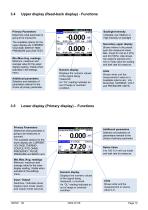
Upper display (Read-back display) - Functions Primary Parameters Determine what parameter is going to be measured. Backlight Intensity Indicates Low, Medium or High intensity on backlight The available options for the upper display are: CURRENT, VOLTAGE, SWITCH TEST, PRESSURE and LEAK TEST. Min./Max./Avg. readings Minimum, maximum and average value for the upper display reading. Visible when activated in the settings menu. Additional parameters Selection and selection of parameters relevant to the choice of primary parameter Secondary upper display Shows where in the preset span the measured...
Open the catalog to page 13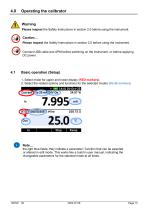
Operating the calibrator Warning Please inspect the Safety Instructions in section 2.0 before using the instrument. Caution… Please inspect the Safety Instructions in section 2.0 before using the instrument. Connect USB cable and APM before switching on the instrument, or before applying DC power. Basic operation (Setup) 1. Select mode for upper and lower display (RED markers). 2. Select the related options and functions for the selected modes (BLUE markers) Note… the light blue fields; they indicate a parameter / function that can be selected or altered in edit mode. This works like a build...
Open the catalog to page 14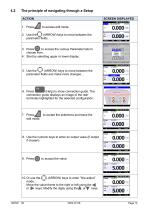
4.2 The principle of navigating through a Setup SCREEN DISPLAYED 1. Press to access edit mode. 2. Use the$^$ (ARROW) keys to move between the parameter fields. 3. Press to access the various Parameter lists to choose from. 4. Start by selecting upper or lower display. 5. Use the ^ (ARROW) keys to move between the parameter fields and make more changes... 6. Press (Help) to show connection guide. The connection guide displays an image of the rear terminals highlighted for the selected configuration. 7. Press dsl to accept the selections and leave the edit mode. 0.000 0.000 8. Use the numeric keys...
Open the catalog to page 15All Ametek Calibration catalogs and technical brochures
 Type T Deadweight Tester
8 Pages
 ATMi Temperature Module
7 Pages
 XP2i Data Recorder
6 Pages
 Temperature Pressure Process
12 Pages
 AMETEK Calibration Brochure
12 Pages
 Maritime Brochure
8 Pages
 CPF Brochure (D)
4 Pages
 APM Advanced Pressure Module
6 Pages
 Product Overview Brochure
8 Pages
 GaugeCalHP Manual
20 Pages
 24 VDC Power Supply Manual
7 Pages
 24 VDC Power Supply
4 Pages
 FastCalXP
9 Pages

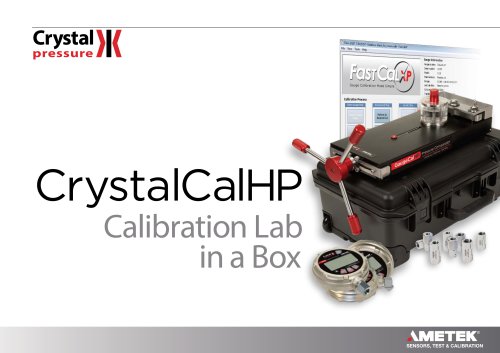

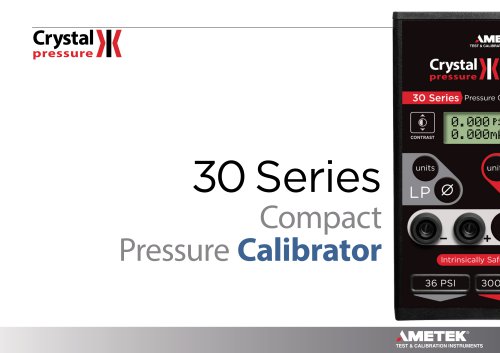
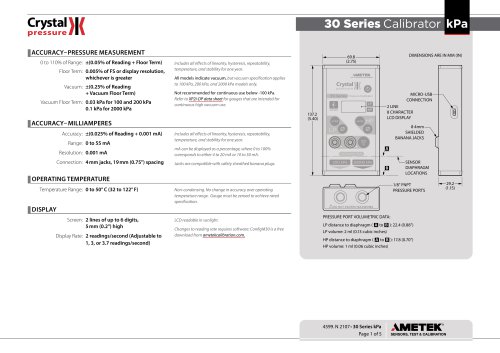


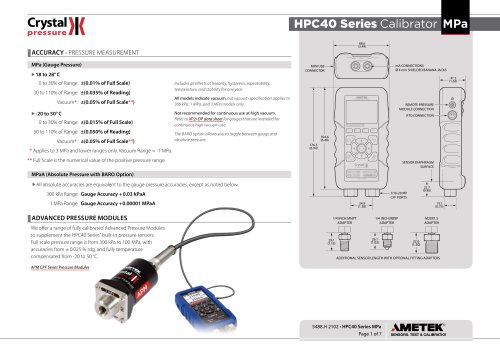
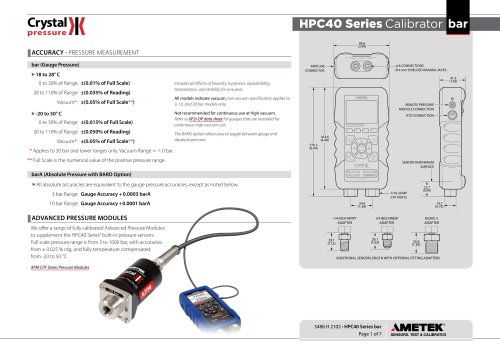
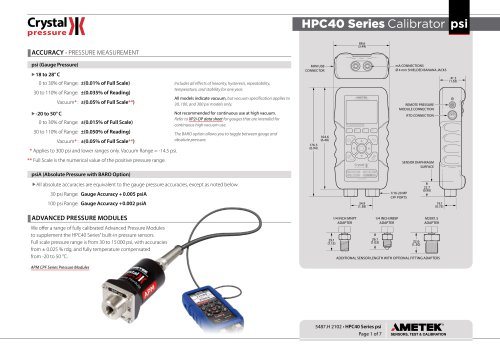








- AMETEK temperature sensor
- Management software solution
- Automation software solution
- Data logger
- AMETEK resistance temperature sensor
- Process software
- AMETEK pressure gauge
- Real-time software
- AMETEK Windows software
- Cloud-based software
- Control software
- Digital indicator
- Analog pressure gauge
- Industrial software
- AMETEK measurement software
- Interface software
- Pt100 temperature transducer
- Data-logger with screen