
- Catalogs
- Alpha Moisture Systems Ltd
- SADPmini2-Ex User Manual

- Company
- Products
- Catalogs
- News & Trends
- Exhibitions
SADPmini2-Ex User Manual

SADPmini2-Ex User Manual
The SADPmini2-Ex User Manual provides crucial guidelines for the safe and effective use of the dewpoint hygrometer, emphasizing adherence to instructions to ensure safety, functionality, and warranty validity.
The SADPmini2-Ex is a portable, battery-operated dewpoint hygrometer designed for mobile analysis and short-term monitoring. It features an aluminium oxide sensor, high-speed ADC, and a color LCD, with data transfer capabilities via USB or SD card.
- Bluetooth Certification: Complies with FCC and Industry Canada standards for data transfer.
- Hazardous Area Use: Users must evaluate device suitability for hazardous areas based on certifications and conditions.
- Battery Information: Contains a non-removable lithium-ion battery, replaceable only by an authorized agent.
Guidelines include avoiding certain gases, configuring the gas sampling system, and proper installation to ensure accurate measurements.
Instructions cover powering up, navigating the interface, and setting parameters like language, date, and measurement units.
Supports AutoCal, CalSet, and Single Point Calibration (SPC) for measurement accuracy.
Offers extensive data logging capabilities, including location IDs, data transfer, and real-time logging via PC.
Includes specifications, troubleshooting, software installation, firmware maintenance, and Bluetooth configuration.
Avoid opening, crushing, or exposing the battery to heat above 50°C. Use only supplied USB charging equipment.
Clean with a soft cloth dampened with water; avoid solvents, silicones, or abrasives.
Avoid exposing the sensor to corrosive gases and ensure sample pressure does not exceed 0.3 bar above ambient.
Install the sample piping system, purge with gas, and connect to the instrument. Ensure the sample is clean and dry.
Adjust settings via the navigation keypad or PC Tool software, including language, date, time, and power-saving mode.
- AutoCal: Ensures sensor reads 0°C dewpoint with a gas above 0°C.
- CalSet: Checks instrument against a known moisture level.
- Single Point Calibration (SPC): Adjusts against a standard reference gas.
- Location IDs: Descriptive names or numbers for sampling points.
- Data Logging: Saves data files with adjustable intervals.
- Quicklog: Captures samples at a 5-second interval.
- Snapshot: Captures live sample data during logging.
Users can view, print, and delete logged data files, and transfer data to/from an SD card.
Manage Location ID settings on a PC and transfer them to the device.
Set up logging with a Location ID, time interval, and data points, with data displayed numerically or graphically.
Supports different data file types with a total storage capacity of 335,500 sample data points.
Details on dimensions, weight, display, power supply, and operating conditions.
Addresses common issues like battery problems and sensor errors.
Compatible with various Windows versions for adjusting settings and transferring data.
Firmware updates are installed via the User Tool software, preserving user data logs.
Load, save, and download configuration files to/from the device.
Initiate auto calibration by selecting the Reset tab and confirming actions.
Calibration files are distributed via email and installed through the User Tool software.
Pair with a PC or Bluetooth printer, using the navigation keypad and User Tool software for connection management.
Catalog excerpts

Model SADPmini2-Ex Dewpoint Hygrometer 2297 SADPmini2-Ex User Manual
Open the catalog to page 1
Contact Information Head Office Alpha Moisture Systems Alpha House 96 City Road Bradford West Yorkshire BD8 8ES United Kingdom Tel: +44 (0) 1274 733100 Email: [email protected] Website: amsystems.co.uk Office Opening Hours: Monday - Thursday 8.30am - 5.30pm (UK TIME) Friday 8.30am - 5.00pm Saturday and Sunday - Closed Authorised Distributor Contact Information © Alpha Moisture Systems 2017-2023
Open the catalog to page 2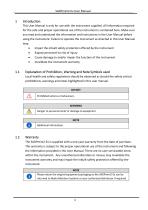
Introduction This User Manual is only for use with the instrument supplied. All information required for the safe and proper operational use of the instrument is contained here. Make sure you read and understand the information and instructions in the User Manual before using the instrument. Failure to operate the instrument as directed in this User Manual may: • Impair the inbuilt safety protection offered by the instrument • Expose personnel to risk of injury • Cause damage to and/or impair the function of the instrument • Invalidate the instrument warranty Explanation of Prohibition, Warning...
Open the catalog to page 6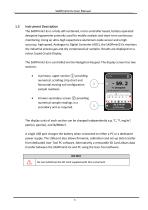
Instrument Description The SADPmini2-Ex is a fully self-contained, micro-controller based, battery operated dewpoint hygrometer primarily used for mobile analysis and short term continuous monitoring. Using an ultra-high capacitance aluminium oxide sensor and a high accuracy, high speed, Analogue to Digital Converter (ADC), the SADPmini2-Ex monitors dry industrial process gas and dry compressed air samples. Results are displayed on a colour Liquid Crystal Display. The SADPmini2-Ex is controlled via the Navigation Keypad. The display screen has two sections: • A primary, upper section ① providing...
Open the catalog to page 7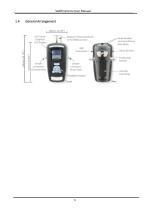
General Arrangement
Open the catalog to page 8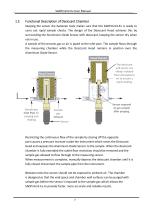
Functional Description of Desiccant Chamber Keeping the sensor dry between tests makes sure that the SADPmini2-Ex is ready to carry out rapid sample checks. The design of the Desiccant Head achieves this by surrounding the Aluminium Oxide Sensor with desiccant, keeping the sensor dry when not in use. A sample of the process gas or air is piped to the inlet port. The sample flows through the measuring chamber while the Desiccant Head remains in position over the Aluminium Oxide Sensor. Restricting the continuous flow of the sample by closing off the opposite port causes a pressure increase inside...
Open the catalog to page 9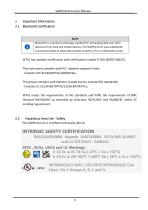
Important Information 2.1 Bluetooth Certification 2 NOTE Bluetooth is a wireless technology standard for exchanging data over short distances from fixed and mobile devices. The SADPmini2-Ex uses a Bluetooth connection facility to allow data transfer to either a PC or a Bluetooth printer WT41 has modular certification with certification number R 209-J00047/J00231. This instrument complies with FCC radiation exposure limits - Contains FCC ID:QOQWT41/QOQWT41u. This device complies with Industry Canada licence-exempt RSS standard(s) - Contains IC: 5123A-BGTWT41/5123A-BGTWT41u. WT41 meets the requirements...
Open the catalog to page 10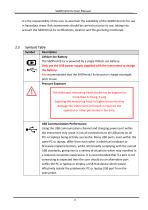
SADPmini2-Ex User Manual It is the responsibility of the user to ascertain the suitability of the SADPmini2-Ex for use in hazardous areas. Risk assessments should be carried out prior to use, taking into account the SADPmini2-Ex certifications, location and the gas being monitored. Symbols Table Symbol Description Lithium-ion Battery The SADPmini2-Ex is powered by a single lithium-ion battery. Only use the USB power supply supplied with the instrument to charge the battery. It is recommended that the SADPmini2-Ex be put on charge overnight prior to use Pressure Exposure The telescopic measuring...
Open the catalog to page 11
Battery Information The SADPmini2-Ex uses a single lithium-ion battery (3.65 V nominal). The battery cannot be removed or replaced by the user. The instrument must be returned to an authorised agent for battery replacement. When the battery charge is low and/ or the battery is charging, the instrument display will be dimmed. If the battery is very low and the user tries to turn the instrument on, a battery low message will be displayed and the instrument will shut down. DO NOT Do not replace the battery. Only authorised agents should replace the battery. Do not open, crush, expose to heat above...
Open the catalog to page 12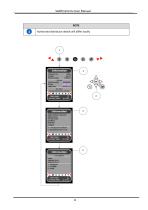
NOTE Authorised distributor details will differ locally
Open the catalog to page 13
Installation This section details the sample specific SADPmini2-Ex installation procedures and the instructions for obtaining the correct result from sample gas. 3.1 Gases to avoid Corrosive Gases: The Sensor should not be exposed to corrosive gases (or corrosive contaminants in the gas sample) as these can chemically attack the sensor, impairing calibration accuracy and/or damaging it beyond economic repair. Examples of such gases are mercury (Hg), ammonia (NH3), chlorine (Cl2) etc. Strong oxidising agents such as ozone (O3) should also be prevented from coming into contact with the sensor.
Open the catalog to page 14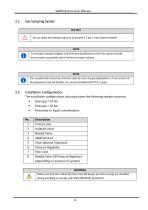
Gas Sampling System DO NOT Do not allow the sample pressure to exceed 0.3 bar / 4 psi above ambient NOTE To maintain sample integrity and minimise equilibration time the system should be as simple as possible and of minimum swept volume. NOTE The sample tube should be stainless steel for very dry gas applications. If any section of the pipework must be flexible, it is recommended that PTFE is used. Installation Configurations The installation configurations discussed cover the following sample scenarios: • Clean gas < 10 bar • Clean gas > 10 bar • Particulate or liquid contamination No. 1 2 3...
Open the catalog to page 15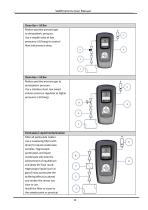
Clean Gas < 10 Bar Reduce positive pressure gas to atmospheric pressure. Use a needle valve at low pressures (<10 barg) to control flow and pressure drop. Clean Gas > 10 Bar Reduce positive pressure gas to atmospheric pressure. Use a stainless steel, low swept volume pressure regulator at higher pressures (>10 barg). Particulate/ Liquid Contamination Filter all particulate matter. Use a coalescing filter (with drain) for liquid condensate samples. Hygroscopic particulates and liquid condensate will slow the achievement of equilibrium and delay the final result. Hygroscopic liquid (such as glycol)...
Open the catalog to page 16All Alpha Moisture Systems Ltd catalogs and technical brochures
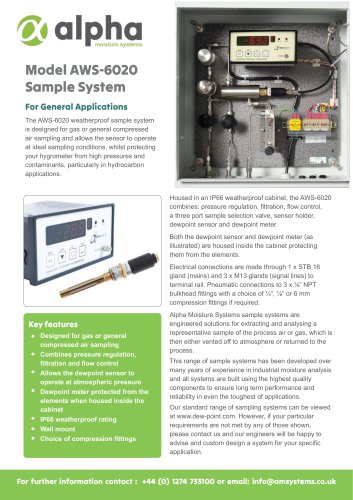 Model AWS-6020 Sample System
3 Pages
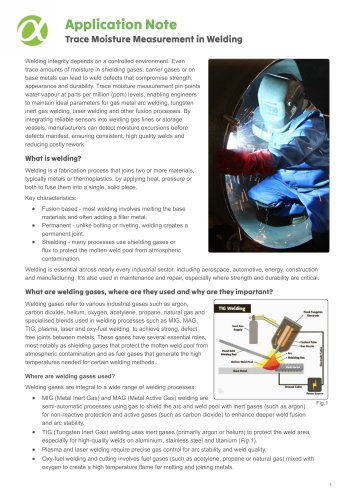 Trace Moisture In Welding
4 Pages
 Model 6020 User Manual
41 Pages
 SADPmini2 User Manual
57 Pages
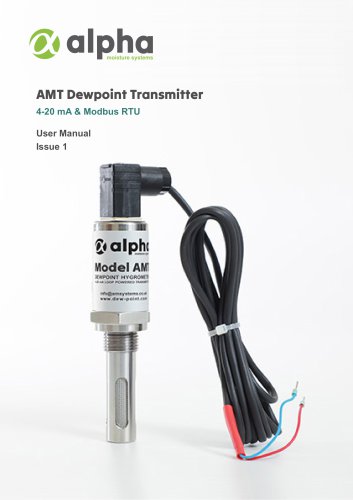
 AMT User Manual
14 Pages
 AMT-Ex User Manual
15 Pages
 PSS User Manual
17 Pages
 DS1200-Exd-AMT-Ex
3 Pages
 DS1500-Exd
2 Pages
 DS4000-Exd-AMT-Ex
3 Pages
 DSP-FCI Portable Hygrometer
3 Pages
 Model 6020 Exd
4 Pages
 Model 6020
3 Pages
 DS1500
3 Pages
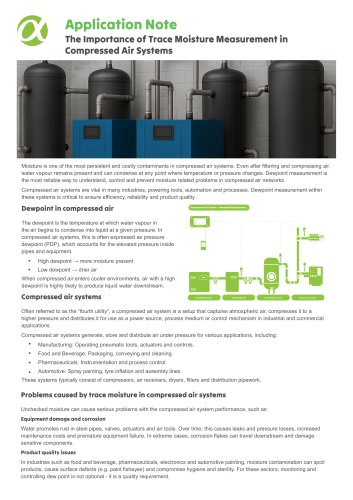
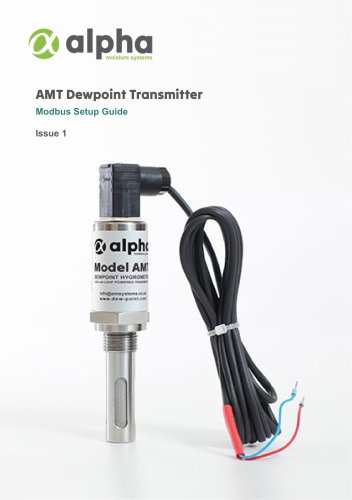





- Digital indicator
- 4-20 mA indicator
- Automatic sampler
- Stainless steel sampler
- Gas sampler
- Sampler for the food industry
- Sampler for the pharmaceutical industry
- Humidity hygrometer
- 4-digit indicator
- Relative humidity hygrometer
- Digital hygrometer
- Portable sampler
- Compact sampler
- Alpha Moisture Systems dew-point transmitter
- Laboratory sampler
- Industrial hygrometer
- Dew-point humidity meter
- Analog dew-point transmitter
- Dew-point meter