- Catalogs
- Airgain, Inc.
- Combined Adhesive & Bolt (Q) Mount Antenna Installation Guide

Combined Adhesive & Bolt (Q) Mount Antenna Installation Guide
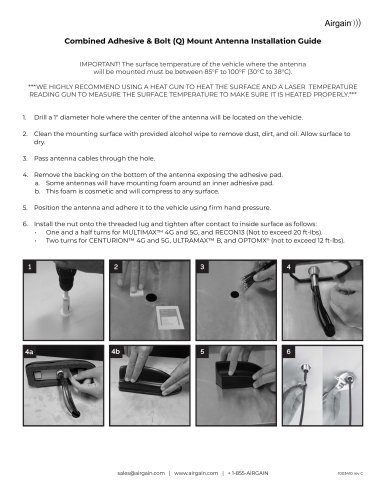
Combined Adhesive & Bolt (Q) Mount Antenna Installation Guide
The antenna must be mounted on a metal surface, horizontally, and on a flat, clean, dry area. The surface temperature should be between 85°F to 100°F (30°C to 38°C). Use a heat gun and laser temperature reading gun to ensure proper surface temperature.
- Drill a 1" diameter hole at the antenna's center location.
- Clean the surface with an alcohol wipe and let it dry.
- Pass the antenna cables through the hole.
- Remove the adhesive backing and position the antenna with firm pressure.
- Install and tighten the nut on the threaded lug according to the antenna model specifications.
- Mount the antenna on the vehicle's exterior, preferably on the roof or trunk.
- Ensure a minimum distance of 18 inches from other antennas or obstacles.
- Route cables carefully, avoiding pulling on connectors.
- Tighten coax connections with appropriate torque or finger tighten.
- Use heat shrink on connectors after testing if using an EZConnect™ Antenna.
- Verify the antenna is mounted on a horizontal, flat metal surface.
- Ensure the antenna is at least 18 inches away from other antennas or obstacles.
- Check that the antenna is firmly attached and cables are connected to the correct ports.
- Ensure connectors are tight and fully screwed on.
Catalog excerpts
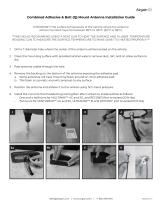
Combined Adhesive & Bolt (Q) Mount Antenna Installation Guide IMPORTANT! The surface temperature of the vehicle where the antenna will be mounted must be between 85°F to 100°F (30°C to 38°C). ***WE HIGHLY RECOMMEND USING A HEAT GUN TO HEAT THE SURFACE AND A LASER TEMPERATURE READING GUN TO MEASURE THE SURFACE TEMPERATURE TO MAKE SURE IT IS HEATED PROPERLY.*** 1. Drill a 1" diameter hole where the center of the antenna will be located on the vehicle. 2. Clean the mounting surface with provided alcohol wipe to remove dust, dirt, and oil. Allow surface to dry. 3. Pass antenna cables through the hole. 4. Remove the backing on the bottom of the antenna exposing the adhesive pad. a. Some antennas will have mounting foam around an inner adhesive pad. b. This foam is cosmetic and will compress to any surface. 5. Position the antenna and adhere it to the vehicle using firm hand pressure. 6. Install the nut onto the threaded lug and tighten after contact to inside surface as follows: • One and a half turns for MULTIMAX™ 4G and 5G, and RECON13 (Not to exceed 20 ft-lbs). • Two turns for CENTURION™ 4G and 5G, ULTRAMAX™ B, and OPTOMX® (not to exceed 12 ft-lbs).
Open the catalog to page 1
• The antenna Installer may encounter various obstacles with individual vehicle designs that may require different placement, routing of antenna cables or drilling of holes to complete the mounting procedure. • Mount the antenna on the outside of the vehicle (roof or trunk). • The antenna must be mounted on a metal surface to work correctly. If the surface is not metal, the antenna must be ordered with a built in metal ground plane. • The antenna must be mounted horizontally - parallel to the ground (not mounted on a vertical surface). • The antenna must be mounted to a flat, clean dry surface....
Open the catalog to page 2All Airgain, Inc. catalogs and technical brochures
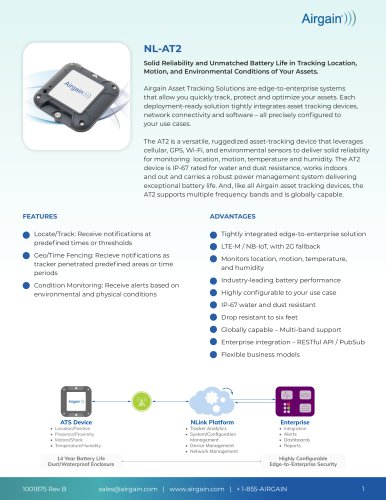 NL-AT2
3 Pages
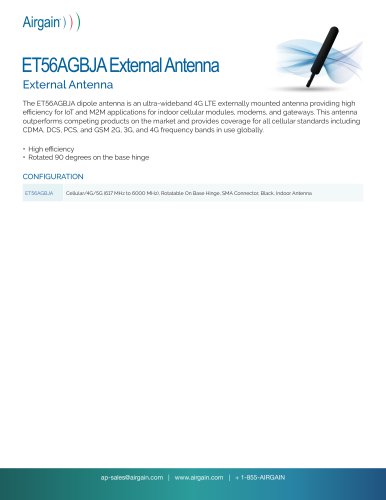 ET56AGBJA External Antenna
2 Pages
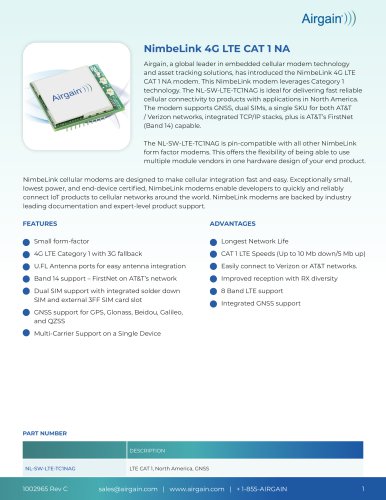 NimbeLink 4G LTE CAT 1 NA
3 Pages