
- Catalogs
- ABB Robotics
- RobotStudio Cutting PowerPac


- Company
- Products
- Catalogs
- News & Trends
- Exhibitions
RobotStudio Cutting PowerPac

RobotStudio Cutting PowerPac
RobotStudio Cutting PowerPac is an advanced offline programming tool designed for generating and modifying programmed paths in a 3D simulation environment, eliminating the need for on-site programming.
Pre-defined Cutting Instructions
The tool includes pre-defined instructions for various shapes such as holes, slots, rectangles, hexagons, and CAD shapes. Operators can easily generate paths by selecting a shape and setting tool parameters, with user-friendly interfaces for shape modification.
Free Form Cutting
Free form cutting, typically used for edge cutting, is fully supported, allowing for versatile path creation.
Integration of Process Data
Laser parameter tables are provided to facilitate the reuse of process data and the creation of experience databases, serving as a best practice management tool.
Modification and Verification
Programmed paths can be modified and verified in a 3D environment. Users can test parameters and modify the robot's program position by position or by selecting a complete path.
Process Simulation and Path Optimization
The tool includes simulation capabilities to analyze and optimize cutting performance, suggesting parameter changes for consistent cutting speeds.
RobotWare Cutting
RobotWare Cutting optimizes laser cutting with ABB robots, offering tools for robot tuning, calibration, and complex path generation.
RobotStudio Features
RobotStudio, the base platform for Cutting PowerPac, includes features like Virtual Robot Technology for true offline programming, path optimization, CAD import, AutoPath for automatic position generation, and laser parameter tables.
Calibration
It offers a standard calibration method with high accuracy, allowing synchronization between virtual and real environments.
System Requirements
Requires RobotStudio version 5.14.03 or later.
Catalog excerpts

RobotStudio Cutting PowerPac Offline programming of complex paths RobotStudio Cutting PowerPac is a sophisticated offlineprogramming tool that allows opera ors to generate and t modify programmed paths in an offline 3D simulation environment instead of on the factory floor. Pre-defined cutting instructions RobotStudio Cutting PowerPac includes pre-defined cutting instructions for holes, slots, rectangles, hexagons and CAD shapes. Operators can easily generate the program path by simply clicking on a shape and setting the correct tool parameters. Specific user interfaces make it easy to modify the cutting shape. Modification of programmed paths Programmed paths can be modified and verified in an offline 3D environment. Users can test geometric or non-geometric parameters by analyzing a path view, which provides an overview of the cutting shape. The robot’s program can be tested and modified position by position or by selecting a complete path. Free form cutting Free form cutting instructions, which are typically used for edge cutting, are also fully supported. Process simulation and path optimization A cutting program can be fully analysed in order to improve cutting performance. A simulation tool indicates where improvements can be made, for example where to change parameters to achieve more constant cutting speeds. Integration of process data Laser parameter tables are available that facilitate process date re-use and creation of experience databases. The tables contains the most important parameters for laser cutting which can be used as best practice management.
Open the catalog to page 1
Related products RobotStudio RobotStudio Cutting PowerPac is an add-on to RobotStudio, ABB’s widely used offline 3D programming tool. RobotStudio offers a number of standard features that help to improve production efficiency including: Virtual RobotStudio is based on a copy of the real software that runs your robots in production, which is key to true offline programming. Thanks to Virtual Robot Technology, your whole robot program can be downloaded to the real system without A summary of features that help the robot move in the most effective way, including optimizing of TCP speed, acceleration,...
Open the catalog to page 2All ABB Robotics catalogs and technical brochures
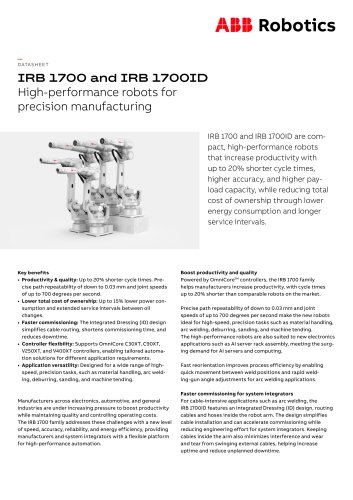 IRB 1700 and IRB 1700ID
4 Pages
 AMR P304
2 Pages
 IRB 6700
176 Pages
 IRB 4600
2 Pages
 IRB 4600
86 Pages
 IRB 910INV
90 Pages
 IRB 14000
128 Pages
 IRB 460
2 Pages
 IRB 2400
60 Pages
 IRB 1600/1660
88 Pages
 IRB 1410 Industrial Robot
48 Pages
 MU series
2 Pages
 IRB 5500-22/23
4 Pages
 IRB 52
2 Pages
 IRB 910SC series
58 Pages
 IRB910SC
56 Pages
 Robotics product range
35 Pages
 Press Automation Solutions
28 Pages
 IRBT 4004/6004/7004
2 Pages
 IRB 1100
20 Pages
 ABB create
24 Pages
 LIVING LEVELS
44 Pages
 IRB 6660 - Industrial Robot
4 Pages
 IRB 120 industrial robot
2 Pages
 Function Package IRB 4400
2 Pages
 PalletPack 460
2 Pages
 Atomizer Upgrades
2 Pages
 RacerPack
13 Pages
 RB 910SC SCARA Overview
38 Pages
 IRB 6660FX
2 Pages
 IRB 1660ID
17 Pages
 A50-0406-1660
149 Pages
 IRB 1660ID
2 Pages
 IRBP L Workpiece positioner
2 Pages
 FlexTrack IRT 501
2 Pages
 IRBT X004 Track Motion
2 Pages
 ROB0245EN RacerPack
2 Pages
 IntegratedFC_ROB0243EN
2 Pages
 IRL 600 Flexlifter 600
2 Pages
 FlexLifter IRL100 IRL190
2 Pages
 FlexGun
2 Pages
 Laser Cutting Software
4 Pages
 TSC
TSC2 Pages
 7th axis
2 Pages
 2K Mixer
2 Pages
 FlexPLP IRPLP
2 Pages
 IRB 8700
2 Pages
 YuMi®
YuMi®4 Pages
 IRBP i-L/ i-T/ i-A
2 Pages
 IRBT 15_16_26
2 Pages
 ABB Laser Cutsheet_IRBP K
2 Pages
 ABB Laser Cutsheet_IRBP R
2 Pages
 RobotWare Cutting
2 Pages
 IRB 7600 - the Power Robot
20 Pages
 IRB 140 Industrial Robot
2 Pages


- ABB Robotics industrial robot
- ABB Robotics automation software
- Management software solution
- Analysis software solution
- ABB Robotics process software
- ABB Robotics real-time software
- ABB Robotics articulated robot
- ABB Robotics CAD software
- ABB Robotics control software
- ABB Robotics 6-axis robot
- ABB Robotics design software
- ABB Robotics monitoring software
- ABB Robotics handling robot
- ABB Robotics floor-mounted robot
- 3D software solution
- ABB Robotics industrial software
- ABB Robotics interface software
- Visualization software solution
- ABB Robotics quality software
- Simulation software solution