
- Catalogs
- The MathWorks
- Image Processing Toolbox

Image Processing Toolbox
1 /7Pages

Image Processing Toolbox
1 /7Pages
Catalog excerpts
Image Processing Toolbox Perform image processing, analysis, and algorithm development Image Processing Toolbox™ provides a comprehensive set of reference-standard algorithms and graphical tools for image processing, analysis, visualization, and algorithm development. You can perform image enhancement, image deblurring, feature detection, noise reduction, image segmentation, geometric transformations, and image registration. Many toolbox functions are multithreaded to take advantage of multicore and multiprocessor computers. Image Processing Toolbox supports a diverse set of image types, including high dynamic range, gigapixel resolution, embedded ICC profile, and tomographic. Graphical tools let you explore an image, examine a region of pixels, adjust the contrast, create contours or histograms, and manipulate regions of interest (ROIs). With toolbox algorithms you can restore degraded images, detect and measure features, analyze shapes and textures, and adjust color balance. Key Features ▪ Image enhancement, filtering, and deblurring ▪ Image analysis, including segmentation, morphology, feature extraction, and measurement ▪ Spatial transformations and image registration ▪ Image transforms, including FFT, DCT, Radon, and fan-beam projection ▪ Workflows for processing, displaying, and navigating arbitrarily large images ▪ Modular interactive tools, including ROI selections, histograms, and distance measurements ▪ ICC color management ▪ Multidimensional image processing ▪ Image-sequence and video display ▪ DICOM import and export Getting Started with Image Processing Toolbox 4:44 Explore Image Processing Toolbox™ capabilities for segmentation, morphology, image statistics, and Hough transform. Importing and Exporting Images Image Processing Toolbox supports images generated by a wide range of devices, including digital cameras, satellite and airborne sensors, medical imaging devices, microscopes, telescopes, and other scientific instruments. You can visualize, analyze, and process these images in many data types, including single-precision and double-precision floating-point and signed and unsigned 8-bit, 16-bit, and 32-bit integers. There are several ways to import and export images into and out of the MATLAB® environment for processing. You can use Image Acquisition Toolbox™ to acquire live images from Web cameras, frame grabbers, DCAM cameras, GigE Vision cameras, and other devices. Using Database Toolbox™, you can access images stored in ODBC-compliant or JDBC-compliant databases.
Open the catalog to page 1
Standard and Specialized Formats Supported MATLAB supports standard data and image formats, including JPEG, JPEG-2000, TIFF, PNG, HDF, HDF-EOS, FITS, Microsoft® Excel®, ASCII, and binary files. It also supports the multiband image formats BIP and BIL, as used by LANDSAT. Low-level I/O and memory mapping functions enable you to develop custom routines for working with any data format. Image Processing Toolbox supports a number of specialized image file formats. For medical images, it supports DICOM files, including associated metadata, as well as the Analyze 7.5 and Interfile formats. The toolbox...
Open the catalog to page 2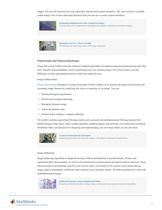
shapes. You can also interactively crop, adjust the contrast, and measure distances. The suite of tools is available within Image Tool or from individual functions that you can use to create custom interfaces. Enhancing Multispectral Color Composite Images Constructing color composites to highlight and segment vegetation in satellite imagery. Detecting Cars in a Video of Traffic Visualizing and analyzing videos and image sequences. Preprocessing and Postprocessing Images Image Processing Toolbox provides reference-standard algorithms for preprocessing and postprocessing tasks that solve frequent...
Open the catalog to page 3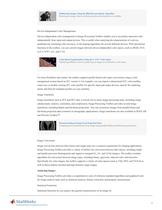
Deblurring Images Using the Blind Deconvolution Algorithm Restoring an image when no information about the distortion is available. Device-Independent Color Management Device-independent color management in Image Processing Toolbox enables you to accurately represent color independently from input and output devices. This is useful when analyzing the characteristics of a device, quantitatively measuring color accuracy, or developing algorithms for several different devices. With specialized functions in the toolbox, you can convert images between device-independent color spaces, such as sRGB,...
Open the catalog to page 4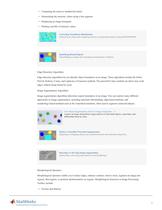
▪ Computing the mean or standard deviation ▪ Determining the intensity values along a line segment ▪ Displaying an image histogram ▪ Plotting a profile of intensity values Correcting Nonuniform Illumination Enhancing an image and computing statistics of segmented objects using REGIONPROPS. Identifying Round Objects Thresholding an image and calculating measurements of objects. Edge-Detection Algorithms Edge-detection algorithms let you identify object boundaries in an image. These algorithms include the Sobel, Prewitt, Roberts, Canny, and Laplacian of Gaussian methods. The powerful Canny method...
Open the catalog to page 5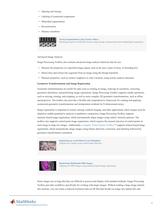
▪ Opening and closing ▪ Labeling of connected components ▪ Watershed segmentation ▪ Reconstruction ▪ Distance transform Texture Segmentation Using Texture Filters Identifying regions of different textures using entropy measurements and morphological operations. Advanced Image Analysis Image Processing Toolbox also contains advanced image analysis functions that let you: ▪ Measure the properties of a specified image region, such as the area, center of mass, or bounding box ▪ Detect lines and extract line segments from an image using the Hough transform ▪ Measure properties, such as surface roughness...
Open the catalog to page 6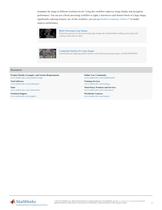
resamples the image at different resolution levels. Using this workflow improves image display and navigation performance. You can use a block processing workflow to apply a function to each distinct block of a large image, significantly reducing memory use. In this workflow, you can use Parallel Computing Toolbox™ to further improve performance. Block Processing Large Images Reducing memory use for processing large images by incrementally reading, processing, and writing results back to disk. Computing Statistics for Large Images Calculating and applying global statistics when processing large...
Open the catalog to page 7All The MathWorks catalogs and technical brochures
 MATLAB Production Server
6 Pages
 Database Toolbox
4 Pages
 MATLAB Report Generator
4 Pages
 Stateflow
8 Pages
 SimEvents
7 Pages
 SimDriveline
7 Pages
 SimHydraulics
7 Pages
 SimPowerSystems
8 Pages
 Simulink Control Design
5 Pages
 Aerospace Blockset
5 Pages
 SimRF
SimRF6 Pages
 Simulink Coder
6 Pages
 Embedded Coder
8 Pages
 Simulink PLC Coder
4 Pages
 Fixed-Point Designer
9 Pages
 MATLAB Coder
5 Pages
 Simulink 3D Animation
10 Pages
 Gauges Blockset
2 Pages
 Simulink Report Generator
3 Pages
 Polyspace Bug Finder
6 Pages
 global-optimization-toolbox
10 Pages
 Phased Array System Toolbox
9 Pages
 OPC Toolbox
5 Pages
 Simulink Design Verifier
7 Pages
 Simulink Design Optimization
10 Pages
 Filter Design HDL Coder
5 Pages
 Bioinformatics Toolbox
9 Pages
 SimBiology
6 Pages
 Computer Vision System Toolbox
10 Pages
 DSP System Toolbox
11 Pages
 Fuzzy Logic Toolbox
5 Pages
 Polyspace Client for C/C++
5 Pages
 xPC Target
5 Pages
 SimMechanics
7 Pages
 Simscape
7 Pages
 Simulink
6 Pages
 Data Acquisition Toolbox
8 Pages
 Signal Processing Toolbox
10 Pages
 Control System Toolbox
6 Pages
 Symbolic Math Toolbox?
6 Pages
 Parallel Computing Toolbox?
7 Pages
 MATLAB®
6 Pages
 Mapping Toolbox 3.2
7 Pages
 Instrument Control Toolbox
7 Pages
 Optimization Toolbox 6.0
14 Pages



Archived catalogs
 MATLAB Release Notes
505 Pages
 C and Fortran API Reference
263 Pages
 External Interfaces
649 Pages
 Function Reference: Volume 3 (P-Z)
1696 Pages
 Function Reference: Volume 2 (F-O)
1568 Pages
 Function Reference: Volume 1 (A-E)
1298 Pages
 Creating Graphical User Interfaces
520 Pages
 3-D Visualization
212 Pages
 Graphics
667 Pages
 MATLAB Programming Tips
66 Pages
 Programming Fundamentals
840 Pages
 Data Analysis
220 Pages
 Mathematics
316 Pages
 MATLAB® Getting Started Guide
250 Pages


- Automation software solution
- Management software solution
- Analysis software solution
- Process software
- Windows software
- Real-time software
- Computer-aided design software
- Cloud-based software
- Control software
- Design software solution
- 3D software solution
- Measurement software
- Visualization software solution
- Simulation software solution
- Automated software
- Programming software
- Network software
- Reporting software
- Engineering software
- Machine software