- Catalogs
- Reece Safety Products
- Domestic Circuit Breaker Lockout Kit

Domestic Circuit Breaker Lockout Kit
1 /1Page

Domestic Circuit Breaker Lockout Kit
1 /1Page
Catalog excerpts

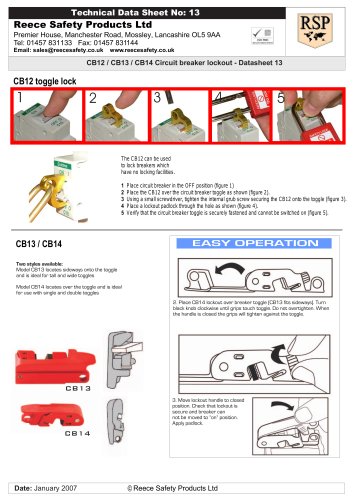
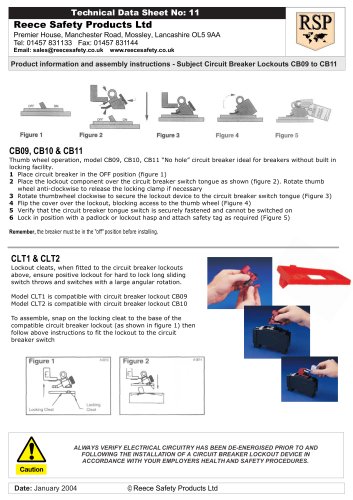
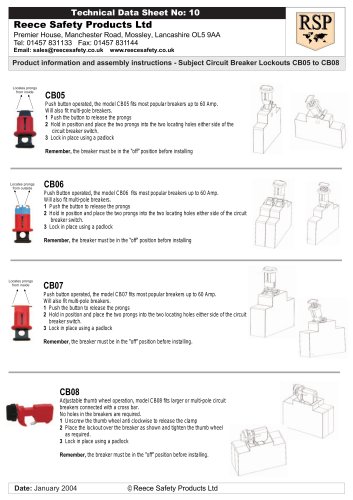
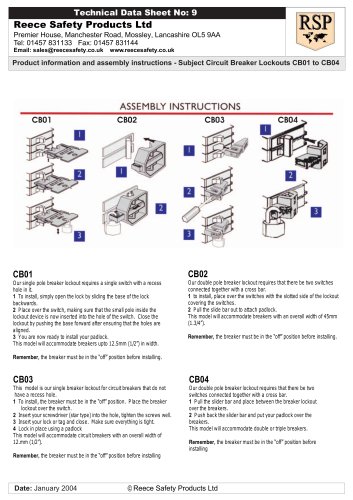
Reece Safety Products Ltd Premier House, Manchester Road, Mossley, Lancashire OL5 9AA Tel: 01457 831133 Fax: 01457 831144 Email: [email protected] www.reecesafety.co.uk Technical Data Sheet No: 25 Date: January 2007 © Reece Safety Products Ltd Locates prongs from inside Thumb wheel operation, model CB09, “No hole” circuit breaker ideal for breakers without built in locking facility. 1 Place circuit breaker in the OFF position (figure 1) 2 Place the lockout component over the circuit breaker switch tongue as shown (figure 2). Rotate thumb wheel anti-clockwise to release the locking clamp if necessary 3 Rotate thumbwheel clockwise to secure the lockout device to the circuit breaker switch tongue (Figure 3) 4 Flip the cover over the lockout, blocking access to the thumb wheel (Figure 4) 5 Verify that the circuit breaker tongue switch is securely fastened and cannot be switched on 6 Lock in position with a padlock or lockout hasp and attach safety tag as required (Figure 5) CB09 CB12 toggle lock 1 2 3 4 5 The CB12 can be used to lock breakers which have no locking facilities. 1 Place circuit breaker in the OFF position (figure 1) 2 Place the CB12 over the circuit breaker toggle as shown (figure 2). 3 Using a small screwdriver, tighten the internal grub screw securing the CB12 onto the toggle (figure 3). 4 Place a lockout padlock through the hole as shown (figure 4). 5 Verify that the circuit breaker toggle is securely fastened and cannot be switched on (figure 5). Model CB09 Use thumbwheel to secure lockout onto switch toggle Fold over cover and lock to block access to thumbwheel 1 Move breaker to off position. Open red handle. 2. Place CB13 sideways over the breaker toggle. Turn black knob clockwise until grips touch toggle. Do not over tighten. When the handle is closed the grips will tighten against the toggle. 3. Move lockout handle to closed position. Check that lockout is secure and breaker can not be moved to “on” position. Apply padlock. CB13 CB16 1 Switch the breaker to the off position and place the CB16 over the switch as shown. Using the toggle, tighten the screw clamping the CB16 onto the switch. 2 Rotate the toggle as shown 3 Place a padlock through the locking hole preventing the toggle from operating CB05 Push button operated, the model CB05 fits most popular breakers up to 60 Amp. Will also fit multi-pole breakers. 1 Push the button to release the prongs 2 Hold in position and place the two prongs into the two locating holes either side of the circuit breaker switch. 3 Lock in place using a padlock Remember, the breaker must be in the “off” position before installing Product information and assembly instructions - Subject: DCBKIT Circuit Breaker Kit
Open the catalog to page 1All Reece Safety Products catalogs and technical brochures
 Power Protection Seal
2 Pages
 60kV Rescue Hook
1 Page
 ELE09 Switchboard Matting
4 Pages
 Lockable plug covers
1 Page
 Plug Block
1 Page
 Full 2015/16 Catalogue
100 Pages
 Electrical Safety Boots
1 Page
 Electrical Safety Gloves
1 Page
 RSPL1 Plug Lockout
1 Page
 ECBKIT MCB Lockout Kit
2 Pages
 Pneumatic Lockouts
1 Page
 Plug Lockouts
1 Page
 BS18 Cable Lockout
1 Page
 CB15 Breaker Blocker Kit
1 Page
 Fuse Lock / Blockouts
1 Page
 IEC 60320 Lockout
1 Page
 LP550 Plug Lockouts
1 Page
 Power Protection Seal
2 Pages