


Motoman Points Importer EG Software
1 /2Pages

Motoman Points Importer EG Software
1 /2Pages
Catalog excerpts

Set Variable sets the destination variable equal to the source variable (i.e. SET B001 255). Multiply ֖ multiplies the destination variable by the source variable/constant and stores the result in the destination (i.e. MUL I001 I002). Divide divides the destination variable by the source variable/ constant and stores the result in the destination (i.e. DIV R001 R002). > Points Importer EG provides an easy way to create robot programs from CAD data. It is especially useful when complex, curved parts are being programmed for applications such as waterjet cutting, grinding and deburring.Points Importer EG converts XML les into robot JBI les. The XML les can be created from an XML editor or scripting language in a CAD program such as AutoCAD > ή or Unigraphics > . The XML le must comply to the schema de ned in the Points Importer EG manual. Points Importer EG supports motion commands and many mainstream INFORM III commands through the XML instructions. Points Importer EG also provides the user with a graphical user interface (GUI) for batch processing of les along with a .NET programming interface. Since Points Importer EG is a client program of MotoSim EG, the user can view and play back the newly created JBI in a virtual environment before deploying the job to the real work cell. Shift On Ζ starts a robot shift command (i.e. SFTON P010 UF#(3)). Convert converts a pulse PVAR type to the speci ed destination PVAR and reference frame (i.e. CNVRT PX000 PX000 UF#(2)). Get Position Element ֖ imports a position element into a double precision variable (i.e. GETE D091 P000 (1)). Set Position Element sets a position element equal to a double variable (i.e. SETE P010 (1) D001). Add ֖ adds the source variable/constant to the destination variable and stores the result in the destination (i.e. ADD D090 D099). Sub subtracts the source variable/constant from the destination and stores the result in the destination (i.e. SUB P001 P001). > Creates positions with respect to native MotoSim EG models, user frames and robot frames. Provides ability to specify Position Variable (PVAR) with reference frame as output position vs. move constant (i.e. MOVL P001 V=100.0, INC P001 V=100.0 RF). Supports the following motion types: Linear, Joint, Circular, Spline, External Reference Point and Incremental moves. (i.e. MOVC, MOVS, INC P001 V=100.0). > SIMPLE USER INTERFACE ...with Points Importer EG software. Create robot programs by importing points from existing CAD data les easily, quickly and accurately. Search Tag ֖ for incremental move (i.e. IMOV P001 V=25.4 UF#(2) SRCH RIN#(1)=ON DIS=D090). Move Tag for supplemental move tags such as NWAIT. Get Current Position ֖ gets current robot position in pulse or Cartesian (i.e. GETS PX000 $PX000). >
Open the catalog to page 1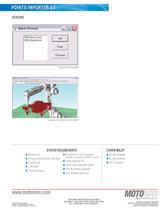
BATCH PROCESSING QUICKLY CONVERT MANY POINTS Windows XP MotoSim EG: 2.01 or greater DX100 controller 2+ open USB ports for USB keys > (Currently not supported by MotoSim EG-VRC) NX100 controller PCMCIA slot Points Importer EG XRC controller 1 GB RAM Third-Party CAD/CAM system 3 GHz processor XML le editing capability Dual monitors (optional) > MOTOMAN CORPORATE HEADQUARTERS805 LIBERTY LANE, WEST CARROLLTON, OHIO 45449TEL: 937.847.6200 ? FAX: 937.847.6277 TECHNICAL SPECIFICATIONS SUBJECT TO CHANGE WITHOUT NOTICE DS-328-A 2009 MOTOMAN INC. MAY 2009MOTOMAN IS A REGISTERED TRADEMARKWINDOWS IS A REGISTERED...
Open the catalog to page 2All MOTOMAN catalogs and technical brochures


Archived catalogs
 Motoman MotoFTP Software
1 Page
 Motoman G-Code Converter EG
2 Pages
 Motoman MotoCalv EG Software
2 Pages
 Motoman MH50-20 Robot
2 Pages
 Motoman SIA50D 7-Axis Robot
2 Pages
 Motoman MH6-Series Robots
2 Pages
 MPP3
MPP32 Pages
 Motoman FabWorld II
2 Pages
 Motoman Positioner Brochure
12 Pages
 Motoman Corporate Brochure
12 Pages
 MHJF
MHJF2 Pages
 Motoman RobotPro DX Software
2 Pages
 MH5S
MH5S2 Pages
 MH3F
MH3F2 Pages
 MH5F
MH5F2 Pages
 MH5LS(MLX100)
2 Pages
 MH6F
MH6F2 Pages
 YSH850L
2 Pages
 HP20D-A80
2 Pages
 HP20F
HP20F2 Pages
 HP20RD
2 Pages
 FS100 Controller
2 Pages
 NX100 Controller
2 Pages
 Motoman robots
7 Pages
 MA1440
2 Pages
 MS165/MS210
2 Pages
 MH3BM
MH3BM2 Pages
 VA1400 II
2 Pages
 HP20
HP202 Pages
 MA2010
2 Pages
 MH50 II-20
2 Pages
 MA3120
2 Pages


