


Motoman MotoSim EG-VRC Simulation Software
1 /2Pages

Motoman MotoSim EG-VRC Simulation Software
1 /2Pages
Catalog excerpts

MotoSim > ή EG-VRC (Motoman Simulator Enhanced Graphics Virtual Robot Control) is a comprehensive software package that provides accurate 3D simulation of robot cells. This powerful simulation software can be used to optimize robot and equipment placement, as well as to perform collision detection, reach modeling and cycle calculations. It also provides accurate off-line programming of complex systems. Virtual Robot Controller capability means that the simulation software now operates and displays the actual programming pendant interface for the DX100 and NX100 controllers. The VRC supports all INFORM (robot language) instructions, and can completely simulate the DX100 and NX100 controller software in the PC environment, including system configuration functions and condition file editing. When Motoman֒s MotoCal > software and optional filters are used, programs created in MotoSim EG-VRC can be down- loaded to the robot controller with minimal or no touch-up. Provides a display of the DX100 or NX100 robot controller pendant on a PC. MotoSim EG-VRC reduces programming time, thus increasing uptime of the production equipment. New parts can be programmed off-line before production begins, and existing robot programs can be modified to increase efficiency and reduce cycle time Ζ without sacrificing production schedules. Robot movement is controlled through the pendant display. Users can import CAD files in .hmf, .hsf or .3ds formats. > Sample system cells are available on the installation CD, including positioners and accessory parts. > SYNCHRONIZED MOTION Allows users to view and play back cell simulations. This free MotoSim EG HTML output file is built upon the same cutting-edge technology used by the MotoSim EG graphical interface package. It allows users to share simulations with customers or coworkers. > High accuracy allows programs to be tested on the PC instead of on the robot system, reducing robot downtime. Enables user to make changes to improve robot performance. > Enhanced multiple robot control. Detailed path calculation function plots robots trajectory to simplify programming. Independent/coordinated motion functions. Creates process angles, allowing user to create programs that maintain the robotҒs tool orientation in relation to an uneven surface, such as a sharply angled part, or gradually changing shapes, such as propellers or motorcycle gas tanks. External axis control and coordination. Macro command. > COORDINATED MOTION WITH EXTERNAL AXIS Relative job. Whether a programmer is using a teach pendant on a DX100 or NX100 controller or using MotoSim EG-VRC on a PC the interface display is exactly the same. Steps used to accomplish actions in the ֓virtual world of the simulator are identical to the actions required in the actual (real) world. Collision detection. Robot placement and path optimization. Paint application-specific functions. > Conveyor tracking programming. Same easy-to-use INFORM language instructions as the robot controller. Minimize fixturing errors. > Reduce robot installation time. > Using a standard 3D graphics engine provides ability to add markups/comments to robot simulation and accurately measure distances. Ability to create permanent measurement lines is a big advantage during the cell layout process. Robot paths, speeds and other program data Ԗ such as tool center points, user frames, and I/O monitors can be defined on the PC. User can move the virtual robot, enter the data to create a robot program, and download it to the robot controller. Cycle time and reach analysis. > ...with MotoSim EG...a powerful tool that takes the guesswork out of system design. >
Open the catalog to page 1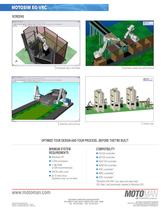
STANDARD WELD SYSTEMS PAINTING APPLICATION MATERIAL HANDLING APPLICATION PRESS LINE DX100 controller Windows XP NX100 controller 2 GHz processor NXC100 controller 1 GB RAM (2 GB recommended) NXM100 controller XRC controller* 256 M video card MRC controller* 20 G hard drive (Systems may run on less) ERC controller**MotoSim EG-VRC can open and play back CEL files (.cel) previously created in MotoSim EG. > MOTOMAN CORPORATE HEADQUARTERS805 LIBERTY LANE, WEST CARROLLTON, OHIO 45449TEL: 937.847.6200 FAX: 937.847.6277 TECHNICAL SPECIFICATIONS SUBJECT TO CHANGE WITHOUT NOTICE DS-418-A թ2009 MOTOMAN...
Open the catalog to page 2All MOTOMAN catalogs and technical brochures


Archived catalogs
 Motoman MotoFTP Software
1 Page
 Motoman G-Code Converter EG
2 Pages
 Motoman MotoCalv EG Software
2 Pages
 Motoman MH50-20 Robot
2 Pages
 Motoman SIA50D 7-Axis Robot
2 Pages
 Motoman MH6-Series Robots
2 Pages
 MPP3
MPP32 Pages
 Motoman FabWorld II
2 Pages
 Motoman Positioner Brochure
12 Pages
 Motoman Corporate Brochure
12 Pages
 MHJF
MHJF2 Pages
 Motoman RobotPro DX Software
2 Pages
 MH5S
MH5S2 Pages
 MH3F
MH3F2 Pages
 MH5F
MH5F2 Pages
 MH5LS(MLX100)
2 Pages
 MH6F
MH6F2 Pages
 YSH850L
2 Pages
 HP20D-A80
2 Pages
 HP20F
HP20F2 Pages
 HP20RD
2 Pages
 FS100 Controller
2 Pages
 NX100 Controller
2 Pages
 Motoman robots
7 Pages
 MA1440
2 Pages
 MS165/MS210
2 Pages
 MH3BM
MH3BM2 Pages
 VA1400 II
2 Pages
 HP20
HP202 Pages
 MA2010
2 Pages
 MH50 II-20
2 Pages
 MA3120
2 Pages


