


HyperView ®
1 /2Pages

HyperView ®
1 /2Pages
Catalog excerpts
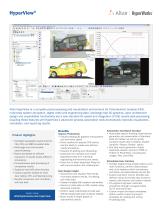
Altair HyperView is a complete post-processing and visualization environment for finite-element analysis (FEA), multi-body system simulation, digital video and engineering data. Amazingly fast 3D graphics, open architecture design and unparalleled functionality set a new standard for speed and integration of CAE results post-processing. Coupling these features with HyperView’s advanced process automation tools dramatically improves visualization, correlation, and reporting results. Benefits Product Highlights • omplete visualization environment for C FEA, CFD, and MBD simulation data • ulti-page and multi-window M post-processing • eport templates for efficient R evaluation of results across different simulations • omprehensive post-processing of C composites results • Supports most CAE solver formats • ndustry specific toolkits for NVH, I Aero, Safety, CFD, and Manufacturing • esults comparison and correlation R with test data Learn more: altairhyperworks.com/hyperview Improve Productivity • ndustry-leading 3D graphics manipulation I and animation speed. • irect readers for popular CAE solvers D and the ability to create user-defined results translators. • Powerful XY-plotting and 3D-plotting. • ustomize the interface and create C specialized tools to fit individual engineering environments and needs. • irect link to Altair HyperView Player for D web communication and collaboration. Gain Design Insight • ynchronize and visualize FEA results, S multi-body systems results, XY plotting, and video data. • verlay of multiple CAE models in one window. O • verlay of video data on CAE models using O advanced methods. • erform result mathematics to build userP defined results types such as failure indexes. • uery model in-depth based on Q user-defined criteria. Automation and Report Creation • utomated session building: Automate the A generation and presentation of standard plots and tables, as well as quickly compare results and correlation studies using the “Report: Overlay” option. • ne step report generation: Export O HyperView session reports to HTML or Publish to PowerPoint, including text, images, AVIs, and H3Ds. Extendable User Interface • emplex programming: Create custom-curve T math functions, perform data analysis and curve statistics within annotations and labels, and parameterize any text file. • ustom pull-down menus: Develop userC defined menus to provide easy access to reports, plot macros, and custom wizards. • cl programming layer: Automate T procedures through a programmable Tcl/Tk command layer. • ustom import and export templates: C Define custom import and export t
Open the catalog to page 1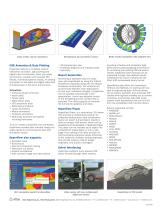
Cross section cuts for animations CAE Animation & Data Plotting HyperView delivers a complete suite of interactive animation, data plotting and digital video functionality. Users can easily synchronize, compare and visualize FEA results, multi-body systems results, XY plotting (simulation or test data) and digital video data simultaneously in the same environment. Animations • Contours (Scalar & Tensor) • Vector plots • Tensor plots • Deformation plots • CFD streamline plots • Deformed animations • Linear animations • Modal animations • Transient animations • ulti-body dynamics animations M including...
Open the catalog to page 2All ALTAIR catalogs and technical brochures
 solidThinking Activate
2 Pages
 solidThinking
2 Pages
 HyperWorks Unlimited ®
2 Pages
 Evolve ®
2 Pages
 HyperMesh ®
2 Pages


- Automation software solution
- Analysis software solution
- Process software
- Computer-aided design software
- Control software
- Design software solution
- 3D software solution
- Interface software
- Visualization software solution
- Simulation software solution
- Programming software
- Development software
- Reporting software
- Engineering software
- Creation software
- Optimization software
- Planning software solution
- Modeling software
- CAM software
- Flow software