SecureLogin Kiosk Fast user switching for shared workstation environments
1 /2Pages
SecureLogin Kiosk Fast user switching for shared workstation environments
1 /2Pages
Catalog excerpts
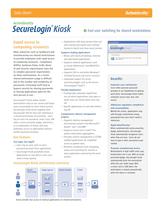
ՕՕՕՕՕ Flexible Deployment > Complements identity management projects Applications with long startup times can stay running and switch users without having to launch and close every session. Configurable automatic logoff time out set which applications stay open or which ones are closed when users log off.Specify applications to save data before log off. Supports leading applications Supports identity management provisioning systems from Microsoftծ, Novell, Sunή, and IBM.Supports Fusion from CarefxΙ for patient information aggregation. Provides context management in CCOW- enabled applications for simplified access to patient data. Removes complexity from navigating menus and searching for records in every application used during the work session. Works with nearly all desktop, terminal and web-based applications. Supports medical applications such as Cerner Millennium and MEDITECH applications. Supports SSO to and within Windowsή Terminal Services and Citrix sessions. Integrated support for active proximity badges such as the Ensure TechnologiesΙ Xyloc. > Improves user satisfaction > Users often perceive password prompts as an impediment to getting work done. SecureLogin Kiosk makes computer access easy, fast, and secure. SecureLoginٮ Kiosk makes shared workstations easy to use, secure and keeps users accountable for their online activity. SecureLogin Kiosk works together with SecureLogin SSO for fast user switching in a shared workstation environment: users log on once (via password, smart card, USB token, active proximity badge, biometrics, or a combination of these), and have automatic access to applications without further password prompts. Addresses regulatory compliance and accountability > Behind the scenes, applications stay safe through randomized strong passwords that users dont need to memorize. ҕ Rapid identification > When combined with active proximity badge authentication, SecureLogin Kiosk automatically recognizes users when they are near. Users do not have to type in their username to get started. Fast login, fast logoff Users log on once, with no more password prompts from applications. SecureLogin Kiosk gracefully closes applications to save data in case users need to leave quickly. Prevents unauthorized access > Workstations in high traffic areas stay locked when not in use. With an active proximity badge, SecureLogin Kiosk automatically locks the workstation when the user walks away. With a smart card or USB token, the workstation is locked automatically when the device is removed. Shared workstationSingle sign-onPatient records CCOW Kiosk provides fast access to medical applications on shared workstations. size="-1">
Open the catalog to page 1
SecureLogin KioskSecureLogin Kiosk Admin Pack Server Smart Cards & USB Tokens from ActivIdentity, Atmel, Gemaltoή, Giesecke & Devrient, OberthurSupport for the U.S. DoD Common Access CardSupport for FIPS 201 certified Personal Identity Verification (PIV) cards > Microsoft Windows-based PC with 64MB memory, 150 MB free disk spaceMicrosoft Active DirectorySecureLogin SSO > Authentec including Verifi P4000 and P3400 readersBIO-key various readersDigital Persona including URU 4S-U1 readersPrecise including 100 XS, 100 MC, AX100 XS readersSagem including MSO100, 300, 1300 readersSecuGen including...
Open the catalog to page 2All HID catalogs and technical brochures
 FARGO DTC1000Me Printer
2 Pages
 HID Mobile Access Readers
2 Pages
 pivCLASS Smart Cards
2 Pages
 VertX V200-Controller
2 Pages
 ActivID® Appliance
2 Pages
 iCLASS SE Platform
8 Pages
 iCLASS SE Card
2 Pages
 iCLASS® Seos? Card
2 Pages
 OMNIKEY 5021 CL USB Reader
2 Pages